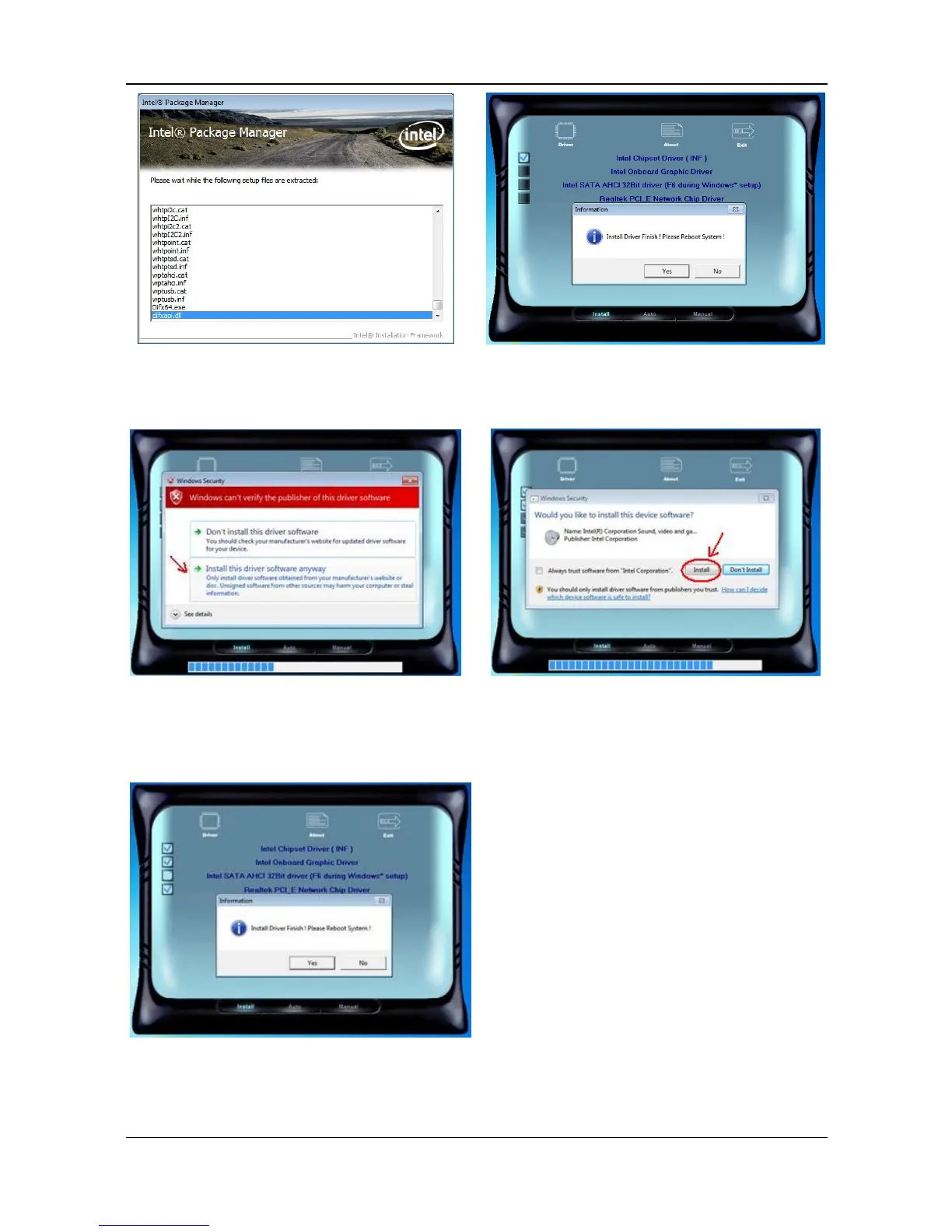
e. Installation program will extract
driver files to install.
f. After Chipset Driver(INF) installed,
click No to continue.
g. Select “Install this driver
software anyway” in Windows
Security window to continue the
installation procedure.
h. Select “Install” in Windows Security
window to continue the installation
procedure.
i. Select “Yes” to reboot system.



 To Next Page