90
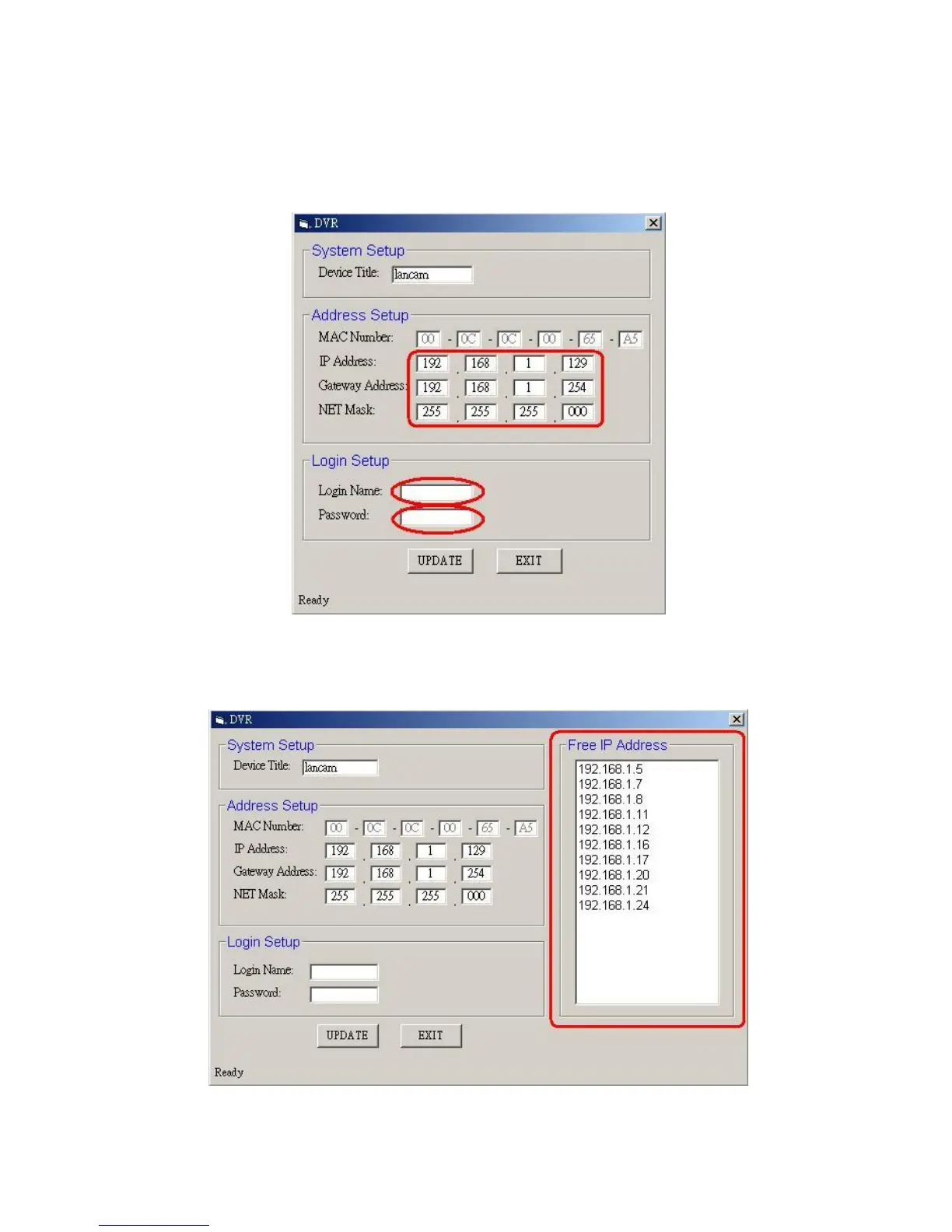
If you have clicked “No”, please manually type in insertions as required in the “Free IP
Address”, “Gateway Address”, and “NET Mask”. Follow each insertion you make by
typing in the “Login Name” and “Password”, and click “UPDATE” to send your
alterations to the IP camera.
2. Automatically search “Free IP Address”.
If you clicked “Yes” the “Free IP Address” box will appear on the right.
3. Select and double click any of the addresses in the “Free IP Address” box on the right to



 To Next Page