91
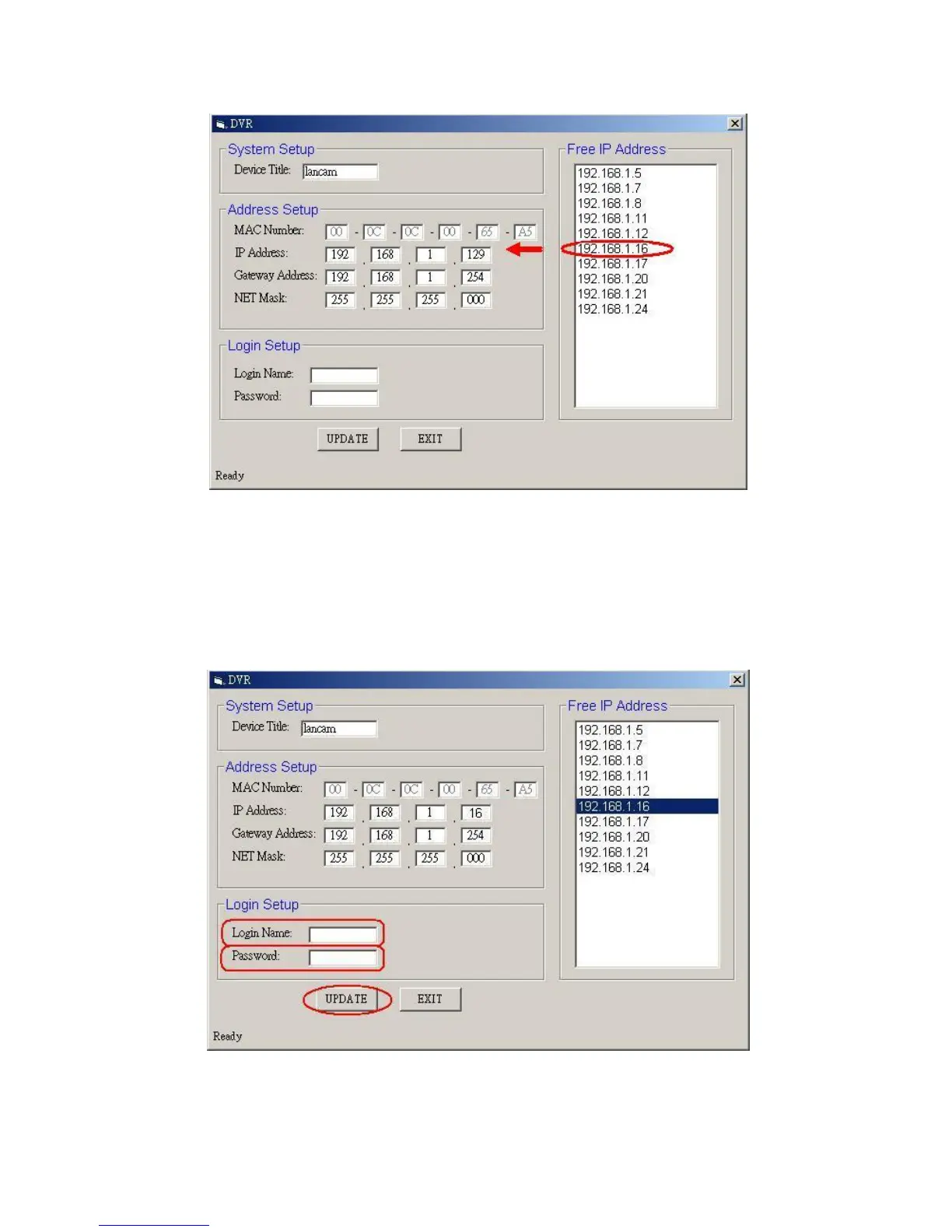
enter it into an IP Address on the left.
4. To change any IP address, type in the new address in the “Free IP Address” box on the
right as well as the device “Login Name” and “Password” in their respective blanks at
bottom left, then click “UPDATE”, and the new address will automatically be sent to the
device.
5. Click “Exit” at bottom right to shut the device.



 To Next Page