APsystems ECU-B Installation/User Manual
3. Hardware Instrallation
2
)
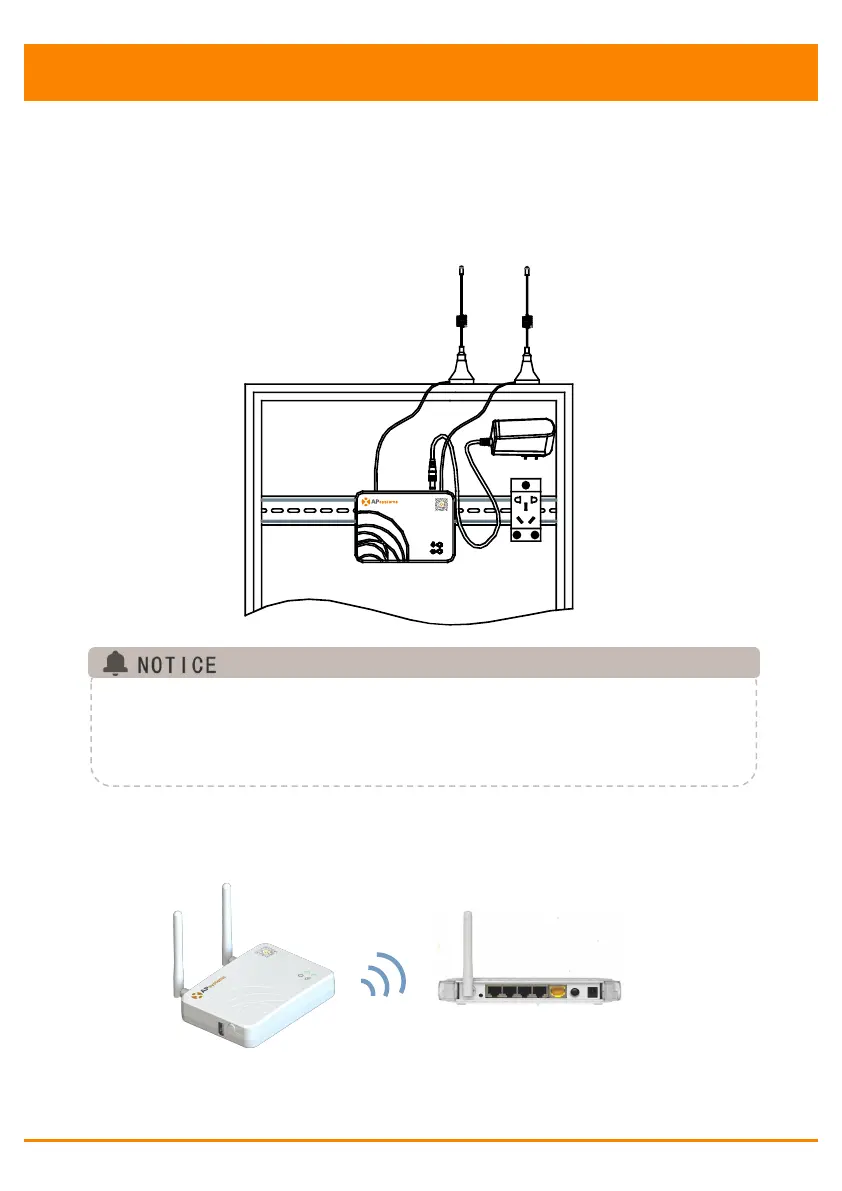
Power Distribution Cabinet Installation
Install the socket on the guide rail (The socket will not be supplied
by APsystems Please prepare it yourself).
Connect the adapter to the power connection port on the top of the
ECU-B.
Figure 6
Do not put the antenna inside a metal box, that will block the signal.
If ECU-B is placed in distribution box or the roof is metal, please use
this long cable antennas, and put them outside the box or on roof.
The long cable antenna (2.4G) is common in market,can be purchased
in electrical store or online store.
3.5 Internet Connection
Figure 7
Use ECU-B internal WLAN (see Manage the WLAN connection ).



 To Next Page