APsystems ECU-B Installation/User Manual
4. ECU-B User Interface
Please use mobile browser to scan the QR codes to download ECUAPP :
(iOS) (Android)
4.1 Connecting to the ECU-B via the Local Wireless
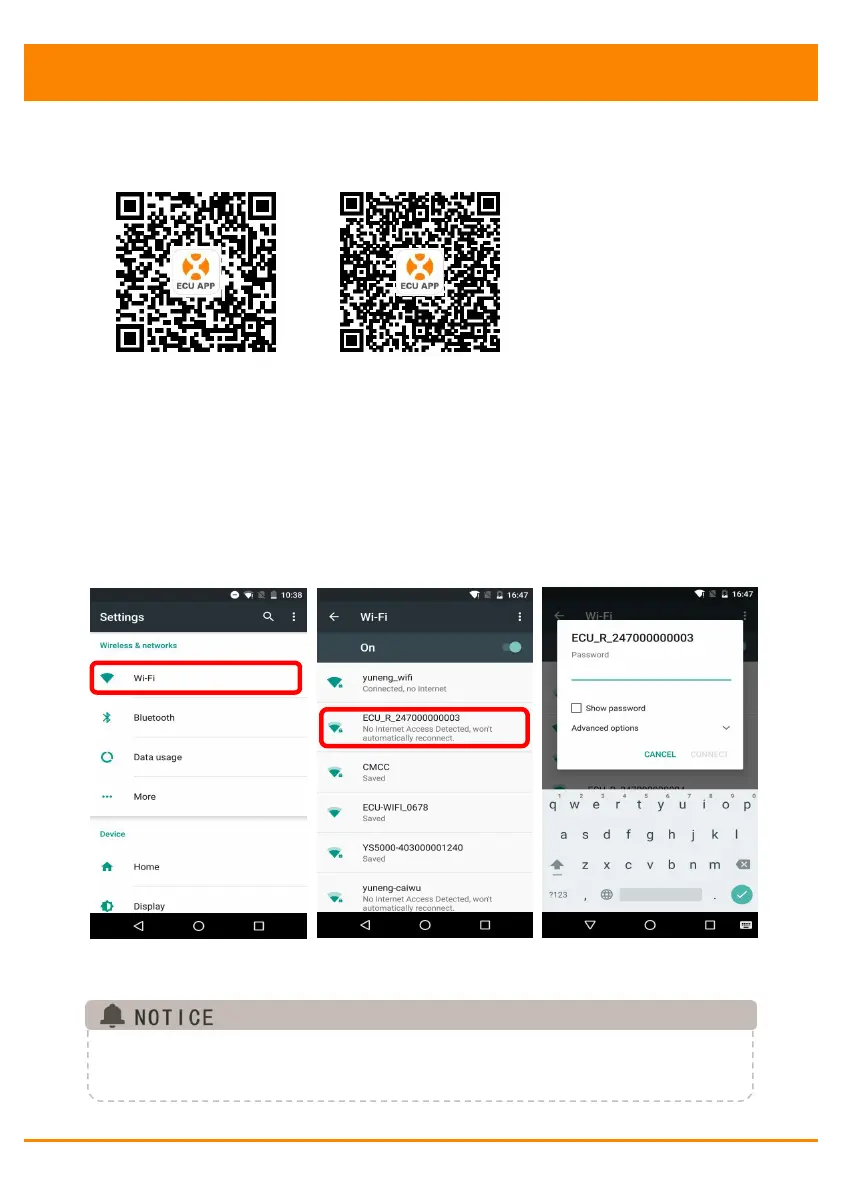
Open Wi-Fi setting in your smartphone, select ECU-B hotspot.
Connecting to the ECU-B via the Local Wireless, the default
password is “88888888”.
Open the ECUAPP.
Check ECUAPP is connected to ECU-B in the Home page.
Before the first time to add the UID, users must set the date and time in
advance.
Please refer to the 4.6.3 Time Management.



 To Next Page