APT (Tianjin) Development Co., Ltd.
9 / 17
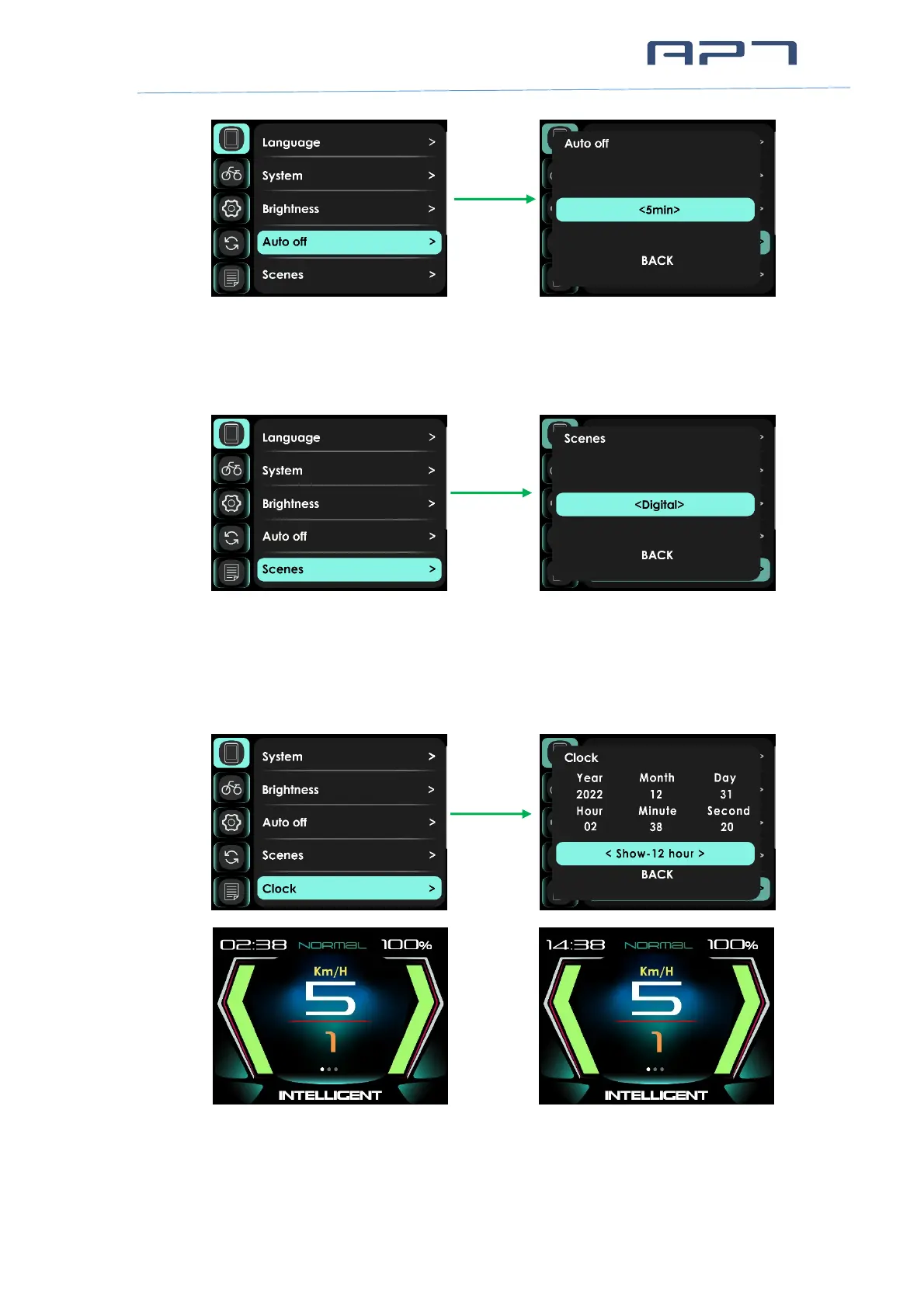
8.1.5 Scenes
Select Digital or Analog.
8.1.6 Clock
This item can set date and time. You can choose Show-12 hour, Show-24 hour on
Main Page.
Show-12 hour Show-24 hour
* Note: When display was powered off, internal Button Battery can keep clock running. When
display is power on, Button Battery will be charged by external battery. If the display is not


 To Next Page