APT (Tianjin) Development Co., Ltd.
6 / 17
Basic information Page Information-1 Information-2
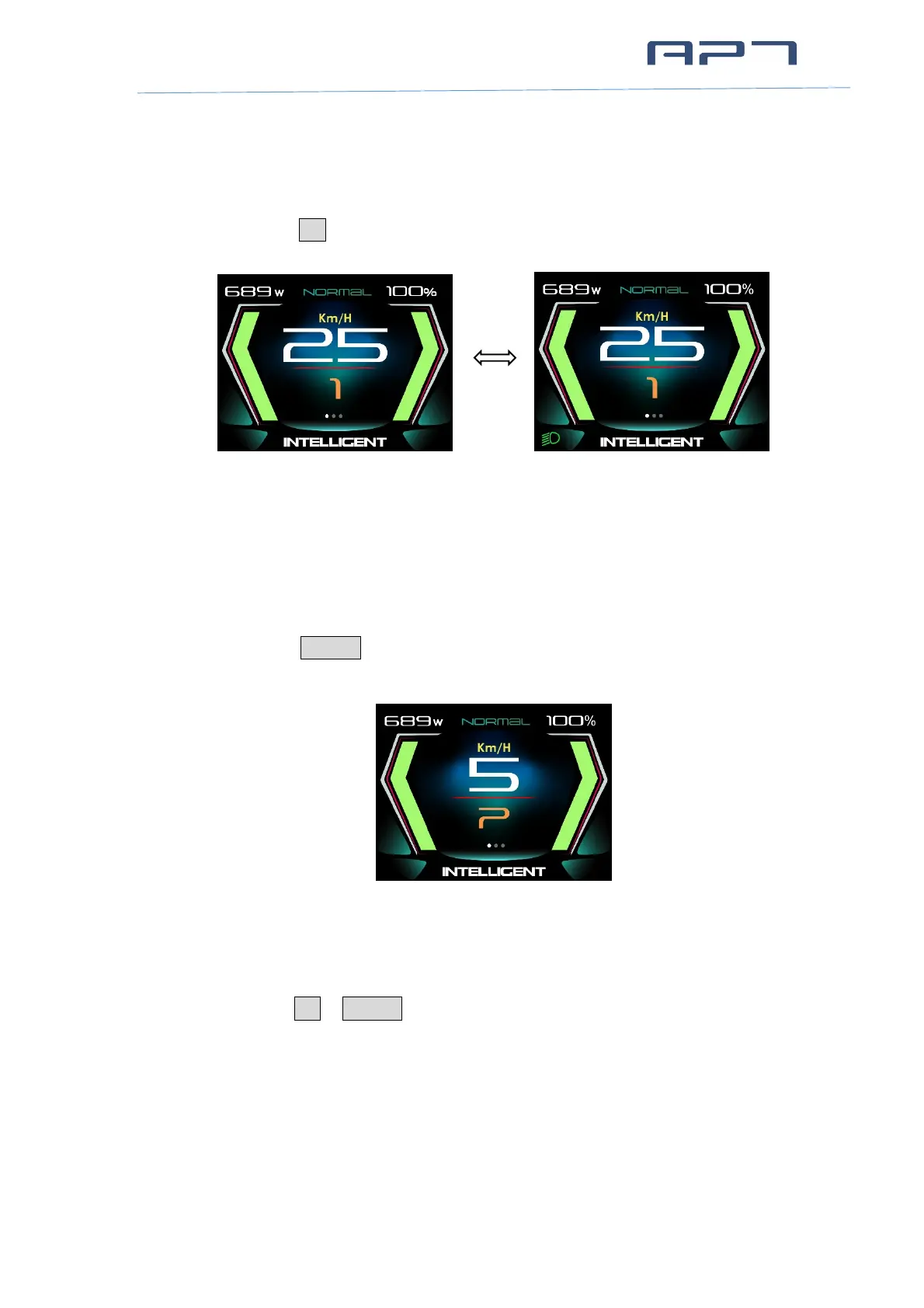
7.4 Headlight / Display Mode
Press and hold UP button for 2 seconds can turn on/off headlight, display will switch
to the corresponding mode (Day or Night).
Day Night
* The brightness of the Display can be set according to the user's needs,Refer 8.1.3 Brightness.
* The motor does not work when the battery voltage is low, Display still can keep the headlight
on for a while when E-bike is in riding.
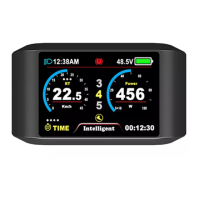
7.5 Walking mode (6km)
Press and hold DOWN button for 2 seconds can get into walking mode, show ‘P’
and real-time speed on the screen, out of walking mode when releasing the button.
Walking Mode
7.6 Data cleanup
Press and hold UP & DOWN button together for 1 second can clean temporary data
(TRIPB, TIME B, AVG SPD, MAX SPD data).
* Temporary data is automatically saved when power off. Abnormal power outage will cause
data lost.
* Restore Factory Mode (advanced settings in Menu Page) can clear temporary data (TRIPA
TRIPB, TIMEA, TIMEB, AVG SPD, MAX SPD, MENU settings) except ODO.
* ODO will reset to zero over 99999km. TRIPB will reset to zero over 9999.9km.


 To Next Page