3.2 Menu
Press MENU to access the system menu, rotate and press the knob to select the Light Mode
/ Bluetooth Settings / DMX Settings / System Settings.
3.3 Light Mode
Rotate and press the knob to select Light Mode in system menu. Rotate and press the knob
to select CCT / HSI / RGB / GEL / Source / XY / FX / Custom FX.
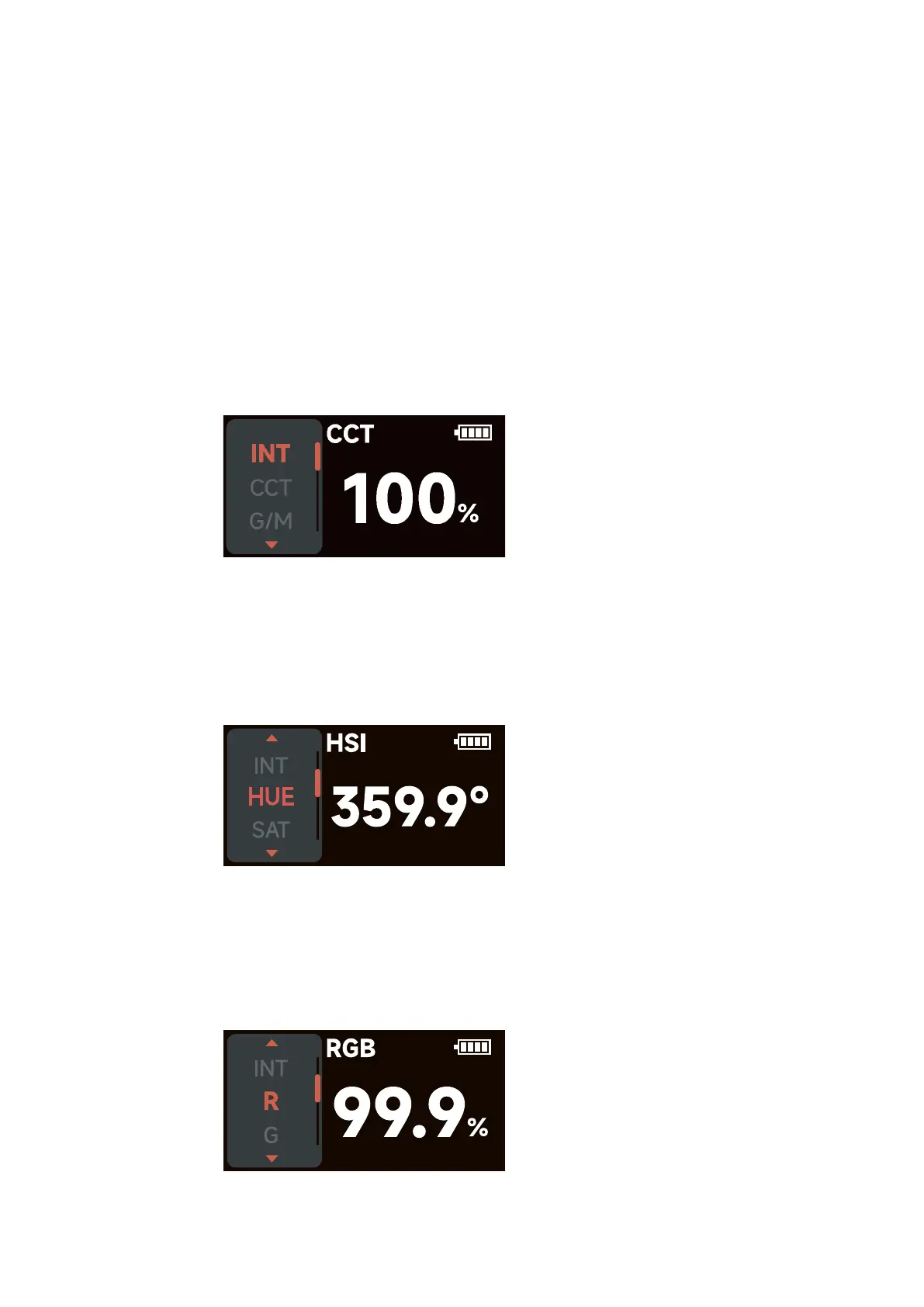
3.3.1 CCT
Rotate and press the knob to select CCT in Light Mode.
INT (Intensity): 0.0%- 100.0%
CCT (Correlated Color Temp.): 2000 K - 10000 K
G/M (Green / Magenta adjustment): -1.0 ~ +1.0
3.3.2 HSI
Rotate and press the knob to select HSI in Light Mode.
INT (Intensity): 0.0%- 100.0%
HUE (Hue): 0.1° - 360.0°
SAT (Saturation): 0.0%- 100.0%
CCT (Correlated Color Temp.): 2000 K - 10000 K
3.3.3 RGB
Rotate and press the knob to select RGB in Light Mode.
INT (Intensity): 0.0%- 100.0%
R (Red): 0.0%- 100.0%
G (Green): 0.0%- 100.0%
B (Blue): 0.0%- 100.0%
- 7 -













 To Next Page