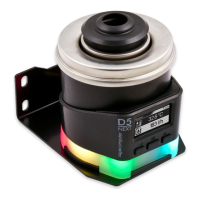
AQUASTREAM ULTIMATE
0 V to 12 V in voltage controlled mode or the PWM ratio range from 0 % to 100
% in PWM controlled mode.
12.2.
12.2.12.2.
12.2. Fan mode
Fan mode Fan mode
Fan mode temperature set point
temperature set pointtemperature set point
temperature set point
This mode can be used to automatically adjust fan speed depending on the cur-
rent temperature reading of one of the up to four available temperature sensors.
The desired target temperature can be configured, all other parameters should not
be changed for normal operation.
12.3.
12.3.12.3.
12.3. Fan mode aquabus
Fan mode aquabusFan mode aquabus
Fan mode aquabus
This mode can be used to fan speed by an aquaero 5/6 controller connected to
the pump via aquabus. If no data is transmitted to the pump via aquabus, the fan
output will be set to maximum power.
12.4.
12.4.12.4.
12.4. Fan mode curve controller (Advanced Controller Package only)
Fan mode curve controller (Advanced Controller Package only)Fan mode curve controller (Advanced Controller Package only)
Fan mode curve controller (Advanced Controller Package only)
This mode can be used to automatically adjust fan speed depending on the cur-
rent temperature reading of one of the up to four available temperature sensors.
The controller curve can be configured by assigning output values to 16 corre-
sponding temperature values.
The output value in percent corresponding to the current temperature is scaled to
the range between minimum and maximum fan power settings before being ap-
plied to the fan output.
The startup temperature will also be factored into the controller output. The output
power defined in the curve controller will be ignored and set to 0 % as long as the
input temperature has not exceeded the defined startup temperature for the first
time. After the startup temperature has been exceeded, the output will strictly be
set according to the defined curve until the output value goes down to 0 % again.
This will trigger the startup process again, meaning the temperature has to exceed
the defined startup temperature again before the curve will be in effect once more.
This behavior is meant to prevent fans assigned to the curve controller to be
switched on and off in rapid succession. If the first point on the curve is set to a
power greater than 0 %, this behavior is deactivated.
In the aquasuite, controller curves can easily be adjusted using drag & drop and
curves can automatically be generated from start and end points. In the graphical
curve display, the currently displayed area can be changed using the following
methods:
● Mouse wheel movements will zoom in and out.
● A double click on an axis will reset zoom level for this axis, a double click
into the diagram will reset both axes.
● Selecting an area on an axis will zoom this axis to this area, selecting an
area in the diagram will zoom both axes to this area.
- 18 - Aqua Computer GmbH & Co. KG © 2016-2018
Gelliehäuser Str. 1, 37130 Gleichen


 To Next Page