AQUASTREAM ULTIMATE
Currently, the “Aqua Computer Service” supports data transfer from "HWiNFO“
(REALiX, Freeware, www.hwinfo.com) and "AIDA64“ (FinalWire Ltd., subject to li-
cense fees, www.aida64.com).
HWiNFO automatically exports all temperature sensor values and does not need
to be configured. When using HWiNFO, the “Sensor Status” Window has to be
open.
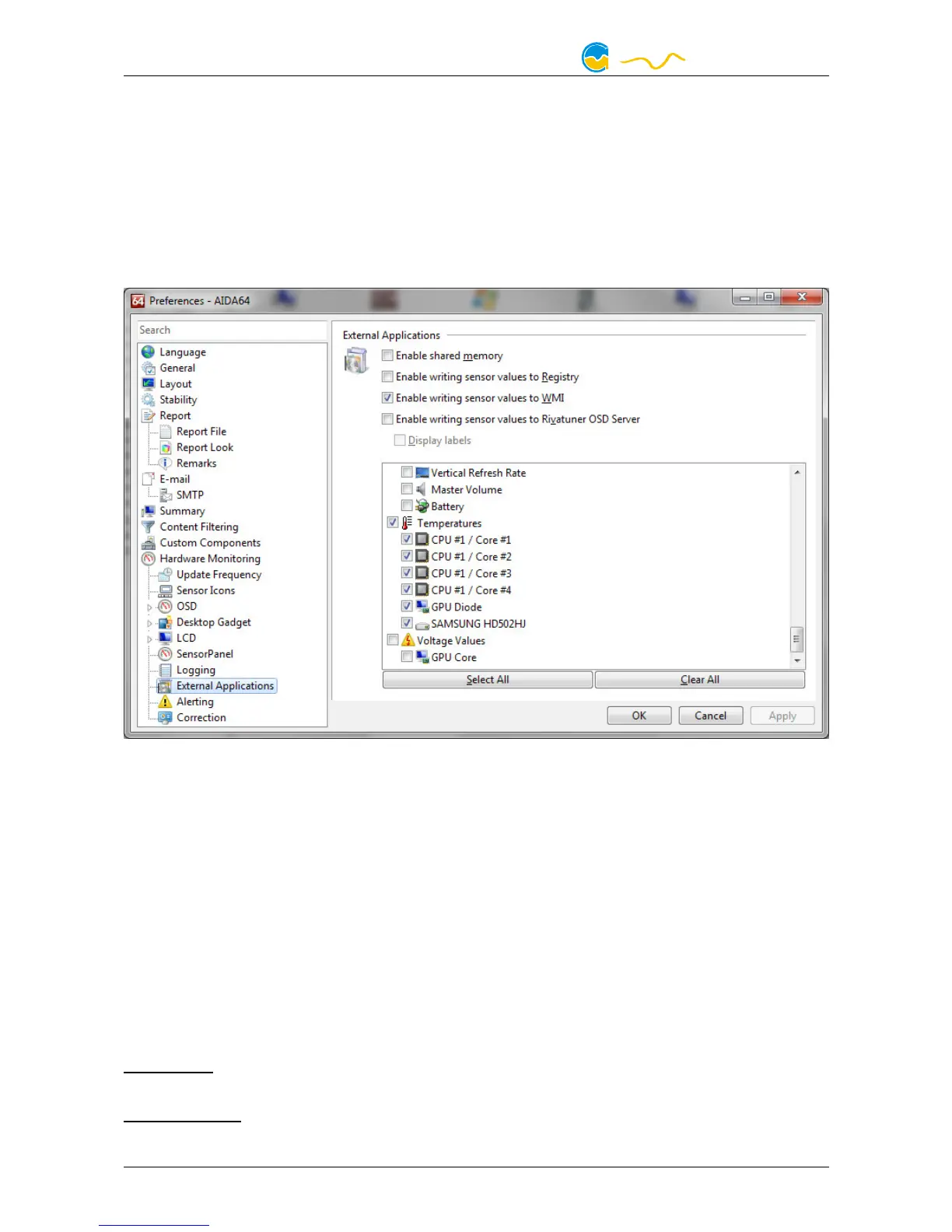
In the AIDA64 preferences menu, writing to WMI must be activated in the "external
applications“ sub-menu:
Click the “Select data source” button to assign each software sensor to a tempera-
ture sensor provided by third party software.
14.5.
14.5.14.5.
14.5. Water temperature sensor selection
Water temperature sensor selectionWater temperature sensor selection
Water temperature sensor selection
Select one of the available temperature sensors to be displayed as “Water temper-
ature” in the information pages on the pump display. This sensor is also available
as a data source for all temperature controllers. If the currently selected sensor
does not read valid data, the pump will automatically default to the internal water
temperature sensor instead.
15.
15.15.
15. Display configuration and information pages
Display configuration and information pagesDisplay configuration and information pages
Display configuration and information pages
aquasuite: Select “Display” from the device list below the “aquastream ULTIMATE”
entry.
Device menu:
Select “Display” from the menu list and confirm by pressing the mid-
dle key.
- 22 - Aqua Computer GmbH & Co. KG © 2016-2018
Gelliehäuser Str. 1, 37130 Gleichen


 To Next Page