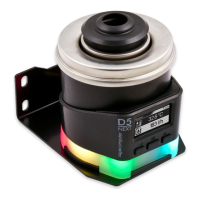
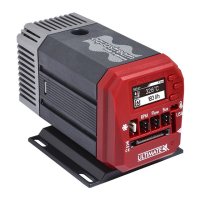
AQUASTREAM ULTIMATE
Table of contents
Table of contentsTable of contents
Table of contents
1. Preface.........................................................................................4
2. Safety precautions.........................................................................4
3. Scope of delivery..........................................................................5
4. Overview of the aquastream ULTIMATE pump................................5
5. Assembly instructions.....................................................................5
6. Electrical connections....................................................................6
6.1. Connection panel aquastream ULTIMATE........................................6
6.2. Power Connector..........................................................................6
6.3. Connector “USB”..........................................................................6
6.4. Connector “Bus”...........................................................................6
6.5. Connector “Flow”.........................................................................7
6.6. Connector “RPM”.........................................................................7
6.7. Fan connector..............................................................................7
6.8. Connector for temperature sensor...................................................8
7. Operation of the aquastream ULTIMATE........................................8
7.1. Initial operation............................................................................8
7.2. Operation via keys and display.......................................................9
7.3. Configuration using USB connection...............................................9
8. aquasuite software........................................................................9
8.1. Installation of the aquasuite software...............................................9
8.2. Basic operation..........................................................................10
8.3. Symbols in the headlines..............................................................10
9. Overview pages (aquasuite).........................................................11
9.1. Desktop mode............................................................................11
9.2. Creating new overview pages and activating edit mode..................11
9.3. Adding new elements..................................................................11
9.4. Editing existing elements..............................................................12
9.5. Values and names......................................................................12
9.6. Detailed data elements................................................................12
9.7. Log data chart............................................................................12
9.8. User defined: Images, text, drawing elements.................................12
9.9. Export and import of overview pages.............................................13
10. Data quick view and data log (aquasuite)...................................13
10.1. Log settings..............................................................................14
10.2. Analyze data............................................................................14
10.3. Manual data export...................................................................15
10.4. Automatic data export...............................................................15
11. Pump configuration...................................................................16
11.1. Pump mode maximum power/automatic.....................................16
11.2. Pump mode speed preset...........................................................16
- 2 - Aqua Computer GmbH & Co. KG © 2016-2018
Gelliehäuser Str. 1, 37130 Gleichen


 To Next Page