page 15
User guide
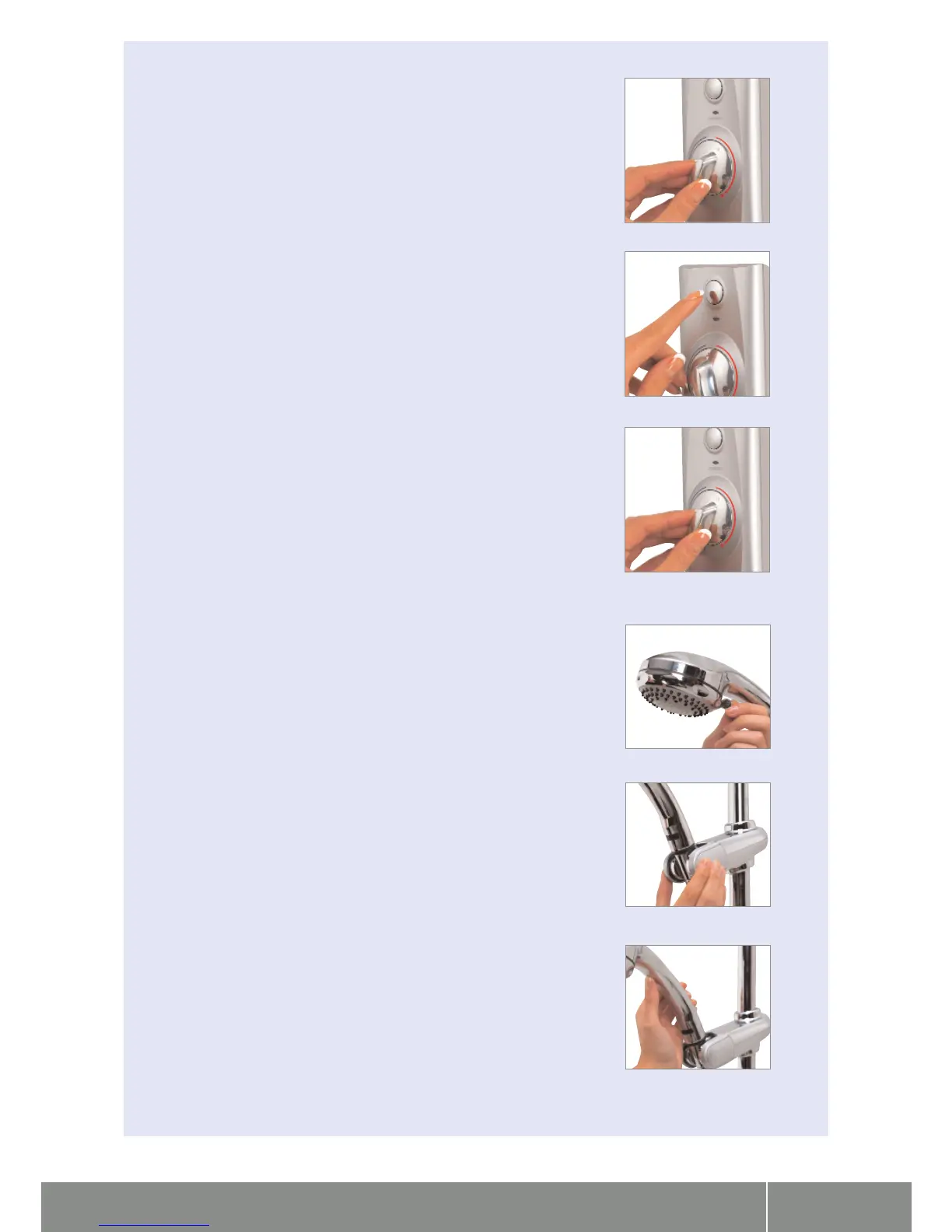
1. Turn the temperature dial to the required setting.
2. Press the ‘start’ button on the control.
3. The green LED display will flash until the selected temperature has been reached.
4. When the LED display is constant, step into your shower and enjoy!
5. The temperature may be adjusted once in the shower.
Adjustable head user guide
1. To select the desired spray pattern rotate the shower spray plate clockwise or anti-clockwise,
using the lever.
2. To select the preferred height for the shower head, depress the handset holder levers fully
to enable the slider to be moved up or down the rail.
3. Angular adjustment is made by carefully but firmly pulling forwards or pushing back the
shower head against the knuckle ratchet in the holder.
Visage Digital concealed installation instuctions




 To Next Page