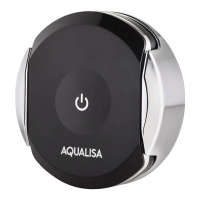
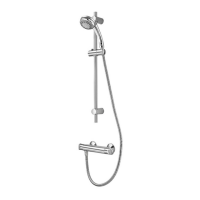
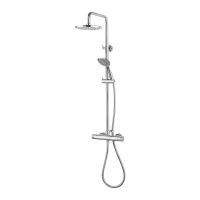
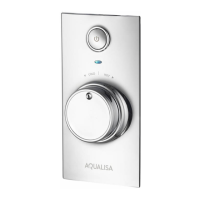
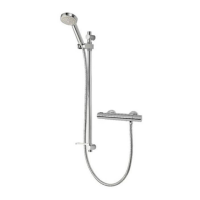
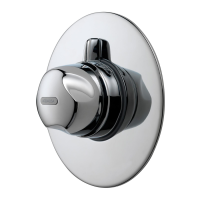
The Aqualisa Optic Q™ is a smart shower system designed to provide a personalized and enhanced showering experience. It features a sleek, circular controller with a display that shows temperature, flow, and outlet selection. The system can be controlled manually via the controller, through a dedicated Aqualisa app, or even with smart speakers, offering a range of convenient interaction methods.
Function Description
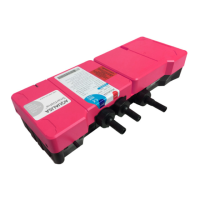
The core function of the Aqualisa Optic Q™ is to deliver a thermostatically controlled shower experience. Users can precisely adjust the water temperature and flow to their preference. For models with multiple outlets, such as a fixed head, adjustable head, or bath overflow filler, the system allows for easy switching between these options. The SmartValve™ is the intelligent heart of the system, blending hot and cold water to achieve the desired temperature and maintaining it consistently.
Usage Features
- Quick Start and Wake-up: The controller features a proximity sensor that wakes up the display as a user approaches, making it ready for immediate use. The shower can be started by a simple push and release of the lever after the display wakes up.
- Temperature Adjustment: Temperature can be adjusted at any time, before or during showering, by rotating the bezel on the controller. The display provides real-time feedback, showing "Warming" or "Cooling" as the temperature changes, and then displaying the stable temperature once reached.
- Flow Adjustment: The water flow can be adjusted during showering by moving the lever left or right. The display will show the current flow setting (e.g., "MAX Flow"). After adjustment, the display returns to the temperature home screen.
- Outlet Selection (Divert Models Only): For showers with multiple outlets, users can switch between them by pushing and holding the lever for over 3 seconds. Releasing the lever when the desired outlet icon appears will select that outlet. The system allows for configuration of primary and secondary outlets through the settings menu.
- Switching On and Off: To start, the controller wakes up (via proximity or touch), then the lever is pushed and released. The display shows "Get Ready" and then the target temperature. To end the shower, the power symbol is touched for about 1 second, and then the lever is pushed to confirm. A secondary method to turn off the shower involves toggling the lever down to the ECO flow setting and then three more times in succession.
- Safety Features: The Aqualisa SmartValve™ has a maximum run time of 20 minutes as a safety feature. The flow can be stopped and started at any time. This run time can be adjusted via the Aqualisa app.
- Settings Menu: The Optic Q™ offers various optional settings to customize the shower experience. These include:
- Auto Wake Up: This feature, controlled by the proximity sensor, can be turned off if the shower enclosure is small and the controller remains permanently active.
- WiFi Connectivity: Allows connection to the Aqualisa app for enhanced functionality and remote control.
- Pair a Remote: For users who have purchased an optional remote control.
- Configure Outlets: Enables users to choose icons for their outlets and set a primary outlet.
- Factory Reset: Resets all settings to factory defaults.
- Firmware Update: For use under advice from Aqualisa Customer Service or a Service Technician.
- Aqualisa App Integration: The free Aqualisa app unlocks advanced features such as water consumption analysis, remote control, and voice activation. The app also allows for reporting issues, suggesting improvements, or asking questions via the Instabug platform.
- Smart Speaker Set-up: Once the Aqualisa app is set up and connected, the shower can be added to smart speaker devices for voice control.
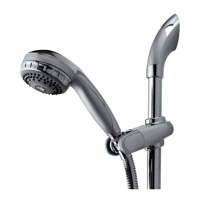
- Adjustable Head (Vita™ Head): The adjustable head allows users to select different spray patterns by rotating a lever on the spray plate. The height can be adjusted by squeezing side levers, and angular adjustment is made by gently pulling or pushing the shower head against the ratchet.
- Fixed Head: The angle of the fixed shower head can be adjusted on a multi-directional ball joint, allowing for minor angular adjustments.
- Bath Overflow Filler: For bath models, the waste cover can be pushed to engage or disengage the plug fitting. A warning is provided not to leave the bath filler running unattended, even with the overflow feature.
Maintenance Features
- Regular Cleaning: To maintain effective operation, regular cleaning of the shower is recommended, especially in hard water areas.
- Cleaning Materials: The product should be cleaned using only a soft cloth and washing-up liquid. Abrasive cleaners are explicitly discouraged as they can damage plastics and electroplated surfaces.
- Descaling the Shower Head: The shower head incorporates a 'clear flow' system, allowing users to break down scale build-up by gently rubbing the flexible tips of the jets during use. This should be done regularly, even weekly in hard water areas, to prevent poor spray patterns and potential warranty issues. For more thorough descaling, the shower head can be removed and immersed in a mild proprietary descaler (e.g., vegetable-based or plain white vinegar).
- Waste Plug Mechanism (Bath Systems): The 'click clack' waste plug mechanism (if applicable) should be kept clear of debris to ensure a watertight seal. The plug can be unscrewed for cleaning.
- Checking Inlet Filters: In case of low or no flow, a qualified person should check for debris in the inlet filters of the Aqualisa SmartValve™, diverter, and fixed head connection washer. Water supplies must be isolated before checking filters.
- Hose Liner Check: If a flexible hose is fitted and there's a flow issue, the shower hose can be unscrewed from the outlet connection to check for blockages or kinks.
- Water System Changes: If switching between gravity-fed and mains pressure water systems, the Aqualisa SmartValve™ may need to be changed. Contact Customer Service for guidance.
- Troubleshooting Guide: The user guide provides a comprehensive troubleshooting section with common symptoms, possible causes, and recommended actions for various operational issues, including controller unresponsiveness, flow problems, temperature control issues, and app connectivity problems. This helps users diagnose and resolve minor issues independently.



 To Next Page
 General