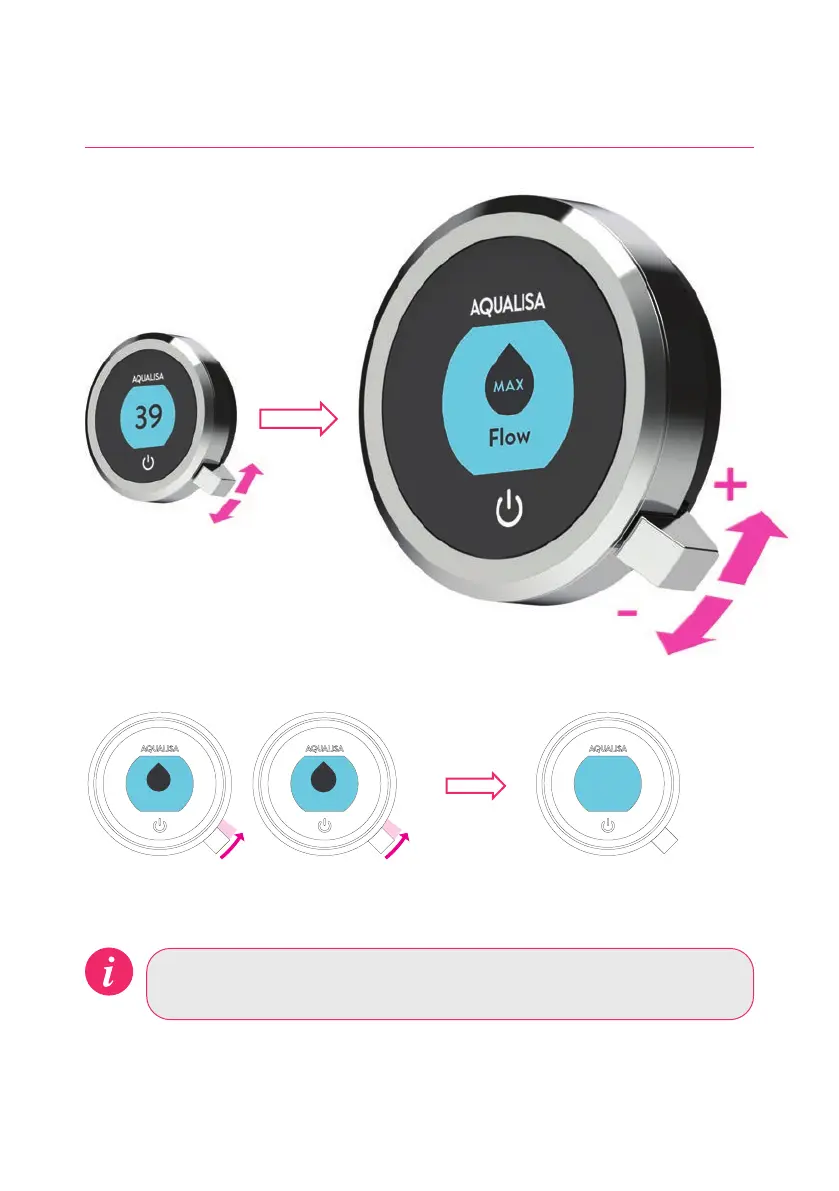
Emerency Stop: When the flow settin is at ECO, jole the Q
TM
lever
down 3 times in succession to turn the shower o.
Flow
MED MAX
Flow
39
FLOW FEEDBACK DISPLAY
After adjusting the flow, the display will return to the temperature Home screen
after a few seconds.
From the Home screen you can
adjust the flow during showering,
by moving the lever left or right.*
*Flow cannot be adjusted when in Settings mode, or when the shower is awake and not flowing.
Adjusting the Flow
8




 To Next Page