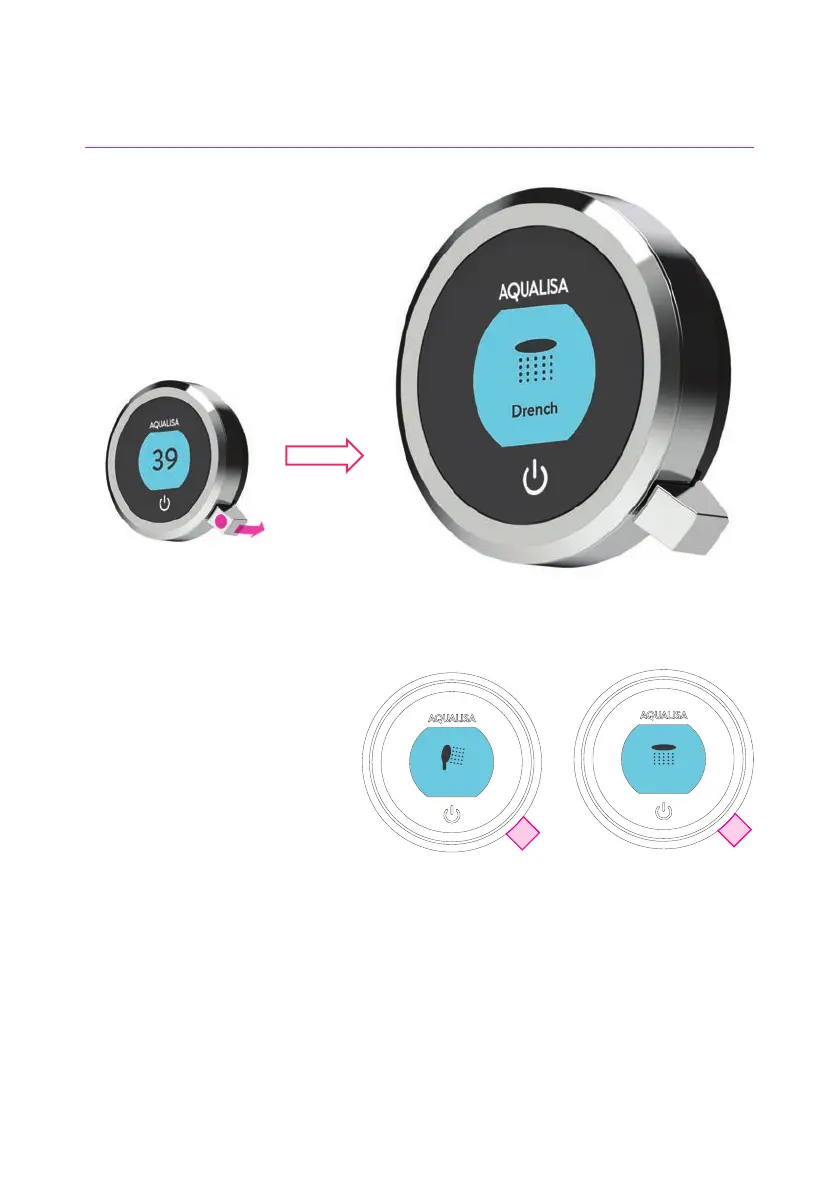
Drench
Shower
Push and hold for
over 3 seconds
Release lever when
desired outlet icon appears
Selecting your Outlet Divert models only
From the Home screen, you can
alternate between outlets by
pushing and holding the lever for
over 3 seconds and releasing when
the desired outlet icon appears.
This can be done upon starting the
shower, or during showering.
OUTLET ICONS
By default your
controller will show the
Shower icon as the primary
outlet and the Drench icon
as secondary. To change, go
to Settings menu, Configure
Outlets (page 14).
9




 To Next Page