EasyManua.ls Logo

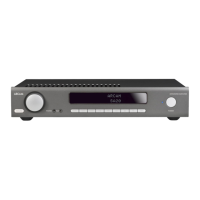
Arcam SA30 - User Manual

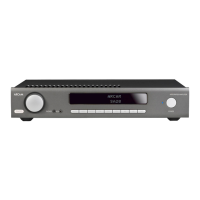
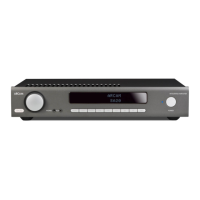
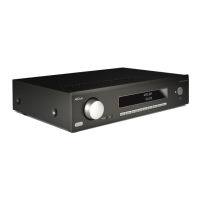
Arcam SA30
60 pages
Print Icon
To Next Page IconTo Next Page
Loading...
SERVICE MANUAL
INTEGRATED AMPLIFIER
SA30
ISSUE A

Other manuals for Arcam SA30

Questions and Answers

  • Z
    zachary94Aug 16, 2025
    What to do if Arcam SA30 remote control doesn't work?
    • H
      Helen McclainAug 16, 2025
      Make sure that there are fresh batteries in the remote control. Ensure that the front panel window is visible and you are pointing the remote control towards it. Check that the remote is in the correct mode to control the unit by pressing the AMP button before controlling the SA30.
  • A
    amy11Aug 19, 2025
    How to fix an Arcam SA30 Amplifier remote control that responds erratically?
    • R
      Rachel FloresAug 19, 2025
      If your Arcam SA30 Amplifier is responding erratically or not at all to the remote control, ensure the remote control has fresh batteries. Make sure the front panel window is visible and you are pointing the remote control towards it. Also, verify the remote is in the correct mode to control the unit by pressing the AMP button before controlling the SA30.
  • K
    Keith DonaldsonAug 22, 2025
    What to do if my Arcam Amplifier SA30 has no sound?
    • R
      ryan68Aug 22, 2025
      First, ensure that the Arcam SA30 amplifier is correctly plugged in and switched on. Then, verify that your audio source is correctly connected, the correct input is selected, and the source is not muted. Also, check that the SA30 is not in protection mode.
  • Y
    youngbrianAug 26, 2025
    Why does my Arcam Amplifier sound cut-out unexpectedly?
    • M
      Matthew WhiteAug 26, 2025
      The Arcam SA30 amplifier may enter a protection mode if a fault is detected. The front panel LED will indicate the fault type: * FLASHING WHITE: The internal temperature of the unit reached an unsafe level. Allow the SA30 to cool off. * FLASHING RED: The SA30 amplifier detected a speaker short circuit. Inspect all the speaker cables to make sure none of them are shorted together. * FLASHING ORANGE: The amplifier detected a DC offset. Following any of these faults, the amplifier will turn itself off and power to the speakers will be removed. To continue using the SA30, the fault must be removed and the unit must be turned OFF then back ON.
  • S
    Shawn WalkerAug 28, 2025
    How to fix hum on the analogue input of my Arcam SA30?
    • J
      Jessica BrownAug 28, 2025
      Ensure all cables are making a good connection. If necessary, withdraw the cable from the connector and plug it fully in again, after turning the power off. Check that the connections inside the source cable connector are not broken or badly soldered. If the hum originates only when one particular source component is connected, ensure that an aerial cable, or dish connection to this source is ground isolated. Contact your installation contractor.
  • D
    David ButlerAug 31, 2025
    What to do if the front panel display is blank on my Arcam SA30 Amplifier?
    • N
      Nicole ParkAug 31, 2025
      Ensure that the display hasn’t been turned off. Press the button on the remote control.
  • R
    Richard TurnerSep 3, 2025
    What to do if my Arcam SA30 has no sound?
    • G
      gmendozaSep 3, 2025
      If your Arcam SA30 Amplifier has no sound, ensure it is correctly plugged in and switched on. Verify that your audio source is correctly connected, the correct input is selected, and the source is not muted. Also, confirm the SA30 is not in protection mode.
  • A
    Anthony GriffinSep 6, 2025
    Why does the sound cut out unexpectedly on my Arcam SA30?
    • C
      Christopher KellerSep 6, 2025
      The sound on your Arcam SA30 Amplifier might be cutting out unexpectedly because it has entered a protection mode due to a detected fault. The front panel LED will indicate the fault type: FLASHING WHITE indicates the internal temperature of the unit reached an unsafe level (allow the SA30 to cool off), FLASHING RED indicates a speaker short circuit (inspect all speaker cables), FLASHING ORANGE indicates a DC offset. Following any of these faults, the amplifier will turn itself off and power to the speakers will be removed. To continue using the SA30, the fault must be removed, and the unit must be turned OFF then back ON.
  • J
    Jeffrey McfarlandSep 9, 2025
    What to do if there is hum on the analogue input of my Arcam SA30?
    • H
      harrellpeterSep 9, 2025
      If you are experiencing hum on the analogue input of your Arcam Amplifier, ensure all cables are making a good connection. If necessary, withdraw the cable from the connector and plug it fully in again (turn the power off before doing this). Check that the connections inside the source cable connector are not broken or badly soldered. If the hum originates only when one particular source component is connected, ensure that an aerial cable, or dish connection to this source is ground isolated. Contact your installation contractor.
  • A
    Amanda YoungSep 12, 2025
    How to turn on the front panel display of my Arcam SA30?
    • M
      Michael LeeSep 12, 2025
      If the front panel display of your Arcam Amplifier is blank, ensure that the display hasn’t been turned off. Press the button on the remote control. See 'Display' on page EN-12.

Summary

Safety Summary

Safety Guidelines

Electrostatic Discharge (ESD) Precautions

General Information

Highlights

Key features and specifications of the SA30 integrated amplifier.

Routine Maintenance

Instructions for periodic cleaning and maintenance of the unit.

SA30 Specifications

Troubleshooting

Block Diagram

Theory of Operation

Standby Modes

Description of the different standby modes and their functions.

Power Amplifier

Details on the Class G amplification stage and its power output.

Host MCU

Information about the main microcontroller and its role.

Digital PCB - L298

Overview of the L298 Digital PCB and its functions.

L297 Power Amplifier PCB Issue 4

L298 Digital PCB Issue 3

L305 Display PCB Issue 3

Overall Dimensions

Exploded Drawings

Arcam SA30 Specifications

General IconGeneral
TypeIntegrated Amplifier
Input Impedance10kΩ
DACESS Sabre ESS9038K2M
Network ConnectivityEthernet, Wi-Fi
BluetoothYes (aptX HD)
ClassClass G
Power Output120W per channel (8Ω)
Frequency Response20Hz - 20kHz ± 0.2dB
Total Harmonic Distortion0.002%
Input Sensitivity1V
Inputs1 x Phono MM
Outputs1 x Headphone
Streaming ServicesAirPlay 2, uPnP
Dimensions433 mm

Related product manuals