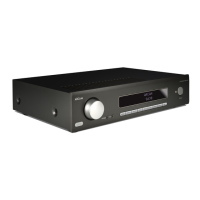
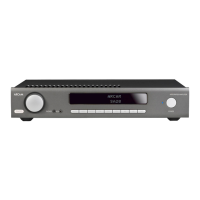
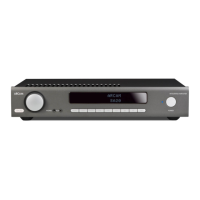
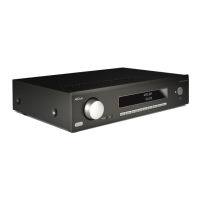
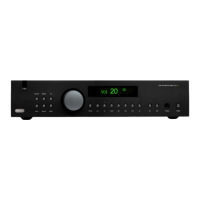
The ARCAM SA35 is a streaming integrated amplifier designed for high-fidelity audio reproduction, drawing on over 45 years of ARCAM's expertise in amplifier design. It serves as a central hub for various audio sources, offering both traditional analog and digital inputs, alongside extensive streaming capabilities and advanced room correction technology.
Function Description:
The SA35 integrates amplification, digital-to-analog conversion (DAC), and network streaming into a single unit. It is capable of driving loudspeakers with significant power output and features a comprehensive set of inputs for connecting a wide range of audio components. Its core function is to deliver high-quality audio from diverse sources, enhanced by ARCAM's amplification philosophy and Dirac Live room correction.
Important Technical Specifications:
- Continuous Power Output (0.5% THD, per channel):
- 2 channels driven, 20Hz - 20kHz, 8Ω (FTC): 120W
- 2 channels driven, 1kHz, 4Ω: 200W
- Harmonic Distortion (80% power, 8Ω at 1kHz): 0.002%
- Analogue Inputs:
- Number of inputs: 3 (RCA pairs)
- Phono Inputs: MM and MC (Moving Magnet and Moving Coil)
- Frequency response: 20Hz-20kHz ± 0.2dB
- Signal/noise ratio (A-wtd, ref. 50W, 1V input): 106dB
- Digital Inputs:
- 1x HDMI eARC/ARC
- 2x Coaxial (RCA)
- 2x Optical (Toslink)
- Supported Digital input Bit depth: 16, 24
- Supported Digital input sample rates (kHz): Up to 192 kHz
- Frequency response (filter 1): 20Hz-20kHz ± 0.2dB
- Signal/noise ratio (A-wtd, ref. 50W, 0dBFS): 110dB
- Supported Streaming Media: FLAC, WAV (LPCM), AAC, ALAC, AIFF, DSD (up to 256), MP3, OGG, WMA
- Supported Streaming Bit depth: 16, 24, 32
- Supported Streaming sample rates (kHz): Up to 384 kHz
- Gapless Playback: Yes
- Wireless Specifications:
- Bluetooth Profile: 5.4; A2DP Sink/Source, AVRCP, BLE, Snapdragon Sound, AAC, LE Audio, Auracast
- Bluetooth Transmitter Frequency and Power: 2,400 MHz to 2,483.5 MHz: <20dBm
- Wi-Fi Network: IEEE 802.11 a/b/g/n/ac/ax (2.4GHz/5GHz)
- 2.4G Wi-Fi Transmitter Frequency Range and Power: 2400-2483.5 MHz (USA 11 Channels, Europe and Others 13 Channels): <20dBm
- 5G Wi-Fi Transmitter Frequency Range and Power: 5150-5250 MHz <23dBm, 5250-5350 MHz <20dBm, 5470-5725 MHz <20dBm (Not used in China), 5725-5850 MHz <14dBm for EU, <33dBm for other regions.
- Power Consumption:
- Maximum: 700W
- Network standby: <2W
- Standby: <0.5W
- Dimensions (W x D x H including feet): 432 x 344 x 99mm
- Weight (net): 12 kg
- Weight (packed): 14 kg
Usage Features:
The SA35 offers a rich set of features for versatile audio enjoyment:
- Connectivity:
- Wired Network: Connects to a home network via an Ethernet socket using a Cat 5e or Cat 6 cable for stable streaming.
- Wireless Connections: Supports Wi-Fi (2.4G and 5G) and Bluetooth (5.4) for both input and output.
- Bluetooth Input: Allows pairing with source devices (e.g., smartphones, tablets) to stream audio to the SA35. It can recall up to 5 device pairings.
- Bluetooth Output: Enables transmitting audio to external Bluetooth headphones, supporting Auracast, paired devices, or new pairings.
- Digital Audio Inputs: Features HDMI eARC/ARC, Coaxial, and Optical inputs, supporting stereo PCM audio.
- Analogue Audio Inputs: Includes three stereo RCA analogue inputs and two dedicated phono inputs (MM and MC) for turntables.
- USB Media Playback: Supports playing music files from a USB flash drive inserted into the rear panel USB socket, browsable via the ARCAM Radia app.
- Streaming Services & Apps:
- Works with popular apps and services like Spotify Connect, Tidal Connect, Apple Airplay, Google Cast, and Roon.
- Accessible via the ARCAM Radia app, which also provides access to Internet Radio, Podcasts, Connected USB media, and Local network storage (UPnP).
- Dirac Live Room Correction:
- A key feature for optimizing audio performance in any listening environment.
- Requires creating an account at dirac.com/register, downloading the Dirac Live software (PC/MAC), and using the supplied USB microphone and cable.
- The process involves launching the software, connecting to the SA35, selecting the microphone and loading its calibration file, performing volume calibration, selecting measurement arrangements, taking measurements, designing filters (with recommended Harman target curve), and exporting the completed filter to the SA35.
- DAC Filters:
- Offers selectable digital filters (Minimum Phase, Linear Phase Apodizing, Linear Phase Slow Roll-off, Minimum Phase Slow Roll-off) to fine-tune the digital-to-analogue conversion process, balancing frequency response, phase, and ringing characteristics.
- User Interface:
- Front Panel: Features input and volume dials with push functions for selection and standby control. A display provides visual feedback.
- Remote Control: A dedicated IR remote control provides comprehensive control over power, menu navigation, volume, mute, display brightness, transport keys, settings menu, and display mode.
- ARCAM Radia App: A smartphone/tablet app for Wi-Fi connection setup, browsing streaming services, and accessing settings.
- Power Management:
- ECO Timer: User-selectable function to automatically enter standby after 20 minutes of inactivity (default: ON, can be set to OFF).
- Network Standby: User-selectable function to keep network connections active in standby (default: ON, can be set to OFF to reduce power consumption).
- Standby Control: The unit can be brought out of standby by pressing or rotating the volume dial, or placed into standby by pressing and holding the volume dial or using the remote's standby button.
- Settings Menu:
- Provides options to configure various aspects of the amplifier, including Halo Brightness, Subwoofer Config, Balance, Maximum Volume, Pre Amp Mode, Eco Timer, Network Standby, BT/HDMI Autoswitch, TV Volume Control, System Reset, Bluetooth Reset, USB Update, System Code, and Product Information.
- Pre Amp Mode: Disables the internal power amplifier, useful when connecting to external power amplifiers.
- System Code: Allows changing the remote control's system code to avoid conflicts with other ARCAM devices.
Maintenance Features:
- Software Updates: Supports software updates via a USB stick inserted into the rear panel USB socket, initiated through the settings menu.
- System Reset: An option in the settings menu to reset all settings to default.
- Bluetooth Reset: Clears the saved list of paired Bluetooth devices.
- Troubleshooting Guide: The manual includes a comprehensive troubleshooting section to address common issues like no sound, unexpected sound cuts, remote control unresponsiveness, blank display, and network connectivity problems.
- Safety Instructions: Emphasizes important safety guidelines such as proper ventilation, avoiding heat sources, correct power cord usage, and professional servicing when required.
- Battery Care: Instructions for correct battery insertion, avoiding mixing old/new or non-identical batteries, and removal for long-term storage.

 Need help?

 To Next Page
 General