EasyManua.ls Logo

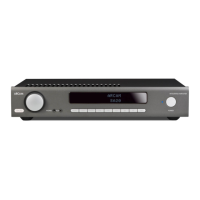
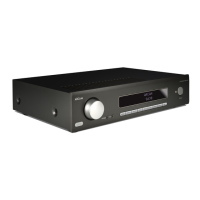
Arcam SA10 - User Manual

Arcam SA10
136 pages
Print Icon
To Next Page IconTo Next Page
Loading...
MANUEL
HANDBUCH
HANDLEIDING
MANUAL
РУКОВОДСТВО
MANUALE
手册
HANDBOOK
INTEGRIERTER VERSTÄRKER
AMPLIFICATEUR INTÉGRÉ
GEÏNTEGREERDE VERSTERKER
AMPLIFICADOR INTEGRADO
ИНТЕГРАЛЬНЫЙ УСИЛИТЕЛЬ
AMPLIFICATORE INTEGRATO
集成放大器
INTEGRATED AMPLIFIER
SA10/SA20

Table of Contents

Other manuals for Arcam SA10

Questions and Answers

  • D
    Dr. Chelsea SchultzJul 27, 2025
    Why is my Arcam SA10 Amplifier not responding to the remote control?
    • W
      William WilsonJul 27, 2025
      If your Arcam Amplifier unit isn't responding to the remote control, make sure the remote has fresh batteries. Also, ensure that the front panel window of the amplifier is visible and that you are pointing the remote control directly towards it.
  • T
    Teresa DelacruzAug 1, 2025
    What to do if the sound cuts out unexpectedly on my Arcam Amplifier?
    • S
      Susan YatesAug 1, 2025
      The Arcam Amplifier SA10/SA20 might be entering a protection mode due to a detected fault. First, allow the SA10/SA20 to cool off. It's also possible the amplifier detected a speaker short circuit; inspect all speaker cables to ensure none are shorted. Another cause could be the amplifier detected a DC offset. If any of these faults occur, the amplifier will turn off and remove power to the speakers. To resume use, fix the fault, then turn the unit OFF and back ON.
  • J
    Jessica FloydAug 6, 2025
    How to troubleshoot no sound on Arcam Amplifier?
    • B
      Bradley PetersonAug 6, 2025
      If there is no sound from your Arcam Amplifier SA10/SA20, ensure the amplifier is correctly plugged in and switched on. Check that your audio source is properly connected, the correct input is selected, and the source is not muted. Also, verify the SA10/SA20 is not in protection mode.
  • N
    Natasha FloresAug 11, 2025
    How to fix hum on analogue input of Arcam Amplifier?
    • J
      Jennifer AyalaAug 11, 2025
      If you're experiencing a hum on the analogue input of your Arcam Amplifier, ensure all cables are making a solid connection. Disconnect and firmly reconnect each cable (after turning the power off). Check the connections inside the source cable connector for breaks or poor soldering. If the hum occurs only with a specific source, verify that any aerial cable or dish connection to that source is ground isolated. If necessary, contact your installation contractor.
  • C
    Christian HoustonAug 16, 2025
    What to do if Arcam SA10 Amplifier can't connect to wired network?
    • N
      Nicole ScottAug 17, 2025
      If you cannot connect your Arcam Amplifier SA10/SA20 to a wired network, verify that the Ethernet cable is correctly connected between the SA10/SA20 and your network hardware. If your network uses fixed IP addressing, ensure the SA10/SA20 is set to use DHCP. Conversely, if your network uses DHCP, ensure the SA10/SA20 is configured to use a fixed IP address.
  • W
    wilsonsarahAug 21, 2025
    How to turn on display on Arcam SA10?
    • D
      Daniel MeyerAug 21, 2025
      If the front panel display on your Arcam Amplifier is blank, press the DISP button on the remote control.

Summary

Safety Guidelines

Important Safety Instructions

Essential guidelines for safe operation and handling of the apparatus.

Warnings and Precautions

Critical warnings regarding electrical shock, fire hazards, and environmental exposure.

Safety Compliance and Installation

Details on meeting electrical safety standards and proper installation practices.

Regulatory and Recycling Information

FCC Compliance for US Users

Explains FCC rules and compliance for US customers regarding radio frequency energy.

European Safety and Disposal

Safety advice for European users and instructions for product disposal and recycling.

Welcome

Product Introduction

A greeting and brief introduction to the Arcam SA10/SA20 integrated amplifier.

Product Overview and Placement

Amplifier Description and Placement

An overview of the Arcam SA10/SA20 amplifier and guidelines for its placement.

Power and Cable Connections

Instructions for power connection and recommended interconnect cable usage.

Front Panel Controls and Inputs

Front Panel Interface Overview

Details on the volume control, inputs, power indicator, and headphone socket.

Rear Panel Connections and Outputs

Rear Panel Interface Overview

Explains power inlet, voltage select, various audio inputs, digital inputs, and speaker terminals.

Network and Communication Features

Network Connection

Guide to connecting the amplifier to a local network for remote control.

RS232 and USB Usage

Information on RS232 for automation control and USB for software updates.

Operation and Usage

Basic Operation and Unit Status

Controls for powering the unit on/off, auto standby mode, and display brightness.

Audio Input and Output Management

Guides on connecting sources, selecting inputs, managing audio balance, and listening modes.

System Setup and Processor Mode

Explains how to configure system settings and use processor mode for custom audio setups.

Loudspeaker Setup

Single Wiring Loudspeaker Connection

Instructions for connecting speakers using single-wire setup.

Advanced Loudspeaker Configurations

Bi-Amping Loudspeaker Connection

Guide for bi-amping speakers, separating low and high frequencies over two amplifiers.

Remote Control Guide

Operating the Amplifier with Remote

Instructions on installing batteries and operating the amplifier with the remote control.

System Configuration and Settings

Navigating Setup Menu Options

How to enter and navigate the amplifier's setup menu for various configurations.

System Settings and Network Configuration

Configuration of display, balance, network settings, and standby modes.

Troubleshooting

Common Problem Resolution

Solutions for common issues like no sound, sound cut-outs, and remote control errors.

SA10 Specifications

SA10 Technical Details

Detailed technical specifications for the Arcam SA10 integrated amplifier.

SA20 Specifications

SA20 Technical Details

Detailed technical specifications for the Arcam SA20 integrated amplifier.

Warranty and Support Information

Worldwide Guarantee and Claims Process

Information on the product's guarantee, warranty terms, and how to make a claim.

Arcam SA10 Specifications

General IconGeneral
Total Harmonic Distortion0.003%
Weight8.4kg
TypeIntegrated Amplifier
Input Impedance47kΩ
Damping Factor50
Power Output50W per channel (8Ω)
Frequency Response20Hz - 20kHz (±0.2dB)
Outputs1 x headphone
Dimensions433mm x 87mm x 310mm
Digital inputs2x optical, 1x coaxial
Phono inputYes

Related product manuals