EasyManua.ls Logo

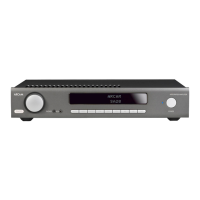
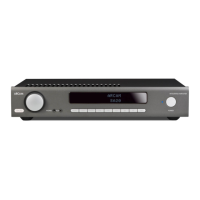
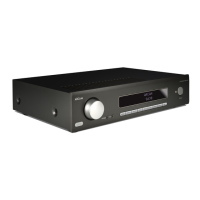
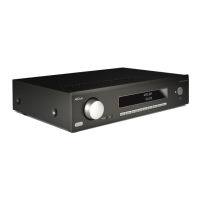
Arcam ST5 - User Manual

Arcam ST5
16 pages
Print Icon
To Next Page IconTo Next Page
Loading...
©
ARCAM ST5 Owner's Manual EN
Harman
International Industries, Incorporate
d.
Features, specifications, and appearance subject to change without notice.
ST5
Owner’s Manual
Download the setup app:

Questions and Answers

  • O
    oleeJul 30, 2025
    Why I cannot control the volume on my Arcam ST5?
    • A
      Andrew HaynesJul 30, 2025
      If you cannot control the volume on your Arcam Amplifier, check if Fixed volume is enabled in the menu. Also, verify if Digital output is selected in the menu.
  • P
    Peter BentonAug 4, 2025
    What to do if Arcam ST5 streamer does not respond to the remote control?
    • T
      Todd RussellAug 4, 2025
      If the Arcam Amplifier streamer does not respond to the remote control, try these steps: First, ensure that there are fresh batteries in the remote control. Second, make sure you are pointing the remote control towards the amplifier window without any obstructions.
  • M
    mckinneyjohnAug 10, 2025
    What to do if I cannot discover the Arcam ST5 streamer in an app?
    • J
      James RamosAug 10, 2025
      If you cannot discover the Arcam Amplifier streamer in an app, first check that the streamer is properly plugged in and switched on. Ensure it has a network connection via Ethernet or Wi-Fi. If using Wi-Fi, verify that setup was completed using the JBL Premium Audio app. Also, confirm that your smartphone or tablet is connected to the same local network.
  • S
    stephaniestewartAug 16, 2025
    How to troubleshoot no sound issue on Arcam ST5?
    • T
      Trevor CurtisAug 16, 2025
      If there is no sound from your Arcam Amplifier, ensure the streamer is correctly plugged in, switched on, and properly connected to the amplifier with the correct input selected. Check if the amplifier is muted and verify that the correct output mode (Analog or Digital) is selected.
  • K
    Kenneth MitchellAug 22, 2025
    What to do if the front panel display is blank on Arcam ST5?
    • S
      Scott DorseyAug 22, 2025
      If the front panel display of your Arcam Amplifier is blank, first ensure the streamer is correctly plugged in and switched on. Verify if the streamer is in standby mode. Also, check if the display is dimmed to “Off,” and if so, press the button on the remote control.

Summary

Important Safety Instructions

Connecting the Streamer

Wired Network Connection

Instructions for connecting the ARCAM ST5 to a network via Ethernet cable.

Wi-Fi Connection

Steps to connect the ARCAM ST5 wirelessly using the ARCAM Radia app or device settings.

Analog Audio Connection

Digital Audio Connection

Control Connection

Operation

Playback Services

List of supported apps and services for music playback on the ARCAM ST5.

Menu and Settings

Menu Tree

Overview of settings available in the ARCAM ST5 menu for configuration.

Troubleshooting

Specifications

Arcam ST5 Specifications

General IconGeneral
EthernetYes
UPnPYes
Roon ReadyYes
Output Level2.1Vrms
TypeStreamer
DACESS Sabre ES9018K2M
Streaming ServicesSpotify Connect, Tidal, Deezer, Qobuz, Internet Radio
Digital OutputsOptical, Coaxial
Analog OutputsRCA
Wi-FiYes
Input Voltage100-240 V, 50/60 Hz
Dimensions433 x 87 x 306mm (W x H x D, including feet and rear panel connections)

Related product manuals