20
EN
Download the data recorded by EOlife X from EOlife Connect©:
1. Start up EOlife Connect©.
2. Press on [the
icon] on the home screen. The EOlife Connect© Bluetooth is enabled and the device searches for
nearby EOlife X devices.
3. On the connection screen, select the serial number of the EOlife X device you want to connect with to perform
the data transfer.
4. A circular progress bar shows the progress of the data transfer. A confirmation message appears once the data
transfer is complete.
5. Press on one of the two options to view either the last downloaded ventilation or all downloaded ventilations.
d) Update
EOlife X has software that can be updated via Bluetooth using the EOlife Connect© app.
Your approved distributor or the manufacturer will notify you when an update is available.
Note
This update requires the use of a device compatible with EOlife Connect©, not included with the equipment
sold with EOlife X. This device can be either a tablet or a smartphone running on one of the following
operating systems: Android or IOS.
The EOlife Connect© app must be downloaded from the App Store or Google Play Store and installed on your
device to be able to use the EOlife X software update feature.
Please contact an approved distributor or the manufacturer for more information.
Note
During the device update, the EOlife X screen is off and the red LED at the top left of the screen is on. Once
the update is complete, the LED will turn off and the device will start up again.
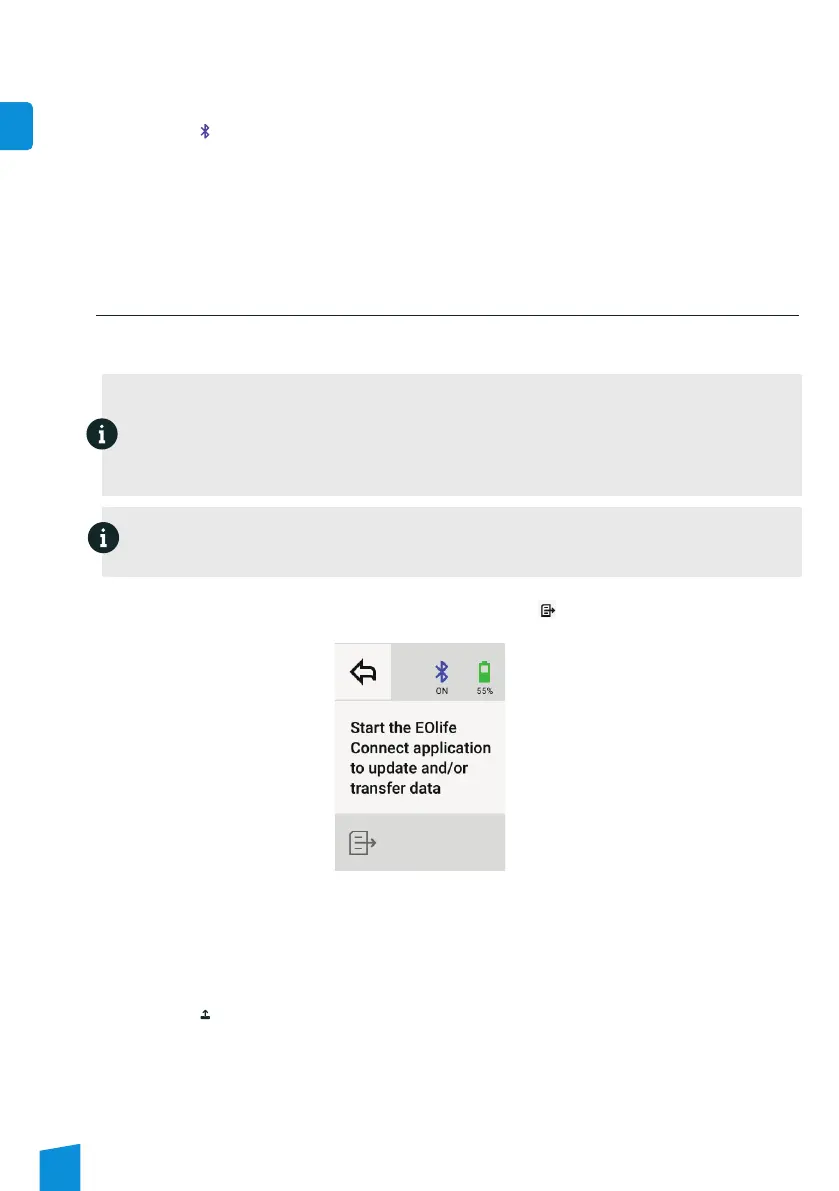
Turn on the EOlife X’s Bluetooth from the set-up screen by selecting [the icon]. It turns on automatically and a
message appears.
Bluetooth activation screen
Update the EOlife X software from EOlife Connect©:
1. Start up EOlife Connect©.
2. Press on [the
icon] on the home screen. The EOlife Connect© Bluetooth is enabled and the device searches for
nearby EOlife X devices.
3. On the update screen, select the serial number of the EOlife X device you want to connect with to perform the
update.
4. A progress bar shows the progress of the update. A confirmation message appears once the update is complete.


 To Next Page