9
USER MANUAL - version 3
▲
!
Before inserting the ARCHOS device into the DVR Station, always make sure that the ARCHOS is off!
Now insert your ARCHOS device (that is off) into the powered DVR Station. When the
ARCHOS is on, press the TV/LCD button (or the TV button on the included remote
control). Make sure that your TV is switched to the AV input that is used to connect
the DVR Station:
The DVR Station will stop passing through the normal TV signals to the television
and send sound and images from your ARCHOS device. If you can see the con-
tents of the ARCHOS on your TV, you can move on to the next chapters.
If you cannot see the contents of the ARCHOS on your TV, or if the image is al-
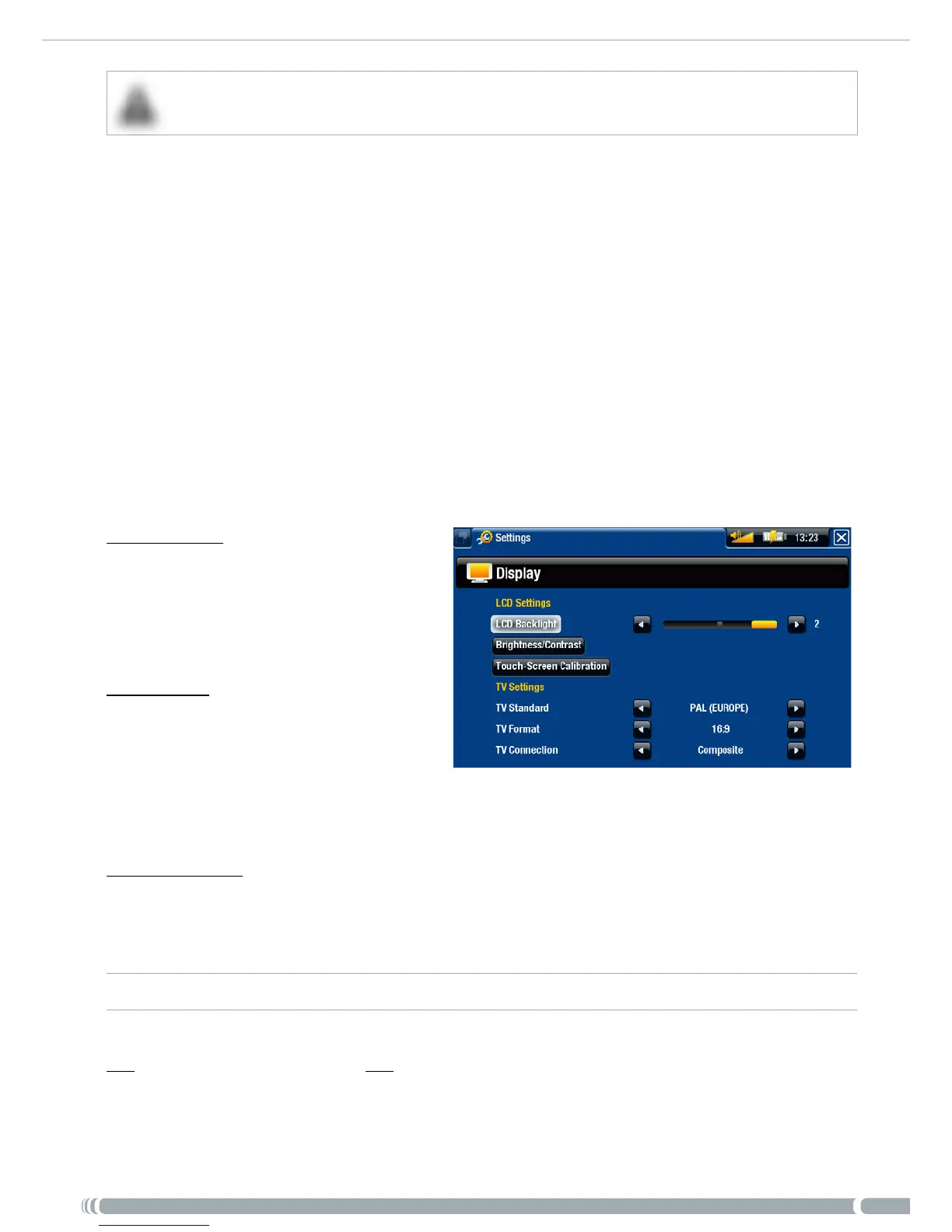
tered, try to modify the ARCHOS “TV Settings”:
From the ARCHOS Home screen, select the “Settings” menu item, then
choose “Display”.
Change the following parameters:
“TV Standard”
choose between the “NTSC (USA)”
and “PAL (Europe)” systems (se-
lect the one that is compatible with
your country’s television system).
“TV Format”
“4:3” or “16:9” - the format used
by your television set to display
images.
-
-
the option “Wide screen” becomes available when you set the “TV standard” param-
eter to “PAL (Europe)”.
“TV Connection”
select the type of video output (“Composite”, “S-Video” or “RGB”), based on how
you have connected the DVR Station to your TV.
DVR STATION PASS-THROUGH TABLE
The DVR Station will pass through the following video signals when the ARCHOS device is
not set to external display or is not placed in the DVR Station.
2.
-
-
-
-



 To Next Page