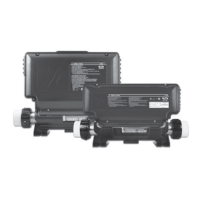
Series Techoo
Spa not heating
Check for an error
message on keypad
display. If there is one,
refer to specific section
indicated by the error
message.
If there is no error
message, try to raise
water temperature by
increasing the Set Point
2°F higher than actual
water temperature.
Press Up key to increase
Set Point.
If heater indicator lights
up on the display, take
voltage reading between
the heater live and
return terminals.
our reading should be:
240 : for 240 heaters
120 : for 120 heaters
Heater indicatorSet Point indicator
erify if Heater indicator
appears on keypad
display.
The heater indicator will
be on when heater is on.
It will flash if more heat
has been requested,
but heater has not
started yet.
If voltage reading is not
as it should be, verify
if heater terminals are
properly connected .
If it is, replace spa pack.
In the case of the
European model in.yt.ce
only, replace accessory
fuse.
If problem persists,
replace spa pack.
LiveGroundReturn
f spa is not heating,
follow this troubleshooting ow chart:
Flow chart
Spa not heating / ow chart stepbystep
yes
re there
an error
messages
on the
epad
displa
Ensure temp.
Set Point is
higher than
actual water
temp.
no
Refer to specific
error message
section.
as Heater
indicator
appeared
on epad
displa
yes
no
Do ou get
a
reading
beteen the
to heater
terminals
on the board
yes
no
Replace
spa pack.
re heater
scres properl
connected to
the heater
yes
no
Ta k e water
temp. and
compare with
temp. value
displayed
on keypad.
s difference
greater than
F
yes
no
System
works fine.
yes
no
Replace
heater.
Tighten
screws
properly
s there
still a
problem
Problem
solved.
Replace
heater.
Heater fuse (F1)
(CE Model only)
Replace
heater.
Check
wiring and
plugs.
Replace if
needed.


 To Next Page
 Loading...