BXT3-V2.3
ARCURE SA – 14, rue Scandicci – 93500 Pantin – France - Tel.: +33 144 068 190
www.arcure.net
09/05/2019 17/41
5 Blaxtair® functions
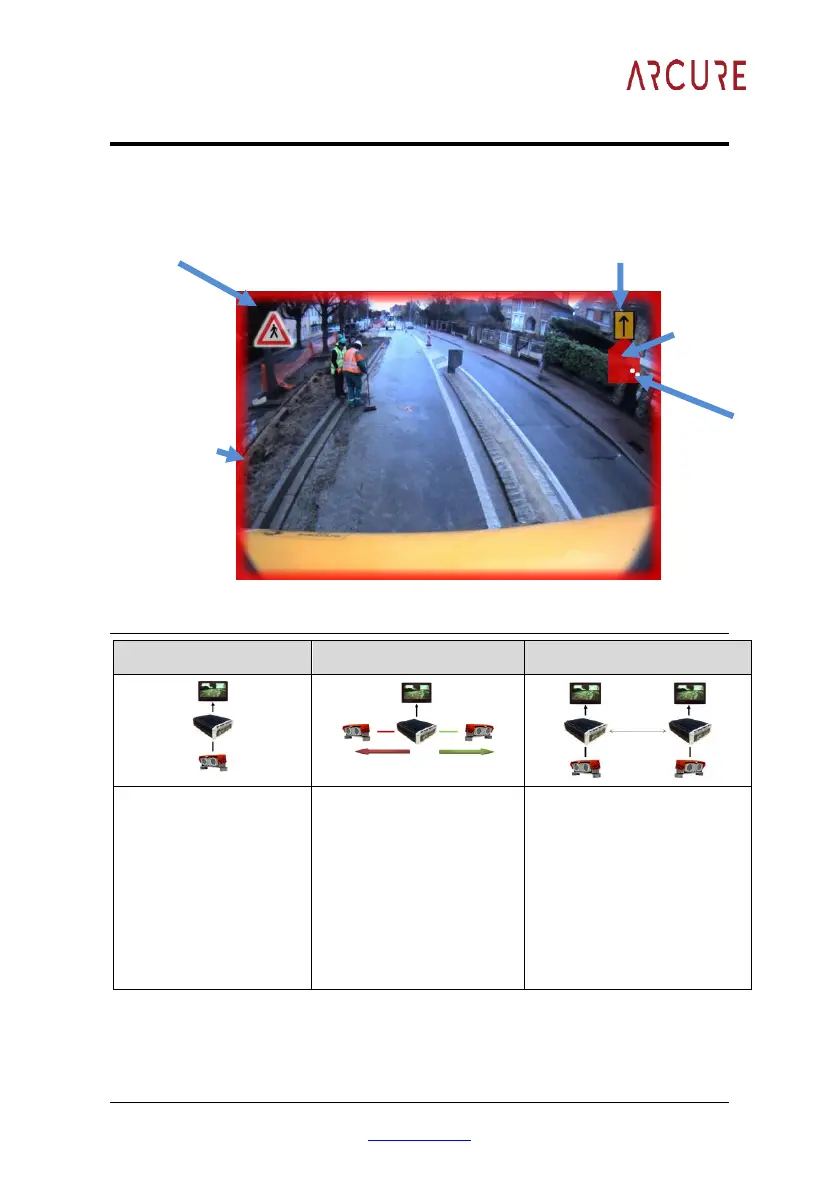
5.1 Display presentation
5.2 Display of the captured video
One monitor installed in
the cabin provides
continuous footage
captured by the sensor
head.
Two sensor heads are
activated alternatively by
the same processing unit,
the display shows the view
in the direction of travel.
Two sensor heads are
activated simultaneously.
Each processor/head has its
own monitor which provides
continuous footage from its
respective sensor head
As an option, it is possible to
have only one monitor
displaying the videos
according to §5.5.2.2.
The horizontal field of view of a sensor head is about 120°.
Icon representing the vehicle
from top
(visual
alarm):
Green, Red
or Purple


 To Next Page