GDN40AU-K5EBA1A
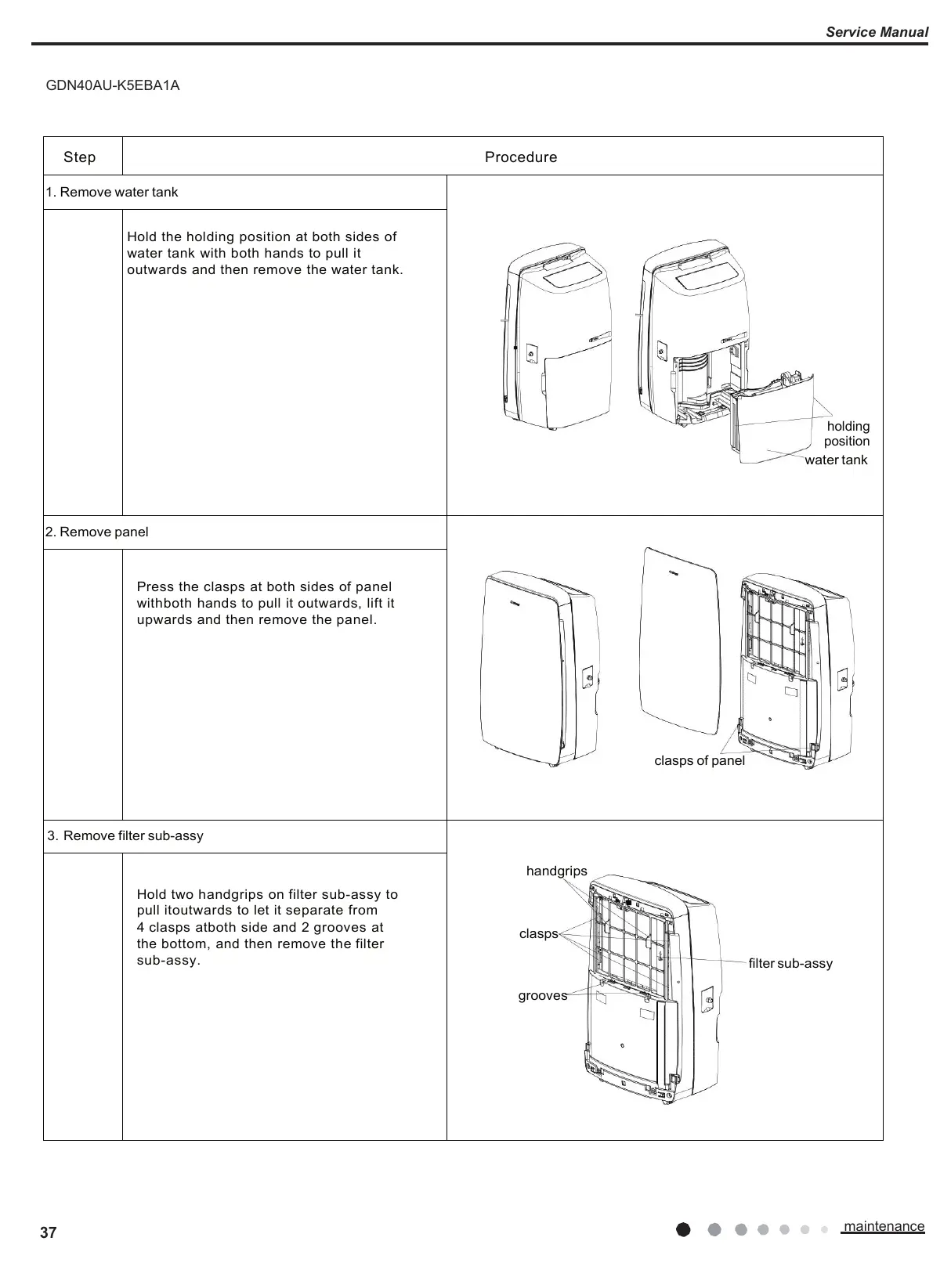
holding
position
water tank
Hold the holding position at both sides of
water tank with both hands to pull it
outwards and then remove the water tank.
Press the clasps at both sides of panel
withboth hands to pull it outwards, lift it
upwards and then remove the panel.
3. Remove filter sub-assy
handgrips
clasps
filter sub-assy
grooves
Hold two handgrips on filter sub-assy to
pull itoutwards to let it separate from
4 clasps atboth side and 2 grooves at
the bottom, and then remove the filter
sub-assy.







 To Next Page