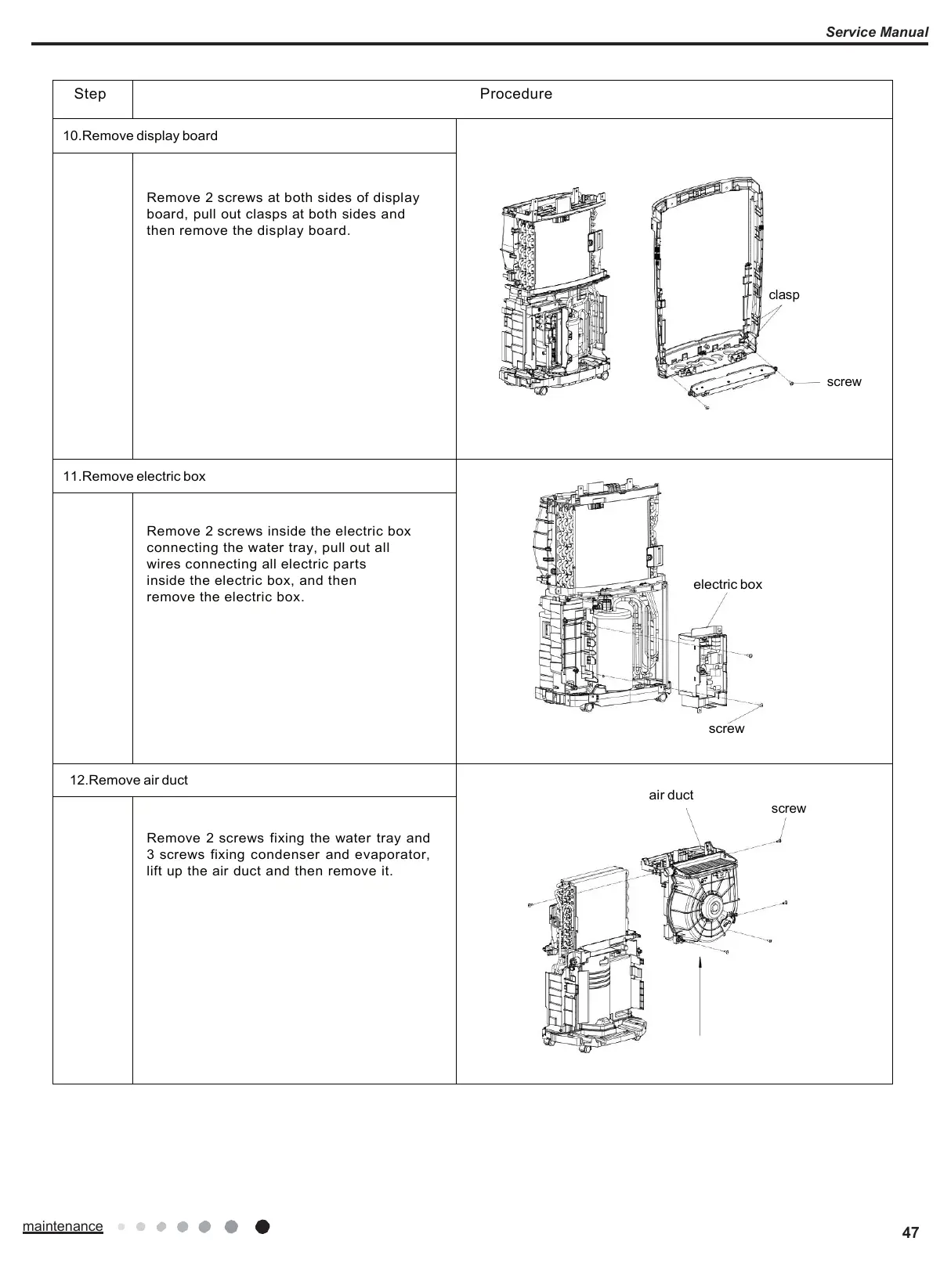
Remove 2 screws at both sides of display
board, pull out clasps at both sides and
then remove the display board.
Remove 2 screws inside the electric box
connecting the water tray, pull out all
wires connecting all electric parts
inside the electric box, and then
remove the electric box.
Remove 2 screws fixing the water tray and
3 screws fixing condenser and evaporator,
lift up the air duct and then remove it.







 To Next Page