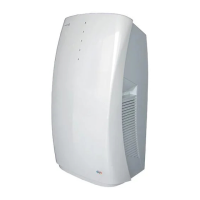
36V 12/23
INFORMATION ON THE “SMART LIFE” APP
The “Smart Life” App is available for Android and iOS. Scan the corresponding QR code to directly access the
download.
INFORMATION ON USING THE APP
• The presence of an integrated wi module allows you to manage the functions of the device via the home network.
• The prerequisites are a permanent Wi-Fi connection to the home modem and the free “Smart Life” app.
• Download and install the “Smart Life” App on your smartphone or tablet. Create your account and log in
• Activate the WIFI function on the device.
• Place the device at a distance of approximately 5 meters from the router.
• Long press the Timer button to start the network setup, when the WIFI indicator ashes, you can connect the WIFI
WIFI CONNECTION
It is possible to follow 2 methods to connect the device to WiFi.
METHOD 1: CONNECT VIA BLUETOOTH
• Activate Bluetooth on your cell phone or other device.
• When the WIFI indicator ashes, open the “Smart Life” APP, the unit will be automatically connected via Bluetooth.
METHOD 2: CONNECTION VIA APP
• When the WIFI indicator ashes, select Add device / Large appliances / Portable air conditioners and follow
the instructions on the display.
• Check the status of the WIFI indicator and choose the correct status.
• If the Wi indicator ashes quickly, you can connect directly.
• If the WIFI indicator ashes slowly, press “Go to connection” to connect the wi named “SmartLife-XXXX”
Remarks: Once the appliance has been correctly connected, the WIFI indicator lights up. Now you can use the
appliance via the App. Press and hold the Timer button for about 5 seconds, the device disconnects, the WIFI indicator
turns off.
WIFI GUIDE
Smart Life App download


 To Next Page