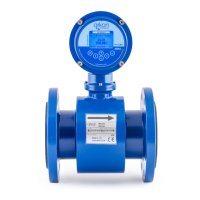
Electromagnetic Flowmeter M-910
12
Operation manual
3.3 Sensor grounding
To ensure the correct operation of the flowmeter an earthing connection between the sensor and pipeline must be
made. The sensor is equipped with screw connection for an earthing wire. This screw has to be connected to the
flange on the pipeline. Use Copper wire to connect between the flange and the earth screw on the sensor.
If the pipeline is manufactured from a non-electrically conductive material, or if the pipe is lined with a similar
material, special grounding rings must be installed between flanges.
Note: The flowmeter must not be switched on, if the sensor is not connected /earthed to the rest of pipeline!
3.4 Turning the display panel
The flowmeter M910 display can rotated ± 90°.
Procedure is as follows:
•
Disconnect the power supply from the flowmeter.
• Unscrew the back cover using the special wrench (standard part of delivery).
• Detach the two screws in the front plate and remove the plate.
• Unscrew next two legs and carefully turn the display.
•
Reassemble in reverse order.
•
Reconnect the power supply.



 To Next Page