Electromagnetic flowmeter M910
Operation manual
13
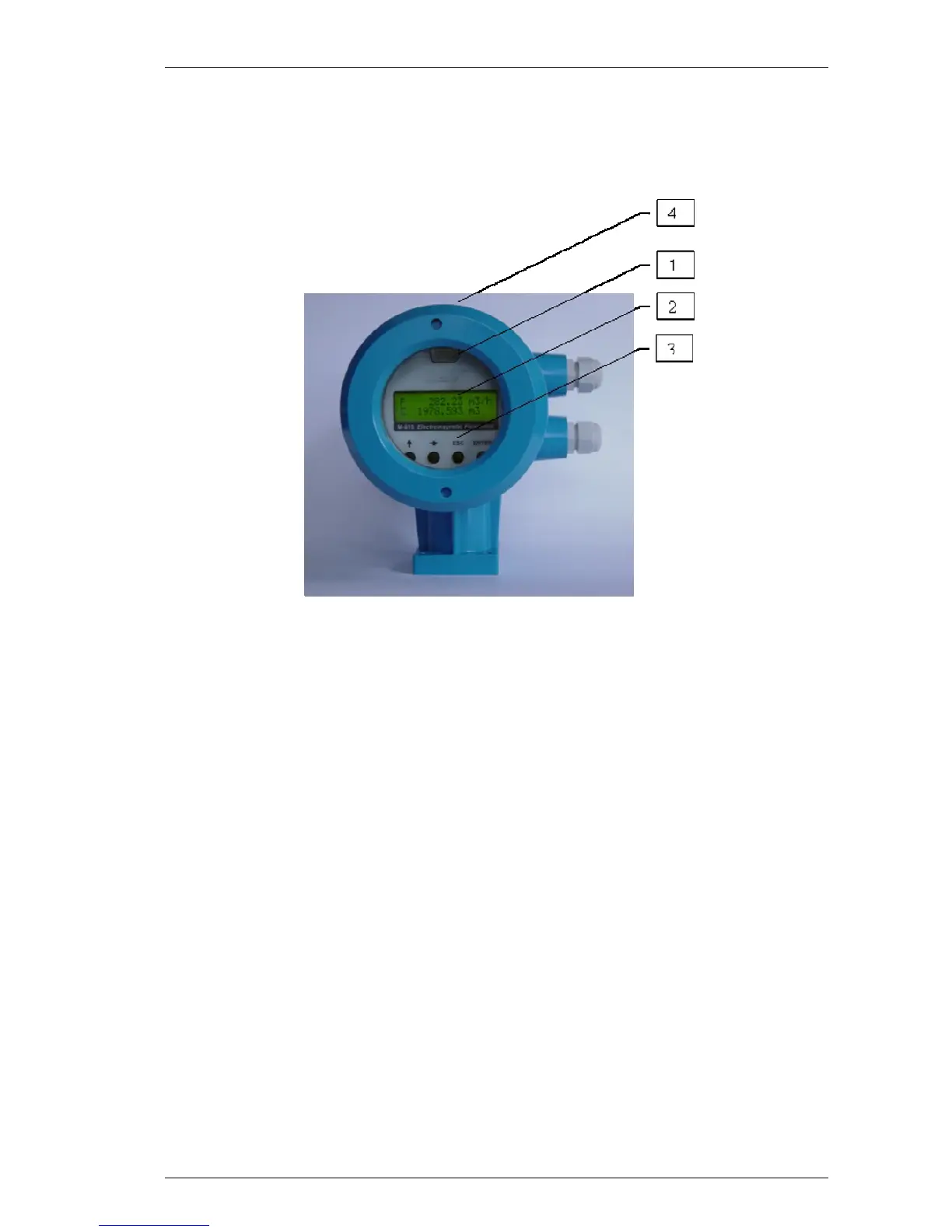
4 Electronic unit description
4.1 Front panel (display)
1 RS232 connector
RS232 port enables you to connect the flowmeter to a personal computer. Serial port is galvanically isolated from
other electronic circuits.
2 Display
Two-row alphanumerical display is used for displaying all information. The instantaneous flowrate is displayed in
upper row. Total volume is displayed in the lower row.
The decimal point position and type of units can be changed in the flowmeter “Setup Menu” (see chapter
“Flowmeter configuration”).
3 Keyboard
4 keys enable you to change flowmeter configuration and provide flowmeter calibration. These are UP, DOWN,
ESC and ENTER keys.



 To Next Page