Electromagnetic flowmeter M910
Operation manual
19
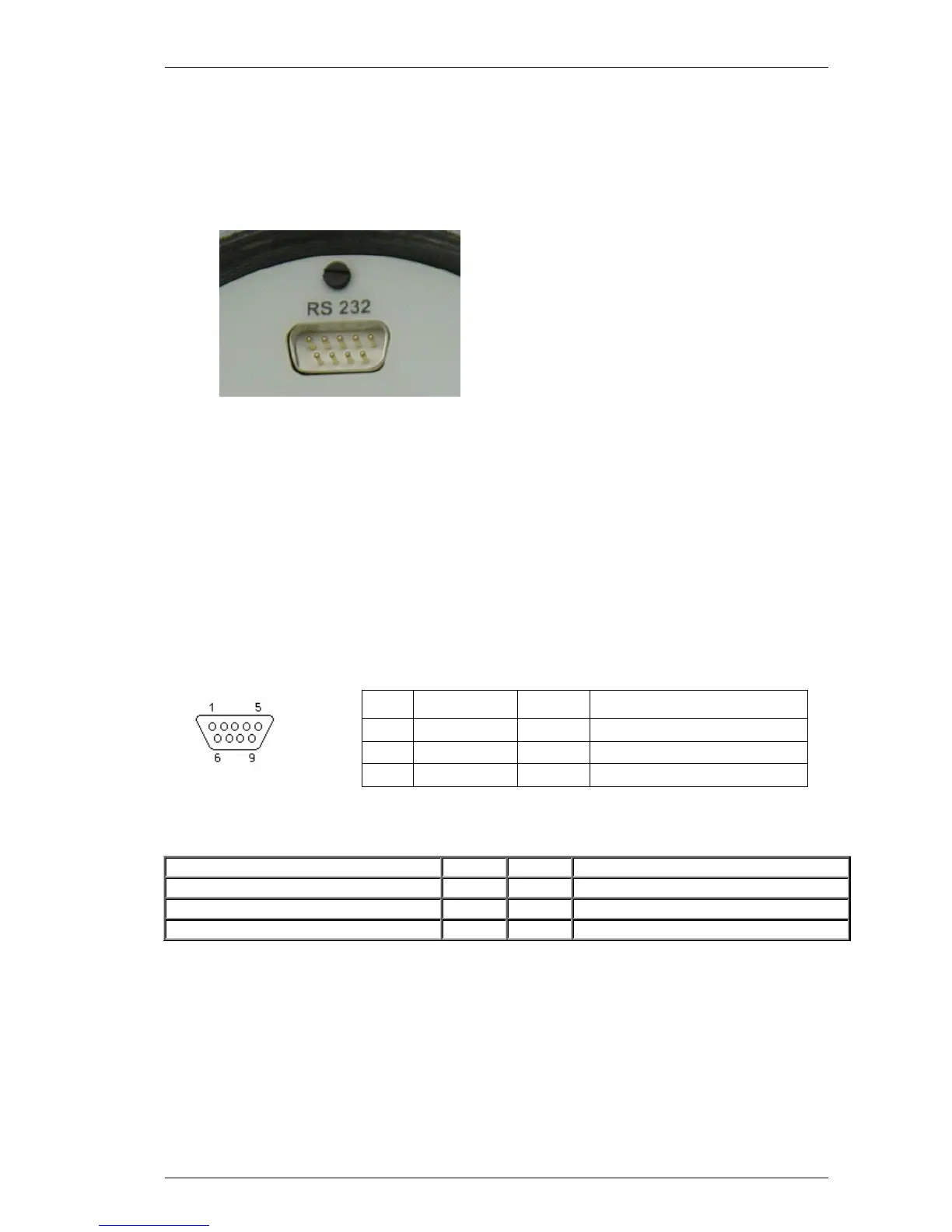
4.4 Serial port RS232
The connector is located on the front panel and is accessible after removing the electronic unit cover. RS232
enables you to connect the flowmeter to a personal computer. RS232 interface is used for flowmeter configuration
and calibration. It’s not suitable for online communication during operation, because the flowmeter must be open
and IP67 protection is not valid. For such communication use RS485 interface.
For connection of the flowmeter to the PC a standard RS232 cable (1 : 1) can be used. To connect a PC to the
flowmeter, follow this procedure:
•
Unscrew the front cover using the special wrench (standard part of delivery).
• Plug the one end of the RS cable onto the serial connector in the flowmeter.
• Connect the opposite end to the serial port in the PC.
• Use the application software (Flow910) to enter new calibration data or to change settings of the flowmeter.
•
Disconnect RS232 cable and replace the cover.
RS-232 connector layout
Pin Label Direction
Note
2 TXD Output Transmitter
3 RXD Input Receiver
5 GND - Ground
9-pin connector D-SUB FEMALE
Cable between PC and Flowmeter (configuration 1:1)
PC D-Sub 1
D-Sub 2
M910
Transmitter 2 2 Transmitter
Receiver 3 3 Receiver
Ground 5 5 Ground
Note: Serial port RS232 is galvanically isolated from other electronic circuits.



 To Next Page