Exclusive distributor of Rx100
VER: 12345678
Restore Default Settings
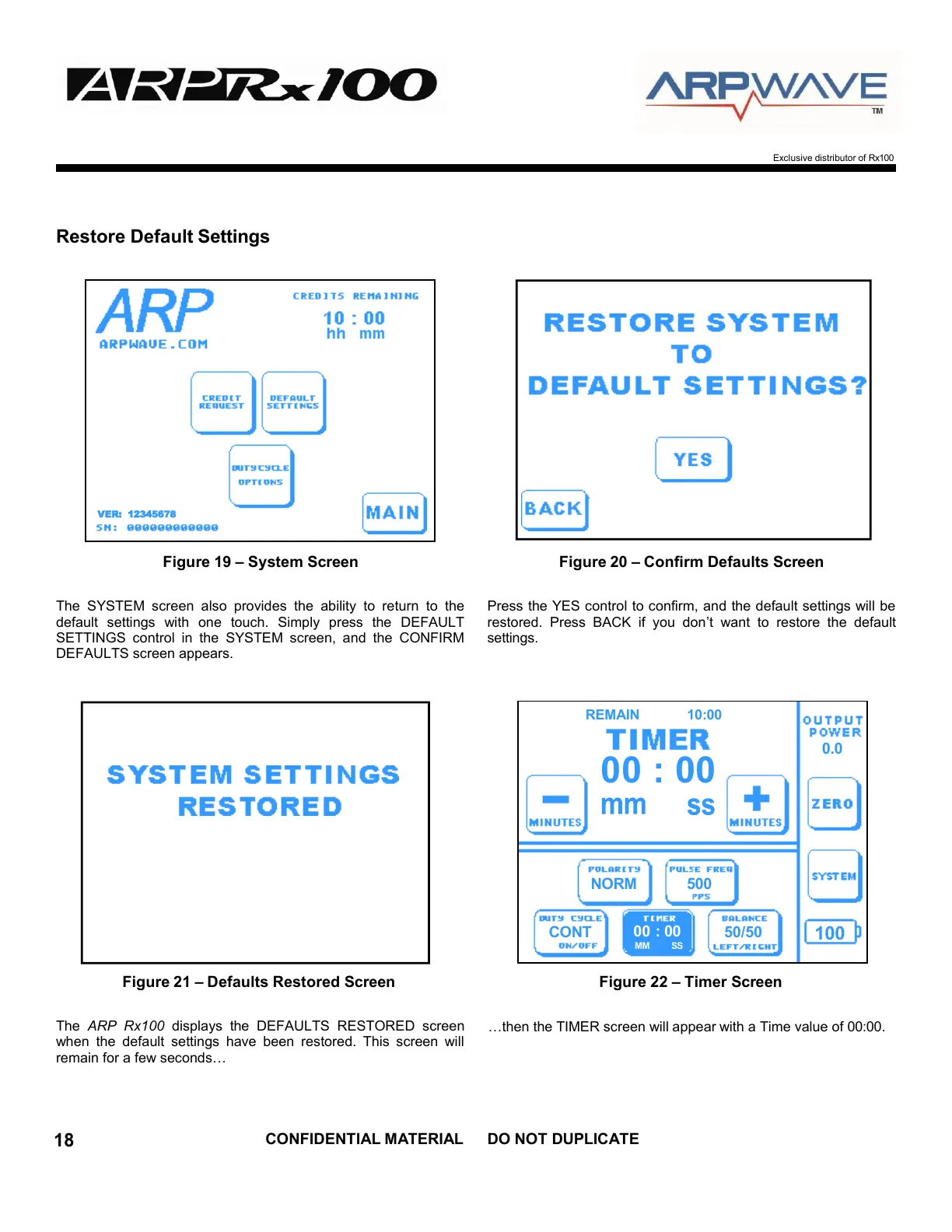
Figure 19 – System Screen Figure 20 – Confirm Defaults Screen
The SYSTEM screen also provides the ability to return to the
default settings with one touch. Simply press the DEFAULT
SETTINGS control in the SYSTEM screen, and the CONFIRM
DEFAULTS screen appears.
Press the YES control to confirm, and the default settings will be
restored. Press BACK if you don’t want to restore the default
settings.
Figure 21 – Defaults Restored Screen Figure 22 – Timer Screen
The ARP Rx100 displays the DEFAULTS RESTORED screen
when the default settings have been restored. This screen will
remain for a few seconds…
…then the TIMER screen will appear with a Time value of 00:00.


 To Next Page