Antenna Analyzer AIM4170 page 47
Appendix 6 - Battery Operation
The AIM4170 can be powered with a battery for portable operation. Battery voltage can
range from 6.0 to 15V. The required current is 250ma when a measurement is in process
and 50ma when idle. The power is turned off automatically after 10 minutes of inactivity
when the Auto-Power-Off feature is enabled (this is an option in the SETUP tab at the top
of the screen).
Suitable batteries include a conventional 9V battery or a 12V car battery. The easiest way
to connect the battery is to use a barrel connector like the wall power supply uses. This is
a 5.5x2.1mm barrel connector. The Mouser part number is: 1710-2120.
Alternatively, the battery can be installed inside the AIM4170. There are diodes on the
card to automatically select either the wall power supply or the internal battery. The
power on/off switch will disconnect the battery too, so the off-state current drain is only
about 1 microamp.
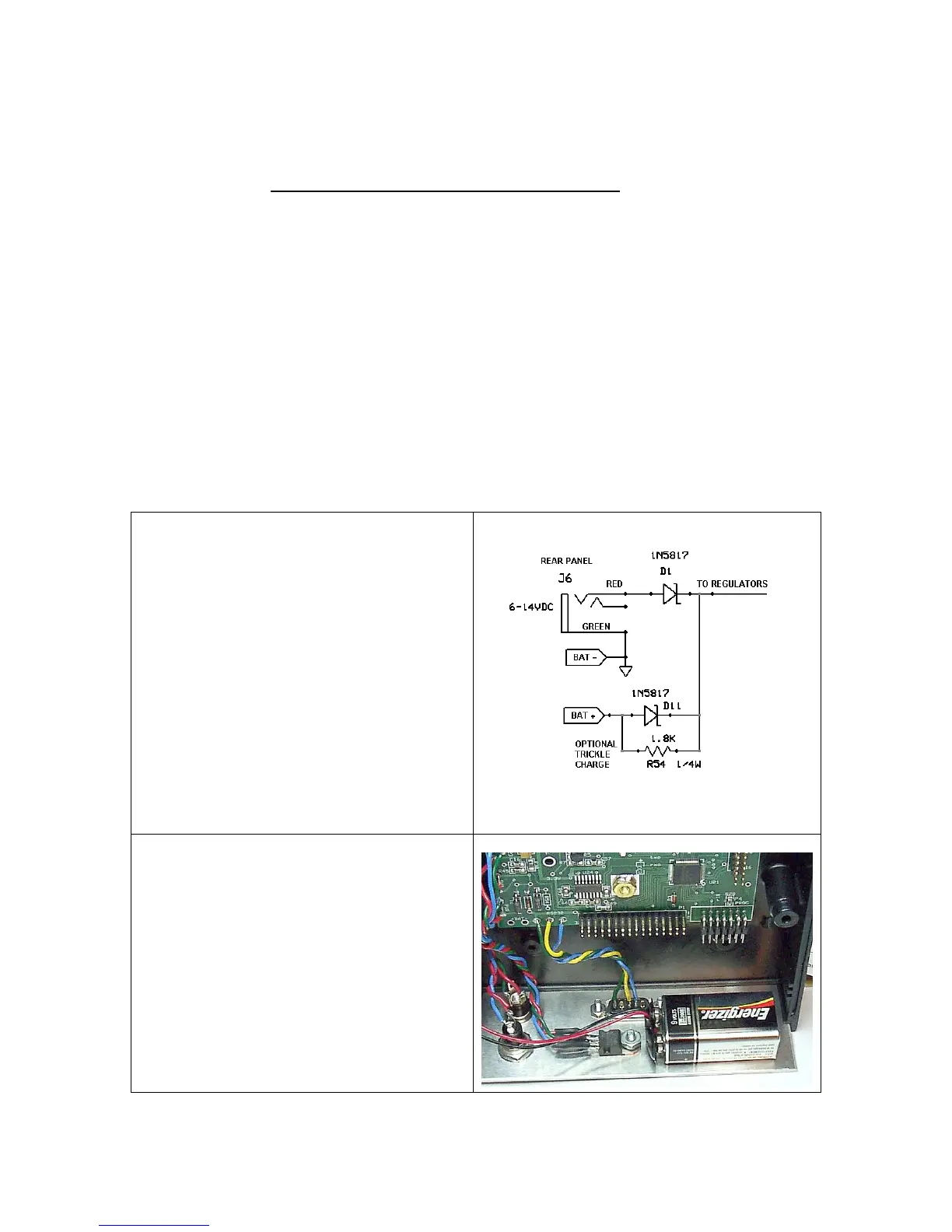
J6 is the power connector mounted on the
rear panel. The wall power supply (or
external battery) plugs in here. D1 and D11
are a cross-over circuit to select either the
external or internal power source,
whichever is more positive. The battery
positive and negative connections are
labeled on the pc board.
R54 is an optional resistor for trickle-
charging a rechargeable battery. This is a
user-selected resistor. It is not included in
the AIM4170 but there is a space on the
PCB for mounting a through-hole resistor.
This photo shows how an optional battery
or battery pack can be mounted inside the
case.
(An AIM4160 is shown here, but the
AIM4170 is electrically the same. The
battery can be mounted on the top cover of
the AIM4170.)



 To Next Page