Arriflex 435 Quick Guide, 9/97, Page 2
Customer Support/Safety Specifications
Customer Support
If you have a question or problem, please contact one of our offices at the following addresses. In the case
of inquiries or when ordering parts, please refer to the camera model and serial number.
Arriflex Corporation, East Coast
617 Route 303, Blauvelt, NY 10913-1109
Voice phone: 914-353-1400
FAX: 914-425-1250
Email: Arriflex@arri.com
Website: http://www.arri.com
Arriflex Corporation, West Coast
600 North Victory Blvd., Burbank, CA 91502-1639
Voice phone: 818-841-7070
FAX: 818-848-4028
435 and 435ES
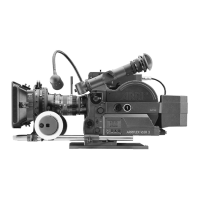
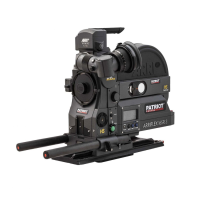
The ARRIFLEX 435 is available in two different models: the 435ES is equipped with an electronic shutter and
a FEM (Functional Expansion Module). The standard 435 has a manually adjustable shutter and no FEM.
Please note that the FEM is needed for the new 24 V accessories (including the CCU, RCU and ESU), for the
LCC (Laptop Camera Controller) and for Timecode use.
About This Quick Guide
If you are viewing the Adobe Acrobat version of this Quick Guide, best viewing and printing results can be
achieved through the use of the Acrobat Reader version 3.0 or later. The Acrobat Reader can be
downloaded for free from the Adobe web site at http://www.adobe.com.
Safety Specifications
• The RS, ACC and CCU receptacles output the same voltage as is supplied to the BAT receptacle. If the BAT
receptacle input voltage is above 32 V, the voltage output of the RS, ACC and CCU receptacles will be
limited to 32 V/2 amp. Ensure that all accessories are suited to the supplied voltage.
• When transporting the camera, make sure that the sliding door securing the field lens is all the way down.
• When using the RCU, always reset the shutter angle to the desired value before disconnecting the RCU.
• In order to ensure optimal performance, it is essential that you acquaint yourself with this Quick Guide
and that you follow the operating instructions described herein. We strongly recommend that you also
acquaint yourself with the full 435 instruction manual.
• Assembly and initial operation should only be carried out after carefully reading the instructions and
familiarizing yourself with the equipment and the assembly procedures.
• Repairs should be carried out only by authorized service centers. Use only original ARRI accessories and
replacement parts.
• Never run the camera without a lens or a protective cap in the lens mount receptacle.
• Never place your hand in the lens cavity or the inside of the camera while the camera is running!
• Never open the movement or gate locking mechanism while the camera is running!
• When manually adjusting the mirror shutter, turn the camera off and remove the power cable.
Accidentally running the camera while manually adjusting the mirror shutter can cause great damage.
• Clean optical surfaces only with an optical brush or a clean optical cloth. In cases of solid dirt, moisten an
optical cloth with pure alcohol or a brand-name lens cleaner.
• Do not use solvents when cleaning the film path.
• Do not remove any screws which are secured with paint.


 To Next Page