Network 83
Icons on the HOME screen and the Status Info indicate the WiFi status:
Host mode is enabled.
Client mode is enabled, connection to a network has been established.
Client mode is enabled, camera is not connected to a network.
WiFi Host Channel
► Select MENU > System > Network / WiFi > WiFi Host Channel to set the WiFi host channel.
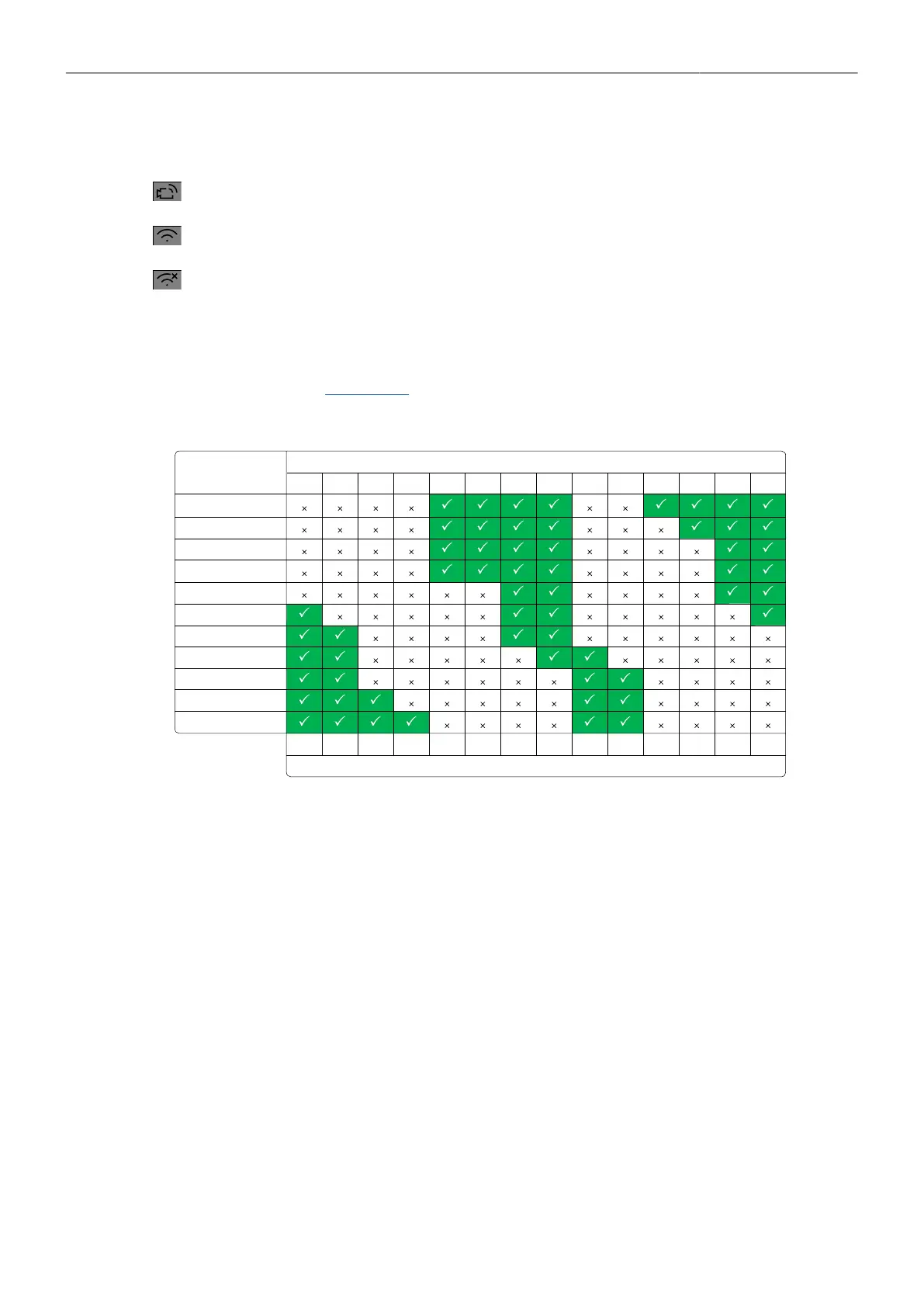
When using WiFi and White Radio simultaneously it is important to configure the used channels to
avoid interference and guarantee optimal performance. The following table gives an overview of
suitable channel configurations:
ARRI White Radio Channel Number
ZigBee IEEE 802.15.4 Radio Channel Number
WiFi Password (Host Mode)
The camera uses WPA-2 encryption and requires a password when connecting to it. The default
password for the camera is “arriarri”.
► Select MENU > System > Network / WiFi > WiFi Host Password to set the WiFi password. The WiFi
password must be between 8 and 32 characters long.
Connect to a Network (Client Mode)
The camera supports to join networks with WPA2 encryption or without encryption.
► Select MENU > System > Network / WiFi > WiFi Network and select the desired network from the
list.
If the selected WiFi network uses encryption, you are prompted to enter the password.
► Enter the password and press CONNECT.
Connect to a Network using a QR Code (Client Mode)
You can use a QR code to connect to a WiFi network. The WiFi credentials need to be provided in the
following format:
WIFI:S:my-ssid;T:[WEP|WPA|WPA2];P:my-password;;


 To Next Page