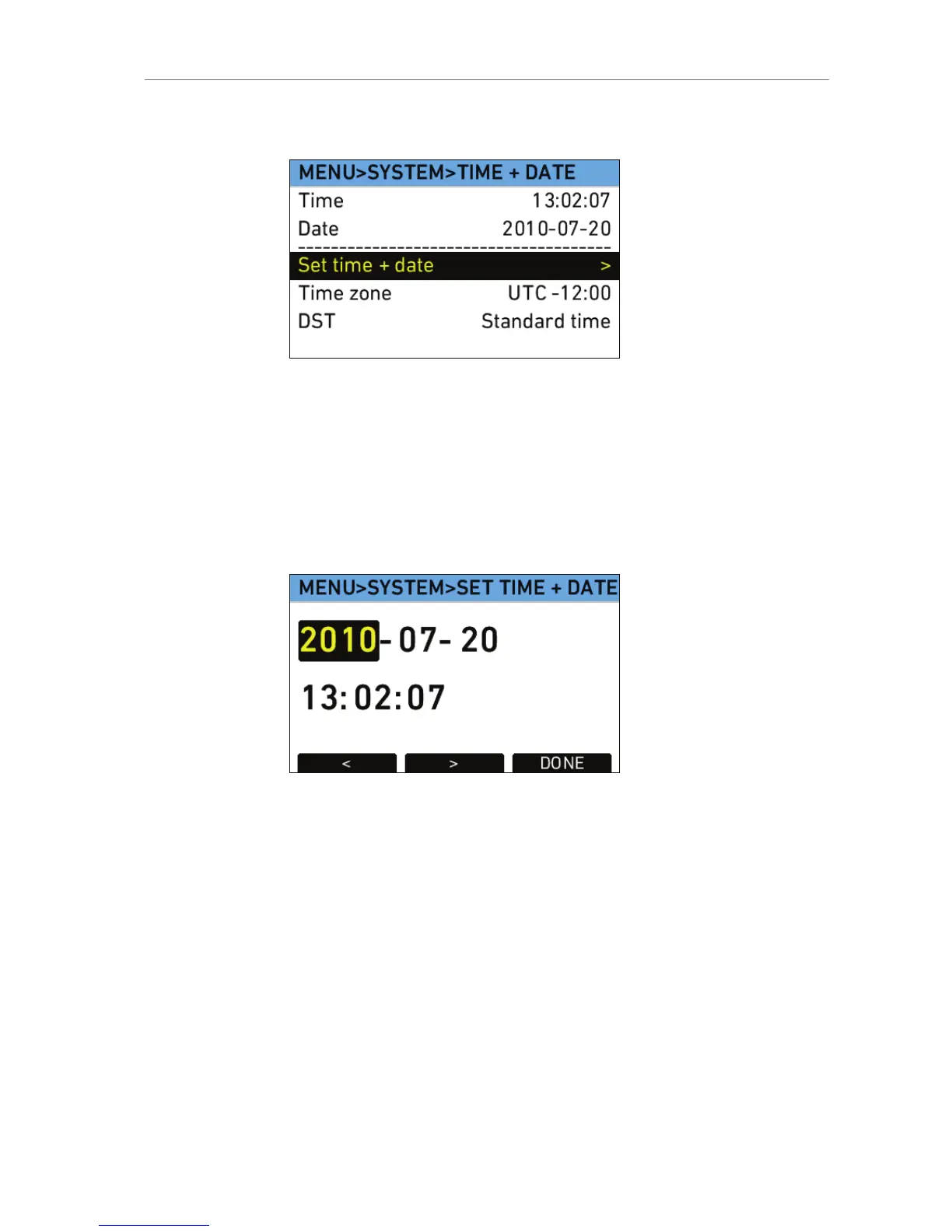
Set time + date
Use the lower screen buttons to navigate between the elements in the
screen and to finish your setting.
To set the time and date:
1. In the System menu, select System time + date.
2. Select Set time + date.
3. Use the jogwheel to adjust the date value, starting with the year.
4. Press the > button to jump to the month, day, hour, minute and
second. Press the < button to jump back one step.
5. Press the DONE button when finished.
Fan
Fan mode
Select to set the fan mode to Regular for locations with ambient
temperatures up to 30°C (86°F). For locations with ambient
temperatures higher than 30°C (86°F), set to Rec low.
When the fan is set to Rec Low, it will run at a high rate when the
camera is in Standby, and run at a low rate when the camera is
recording.
SD card
Format +
prepare SD
card
Select to format the SD card and creates the
required folder structure after confirmation.
Note: This erases all data present on the SD card.









 To Next Page