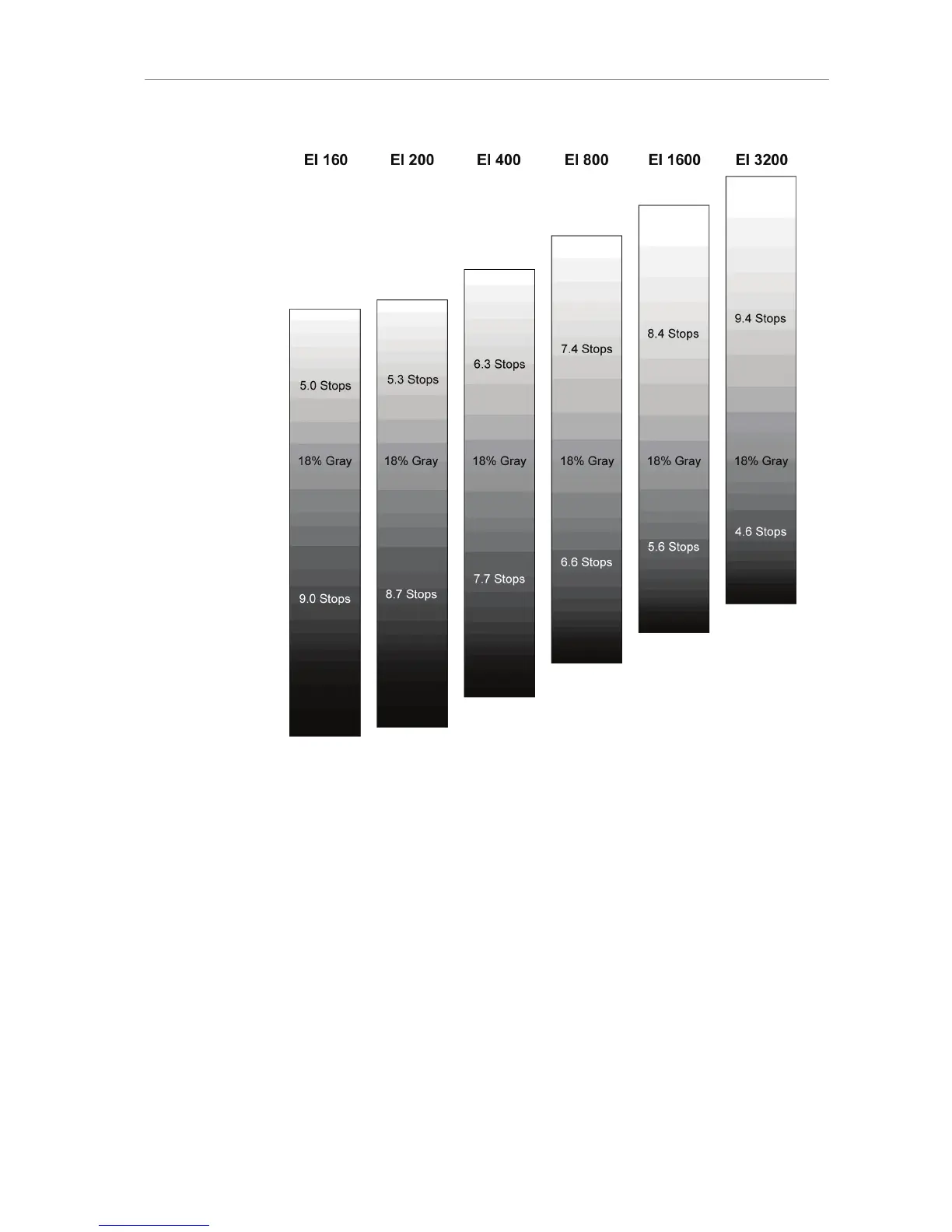
Figure 53: Graphical comparison of latitude at different exposure
indexes
11.1.3.6 COLOR
Press the COLOR button to open the COLOR screen. The COLOR screen
displays a graphical overview of the color management settings applied
to the camera’s output paths, including:
the current gamma setting of the EVF, MON OUT, REC OUT and
internal recording
which ARRI Look File is set
which output paths the Look File is applied to









 To Next Page