16.5 4:3 Mode
In 4:3 mode, the camera captures images from a vertically extended
sensor area. The used area is 23.76 x 17.82mm in size, which translates
to 2880 x 2160 sensor photo sites.
Note: The sensors of standard ALEXA and ALEXA Plus cameras can only be
operated in 16:9 mode.
To change the sensor mode:
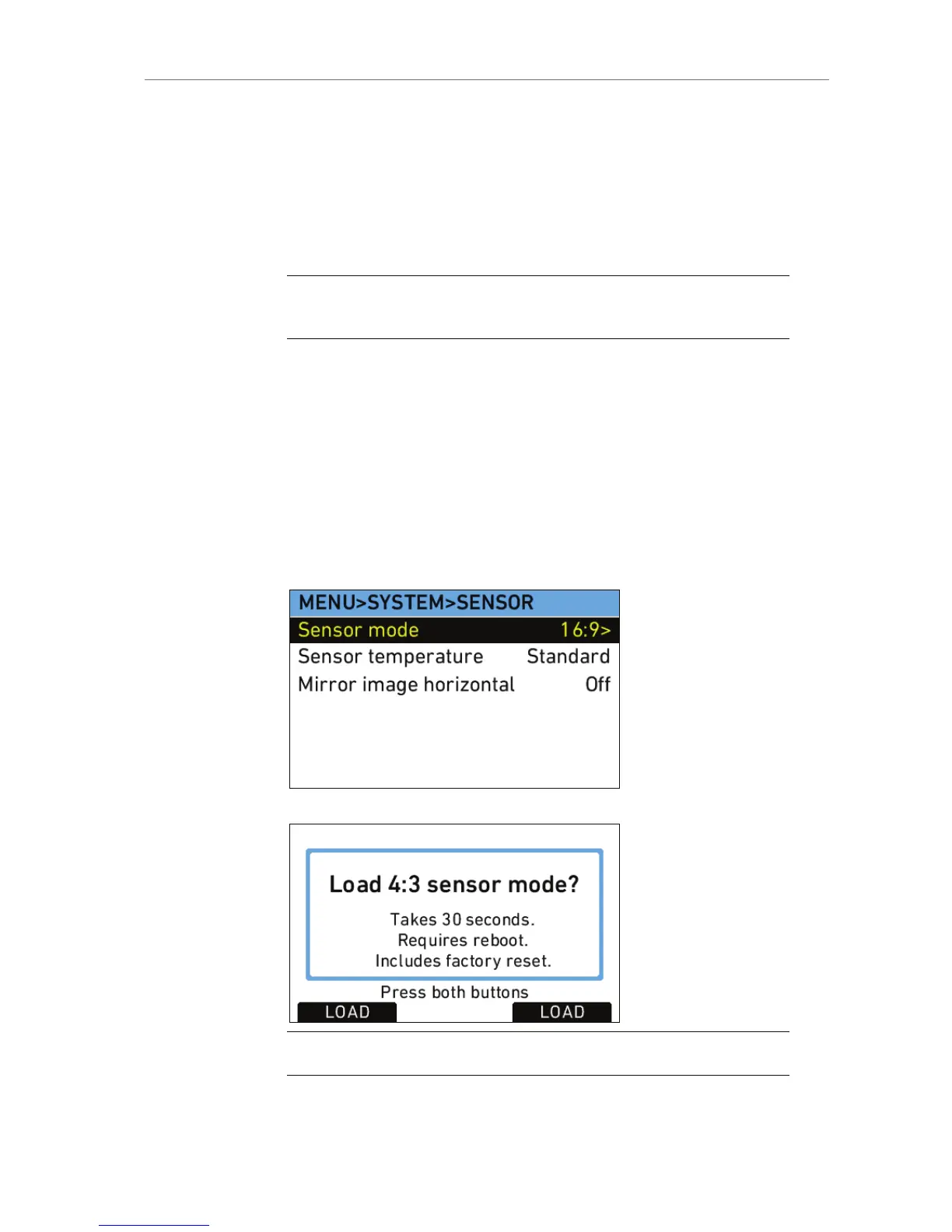
1. In the System menu, select Sensor.
2. Select Sensor mode. The current sensor mode is indicated on the
top line on the SENSOR screen.
3. Press the jogwheel to select 16:9 or 4:3 sensor mode.
4. Press the LOAD buttons simultaneously to load the new sensor
mode.
Loading the new sensor mode takes approximately 30 seconds
including a mandatory camera reboot. A progress bar indicates the
sensor mode loading progress.
Note: Switching from 16:9 to 4:3 and vice versa always includes a factory reset.









 To Next Page