TRINITY 2 camera setup quick guide 12
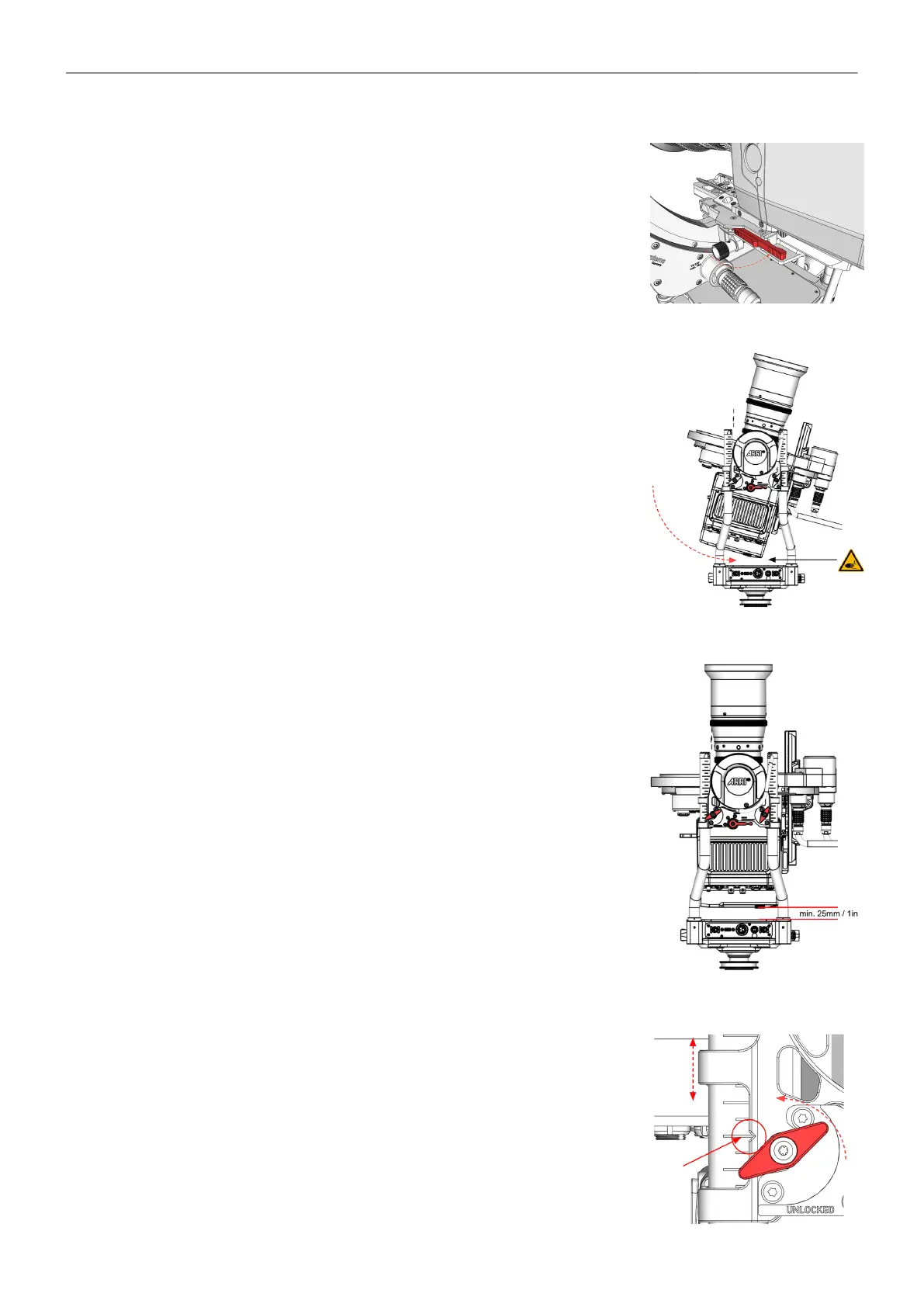
Locking Clamp Lever
► After the camera has reached the desired position / COG, push
the clamp lever all the way to the right until the dovetail clamp
mechanism is securely locked.
Checking the current height
of the tilt axis
► Slowly and carefully tilt the rear of the camera until the bottom cor-
ner of the camera approaches the top cover of the TRINITY head.
Minimum height of the tilt axis
► To ensure enough clearance for the ring main cable, which is lo-
cated on the back of the camera, a
minimum distance of approx. 25mm/1in be available.
Height Adjustment Clamps
► Open the four wing clamp screws and raise the
complete tilt together with your assistant.
► Make sure the small notch on all 4 rod clamps is
exactly on the same line!
► Once the desired position has been reached, tighten all four wing
clamp screws.



 To Next Page