TRINITY 2 assembly quick guide 3
Install the 1.8in Gimbal to the Center Post
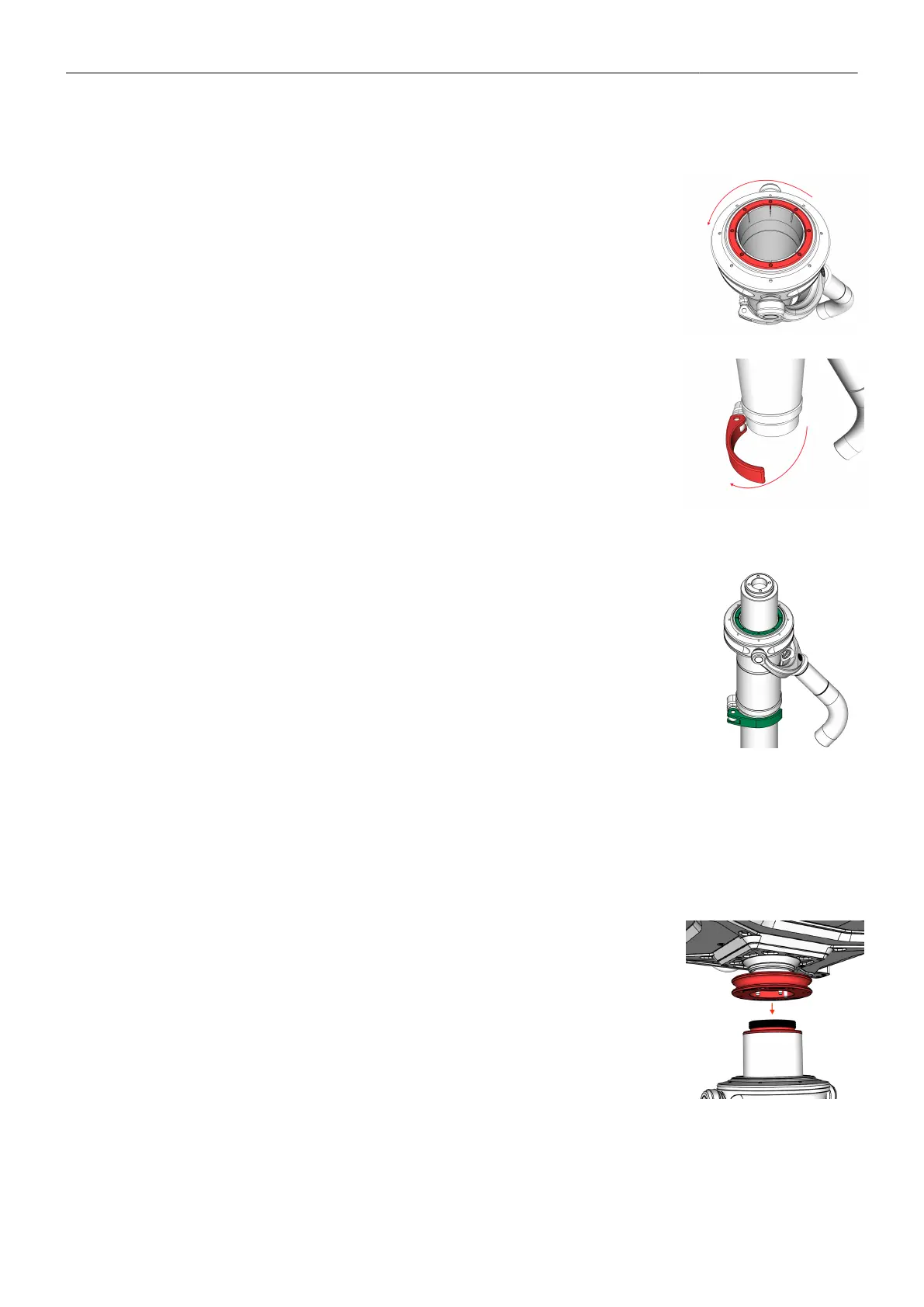
► Use the Post Tool (K2.0040046) to open the centering ring by turning it
to the left.
► Open the gimbal clamp lever.
► Place the Gimbal onto the Post
► Tighten carefully the center ring.
Do not overtighen the center ring!
► Move the gimbal to the desired position by rotating and sliding the gim-
bal.
► Lock the clamp lever. → The Gimbal is positioned.
Attach the TRINITY 2 head to the upper Post
► Bring the TRINITY 2 head close to the upper end of the post.
► Ensure that the bubble at the back of the TRINITY head is pointing in
the same direction as the bubble at the Top Stage.
► Locate the red dot on the main cable plug and socket.
► When both marks are aligned, insert the LEMO 3B plug
into the socket.
► Turn the blue docking ring with your fingers until the thread fully en-
gages.
► Use the Post Tool (K2.0040046) to finally tighten the Docking Ring.



 To Next Page