EasyManua.ls Logo

Arris AT&T U-verse VIP2250 - User Manual

Arris AT&T U-verse VIP2250
24 pages
Print Icon
To Next Page IconTo Next Page
Loading...
ARRIS
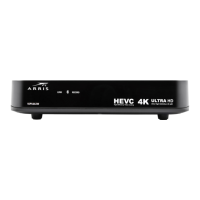
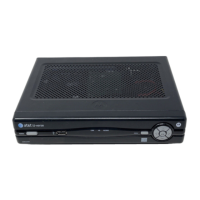
DVR Receiver
Installation Manual
VIP2250
For use with your AT&T U-verse TV Service

Questions and Answers

  • B
    Brandon ThompsonAug 1, 2025
    Why does my Arris TV Receiver remote control not work?
    • S
      smithkimberlyAug 1, 2025
      If your Arris TV Receiver remote control isn't working, ensure the TV is on and the remote is in AT&T mode. Check for obstructions between the remote and receiver, aiming directly at the receiver's front panel. Reduce the angle and stand directly in front. Press keys firmly and one at a time. Try changing channels using the buttons on the TV receiver itself. Finally, check and replace the remote's batteries if needed.
  • J
    Jacob HudsonAug 9, 2025
    What to do if my Arris TV Receiver will not power on?
    • R
      Robert GrahamAug 9, 2025
      If your Arris TV Receiver isn't powering on, check that the power adapter is connected to both the receiver and a working AC outlet. Try unplugging the receiver, plugging it back in, and then pressing the POWER button. If it's connected to a switched outlet, make sure the switch is on. Try pressing the POWER button on the receiver itself, not just the remote. Finally, the remote batteries may be depleted.
  • C
    carlosyuAug 15, 2025
    What to do if my Arris AT&T U-verse VIP2250 TV Receiver has no audio when viewing TV channels?
    • J
      james69Aug 15, 2025
      If you're not getting any sound from your Arris TV Receiver, first check that the Mute button on the remote hasn't been pressed. If connected to a TV, ensure the TV's Mute is off. If using a home theater receiver, verify it's on the correct input and not muted. Confirm you're using the correct audio cables and that they are securely connected between the TV receiver and your TV or home theater receiver.
  • S
    Stephanie MorenoAug 23, 2025
    How to fix no audio from center/surround speakers on Arris AT&T U-verse VIP2250?
    • S
      Steven MatthewsAug 25, 2025
      If you're not hearing audio from the center or surround speakers connected to your Arris TV Receiver, first, remember that not all programs have full 5.1 surround sound. Verify that the Optical S/PDIF cable is firmly connected to both the TV receiver and the home theater receiver. Also, ensure that the home theater receiver is set to a surround sound audio mode like Dolby Digital or Dolby Pro Logic, and that it's properly configured for all connected speakers.

Summary

Safety and Important Instructions

Important Safety Instructions

Essential safety precautions and warnings for operating the receiver.

Positioning and Ventilation Guidelines

Recommendations for proper placement and airflow to maintain optimal operating temperature.

Introduction to the ARRIS DVR Receiver

Device Overview

Front Panel Features

Details and functions of the VIP2250 receiver's front panel controls and indicators.

Rear Panel Connections

Description of the VIP2250 receiver's rear panel ports and their functions.

Connecting Your TV Receiver

Connection Options

Overview of available video and audio output options for connecting the receiver.

Common Cabling Examples

Illustrations of typical audio/video cabling configurations for various setups.

Specific Connection Guides

Detailed instructions for connecting to HDTVs, home theater receivers, stereos, and VCRs.

Troubleshooting Common Issues

Regulatory and Legal Information

Regulatory Compliance and Licenses

Information on FCC compliance, software licenses, and open source attributions.

Contact Information

Arris AT&T U-verse VIP2250 Specifications

General IconGeneral
BrandArris
ModelAT&T U-verse VIP2250
CategoryTV Receiver
LanguageEnglish

Related product manuals