EasyManua.ls Logo

Arris AT&T U-verse VIP2500 - User Manual

Arris AT&T U-verse VIP2500
24 pages
Print Icon
To Next Page IconTo Next Page
Loading...
ARRIS
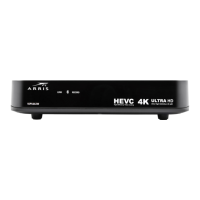
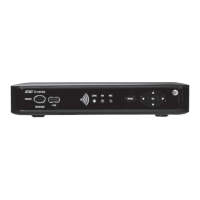
Wireless TV Receiver
Product Manual
VIP2500
For use with your AT&T U-verse TV Service

Questions and Answers

  • C
    Christopher ChavezAug 1, 2025
    How to fix Arris TV Receiver remote control not working?
    • H
      Holly KnoxAug 1, 2025
      If your Arris TV Receiver's remote control isn't working, ensure the TV is powered on and the remote is in AT&T mode. Remove the battery protection strip from the remote's back. Make sure there are no obstructions between the remote and the receiver, and aim directly at the receiver's front panel. Stand directly in front of the receiver, not to the side. Press operation keys firmly and one at a time. Try changing channels using the buttons on the receiver's front panel. Finally, check and replace the remote's batteries if needed.
  • N
    Nathan Andrews DDSAug 9, 2025
    Why is there no audio on my Arris AT&T U-verse VIP2500?
    • D
      David SummersAug 9, 2025
      If you're not getting any audio when viewing TV channels on your Arris TV Receiver, first check if the Mute button on the remote has been pressed; press it again to restore the sound. If the receiver is connected to the TV, check the TV's Mute button as well. If connected to a home theater receiver, ensure it's set to the correct input source and that its Mute button isn't pressed. Also, verify you're using the correct cables for the audio ports and that they are firmly connected between the receiver and the playback device.
  • S
    Stephanie VegaAug 16, 2025
    How to troubleshoot Arris AT&T U-verse VIP2500 not powering on?
    • A
      Autumn HallAug 16, 2025
      If your Arris wireless receiver won't power on, first ensure the power adapter is properly connected to both the receiver and a working AC outlet. Try unplugging the receiver, then plugging it back in and pressing the POWER button. If the receiver is connected to a switched outlet, confirm that the switch is powered on. Also, try pressing the POWER button on the receiver's front panel instead of using the remote, as the remote batteries may be depleted.
  • M
    moseshunterAug 25, 2025
    What to do if center or surround speakers have no audio with Arris TV Receiver?
    • J
      Jessica SalazarAug 25, 2025
      If you're experiencing a lack of audio from the center and/or surround speakers on your home theater receiver connected to the Arris wireless receiver, remember that not all Dolby Digital programs feature full 5.1 surround sound; some may only have left and right stereo audio. Check that the Optical S/PDIF cable is securely connected to both the wireless receiver and the home theater receiver. Ensure that the home theater receiver is set to a surround sound audio mode like Dolby Digital, Dolby Pro Logic® II, or Dolby Pro Logic. Also, make sure the home theater receiver is correctly configured to work with all connected speakers.

Summary

Safety Information

Important Safety Instructions

Key safety guidelines for operating the equipment safely.

Positioning and Ventilation Guidelines

Device Overview

Wireless Connection

Wireless Access Point Setup

How to connect the receiver to the wireless access point.

Registering the Receiver

Pairing the TV receiver with the access point for operation.

Connecting Your TV Receiver

Connecting to HDTV

Connecting Audio to Home Theater Receiver

Connecting to Stereo TV

Troubleshooting

Receiver Power Issues

Solutions for problems where the wireless receiver will not power on.

Remote Control Malfunctions

Steps to resolve issues with the wireless receiver's remote control.

Poor or Missing Video Quality

Diagnosing and fixing problems related to video signal strength and quality.

No Audio During Playback

Troubleshooting steps for scenarios with no audio output from the receiver.

Home Theater Surround Sound Issues

Resolving problems with surround sound audio from a home theater receiver.

Arris AT&T U-verse VIP2500 Specifications

General IconGeneral
BrandArris
ModelAT&T U-verse VIP2500
CategoryTV Receiver
LanguageEnglish

Related product manuals