EasyManua.ls Logo

Arris VIP2502W - User Manual

Arris VIP2502W
40 pages
Print Icon
To Next Page IconTo Next Page
Loading...
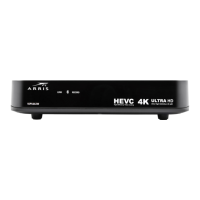
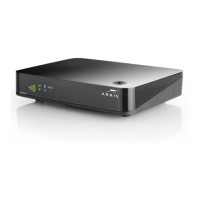
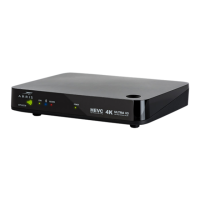
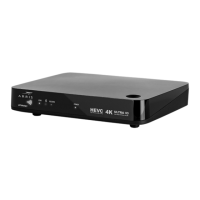
VIP2502W
Wireless IPTV Receiver
Installation Guide
593728-001-c
03/2014

Questions and Answers

  • D
    dcolonAug 2, 2025
    How to fix an Arris TV Receiver remote control that is not working?
    • S
      Sue LawsonAug 2, 2025
      If your remote control isn't working, make sure the TV is on and the remote is in STB mode. Ensure there are no obstructions between the remote and the Arris wireless receiver, and aim directly at the front panel. Avoid standing too far to the side. Press operation keys one at a time, firmly. Try changing channels using the buttons on the receiver's front panel. Finally, check and replace the batteries in the remote control if needed.
  • D
    David BarnesAug 13, 2025
    What to do if there is no audio when viewing TV channels on my Arris VIP2502W TV Receiver?
    • M
      Mrs. Kelly MunozAug 13, 2025
      If you experience a lack of audio when viewing TV channels, first ensure that the Mute button on the remote control has not been activated. If the receiver is connected to the TV, check the TV's mute settings as well. If you're using a home theater receiver, make sure it's set to the correct input source and that its mute function is off. Also, check that you're using the correct cables and that they are firmly connected between the Arris wireless receiver and the audio playback device.
  • D
    Daniel JonesAug 20, 2025
    What to do if there is no audio from the center and/ or surround speakers of a home theater receiver connected to the Arris VIP2502W TV Receiver?
    • X
      xmillsAug 21, 2025
      If you're not getting audio from the center and/or surround speakers, remember that not all Dolby Digital programs have full 5.1 surround sound. First, check that the Optical S/PDIF cable is firmly connected to both the Arris wireless receiver and the home theater receiver. Then, verify that the home theater receiver is set to a surround sound audio mode like Dolby Digital, Dolby Pro LogicĀ® II, or Dolby Pro Logic. Finally, ensure that the home theater receiver is properly configured to work with all connected speakers.
  • H
    Hayley FryAug 27, 2025
    How to troubleshoot an Arris VIP2502W TV Receiver that will not power on?
    • M
      Michael DominguezAug 27, 2025
      If your Arris wireless receiver won't power on, check that the power adapter is connected to both the receiver and a working AC outlet. Try unplugging the receiver, plugging it back in, and pressing the POWER button. If it's connected to a switched outlet, ensure the switch or unit is powered on. Also, try pressing the POWER button on the receiver's front panel instead of using the remote, as the remote batteries might be dead.
  • D
    David RodriguezNov 7, 2025
    Why is the video quality poor or missing on my Arris VIP2502W?
    • D
      Denise WeissNov 8, 2025
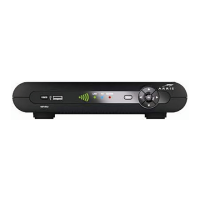
      If the video quality is poor or missing, check the signal strength from the wireless Access Point. The number of illuminated bars on the front panel indicates the signal strength. If the signal strength is inadequate, try reorienting or relocating the Arris Wireless TV receiver or the Access Point for improved reception. The signal strength meanings are: * Five bar segments lit green: Excellent signal strength * Four bar segments lit green: Very good signal strength * Three bar segments lit green: Signal strength is good (minimum acceptable strength at installation). * Two bar segments lit green: Signal strength is fair. * Two bar segments lit amber: Signal is weak. Video may be affected. * One or two bar segments lit red: Signal is very weak. Video is affected. * No bar segments lit: No w...

Summary

IMPORTANT SAFETY INSTRUCTIONS

Introduction

Overview

Front Panel

Describes the front panel features, controls, and indicator lights.

Rear Panel

Describes the rear panel features and their functions.

Wireless Connection

Register the TV Receiver with the Access Point

Explains the WPS procedure to authorize the receiver with the access point.

Connecting Your TV Receiver

Connection Options

Lists and describes different video output connection options for the receiver.

Common Cabling Examples

Illustrates sample audio/video (A/V) connection diagrams for reference.

Connecting to an HDTV - Video Only

Connecting to an HDTV - Audio Only

Connecting Audio to a Home Theater Receiver

Connecting to a Stereo TV

Troubleshooting

Regulatory Information

FCC Radiation Exposure Statement

Statement on compliance with FCC radiation exposure limits.

Wireless LAN Information

Information on the wireless network technology used by the VIP2502W.

Wireless LAN and your Health

Discusses RF energy emission and safety guidelines.

Restrictions on Use of Wireless Devices

Outlines potential restrictions on wireless device usage.

FCC Declaration of Conformity

Declaration of compliance with FCC rules for Class B digital devices.

Industry Canada statements

Compliance statements for Industry Canada regulations.

Software License

Legal terms and conditions for using the software and firmware.

U.S. Government Restricted Rights

Specifies restricted rights for U.S. government use of the product.

Open Source Attributions

Lists attributions for open source software used in the product.

Arris VIP2502W Specifications

General IconGeneral
NetworkingEthernet
Resolution1080p
Video OutputHDMI, Composite
Audio OutputHDMI, Optical
WirelessWi-Fi
USBUSB 2.0
TypeIPTV Set-Top Box
Power SupplyAC Adapter

Related product manuals