Touchstone TM502 Telephony Modem User’s Guide 16
Getting Battery USB Ethernet
Safety Started Installation Installation Drivers Configuration Usage Troubleshooting Glossary
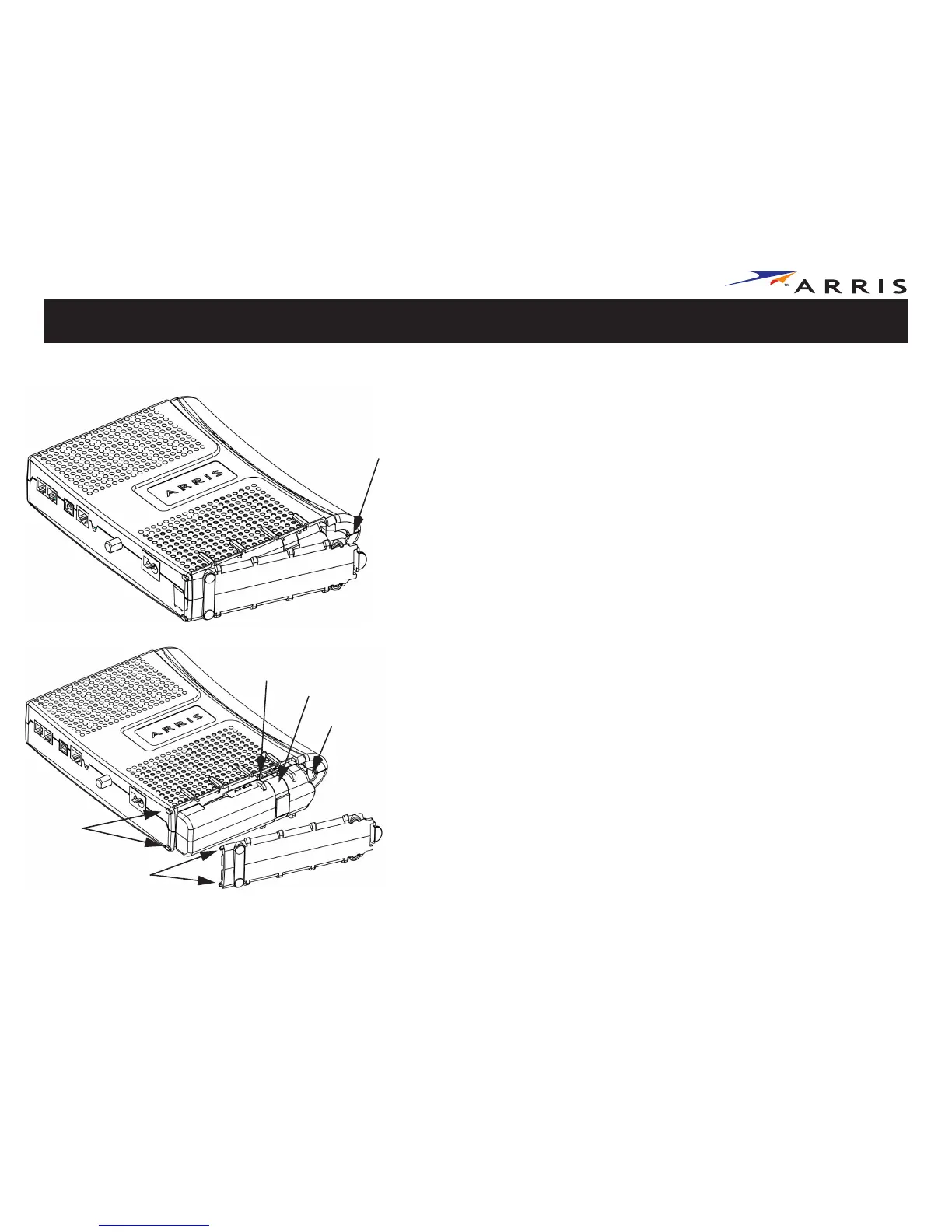
4.4 Ah Battery Installation and Replacement
The 4.4 Ah lithium-ion battery pack can be inserted into the Telephony Modem. Use
this procedure to install and to replace the backup batteries.
4.4 Ah Lithium-Ion Battery Replacement Action
1
Insert a finger into the latch opening, press down and pull back on the latch
holding the battery door (on the bottom of the Telephony Modem). Pull the
door toward you. Set the door aside in a safe place.
2
Hold the battery pack so that the guides on the battery align with the slots
on the Telephony Modem and slide the battery into the bay. The diagram on
the left shows the proper orientation. Batteries will not insert completely
into the Telephony Modem if not oriented correctly.
Latch
End
Battery Slot
Battery Guide
Battery
Pull Strap
Hinge Tabs
Receiver
Slots















 To Next Page