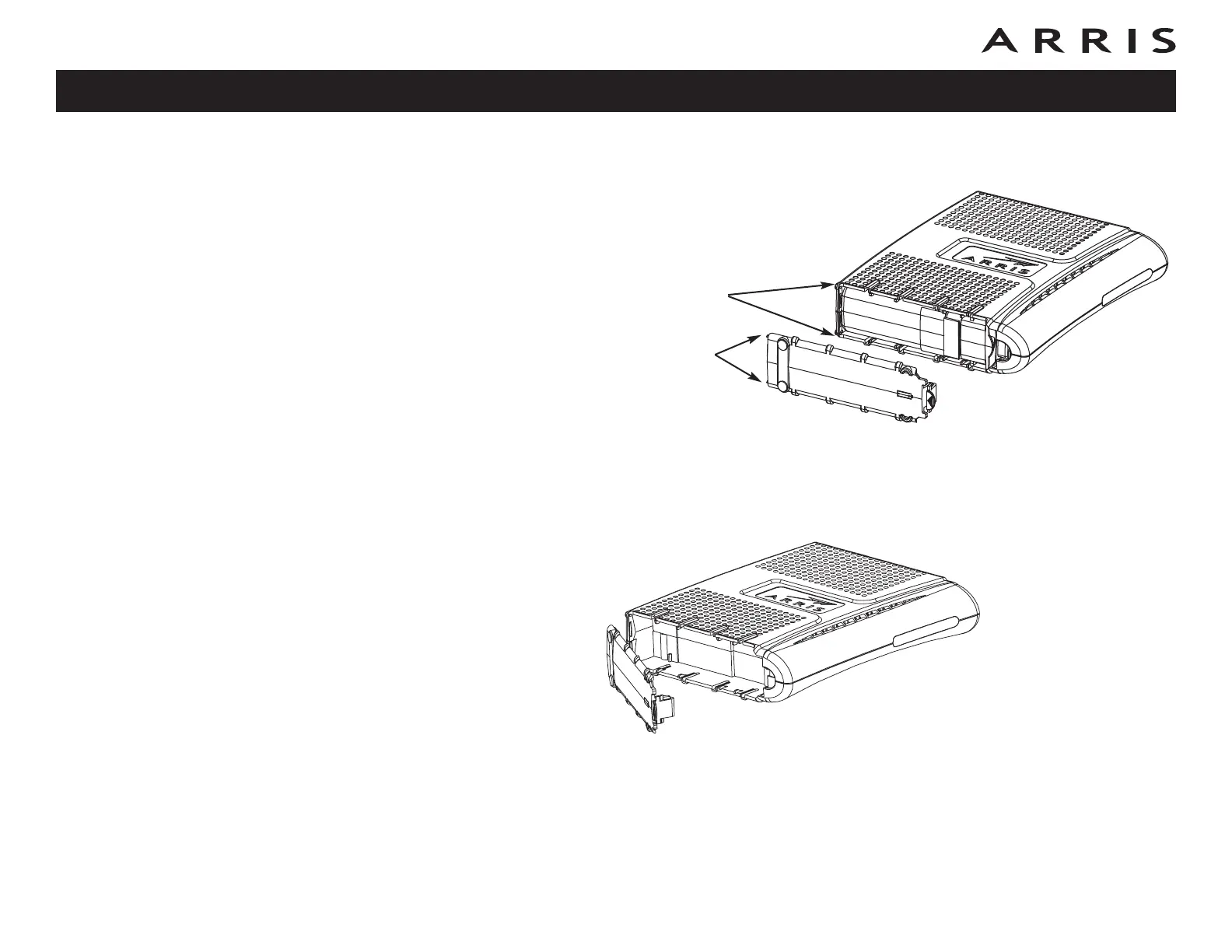
4 Replace the battery door: insert the hinge tabs in the receiver slots, and
close the door until the latch snaps into place.
Maximum Backup Battery Installation
1 Pull back the battery door latch and remove the battery door. The Maximum
Backup battery replaces the door; store the door in a safe place.
2 Place the battery on a firm horizontal surface.
Receiver
Slots
Hinge Tabs
Touchstone TM604 Telephony Modem User’s Guide
Safety
Getting
Started
Battery
Installation
Installation
Ethernet
Configuration
Usage Troubleshooting Glossary
15















 To Next Page