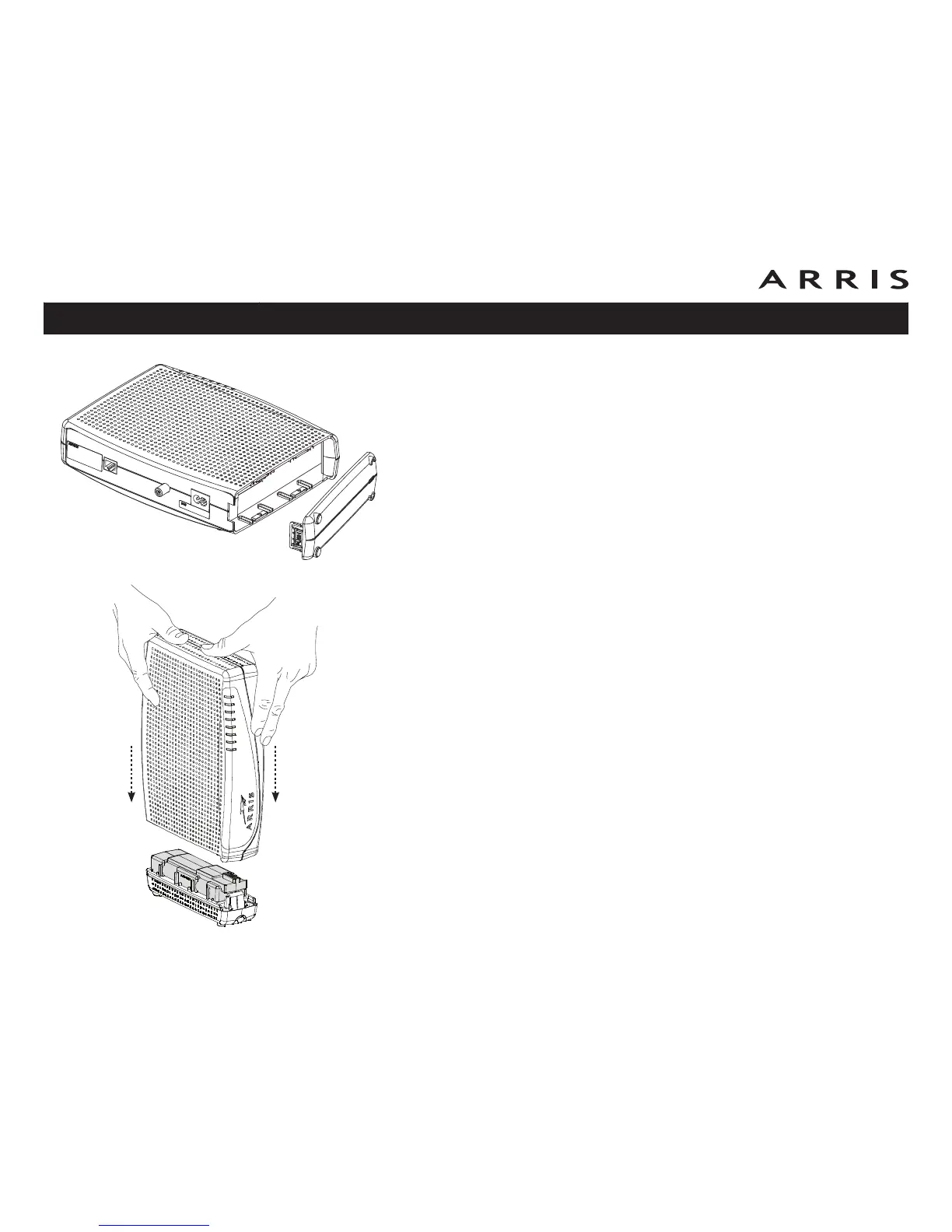
TM822G Maximum Battery Installation and Replace-
ment
Use this procedure to install or replace a maximum backup battery.
1 Press down and pull back on the latch holding the battery door (on the bot-
tom of the Telephony Modem). Pull the door toward you. Set the door aside
in a safe place.
2 Place the battery on a firm horizontal surface.
3 Position the Telephony Modem over the battery, aligning the slots on the
battery bay with the tabs on the battery. Push straight down on the Tele-
phony Modem until the battery latch clicks into place.
Note: You may need to push down gently on the front of the Telephony
Modem to latch the battery into place. The Telephony Modem will not begin
operating until you apply AC power.
4 To remove the battery, grasp the battery and pull back on the latch at the
front of the battery. Then gently rock the battery out of the bay.
Note: Telephony Modems use a Lithium-Ion battery pack. Please recycle or
dispose of the battery responsibly and in accordance with local ordinances.
Touchstone TM822 Telephony Modem User’s Guide
Safety
Getting
Started
Battery
Installation
Installation
Ethernet
Configuration Usage Troubleshooting Glossary
18















 To Next Page