Installation and Overview
VAP3400/3402 802.11ac Wireless Video Access Point • User Guide 8
6. The Client’s Wireless Link LED lights: (solid green - preferred, or solid blue). You have now established a
secure wireless connection between the Access Point and the Client. You now can begin streaming video
content to your set-top box or boxes.
NOTE: To install additional VAP Clients, repeat steps 1 through 5, replacing Step 4 (above) with the following:
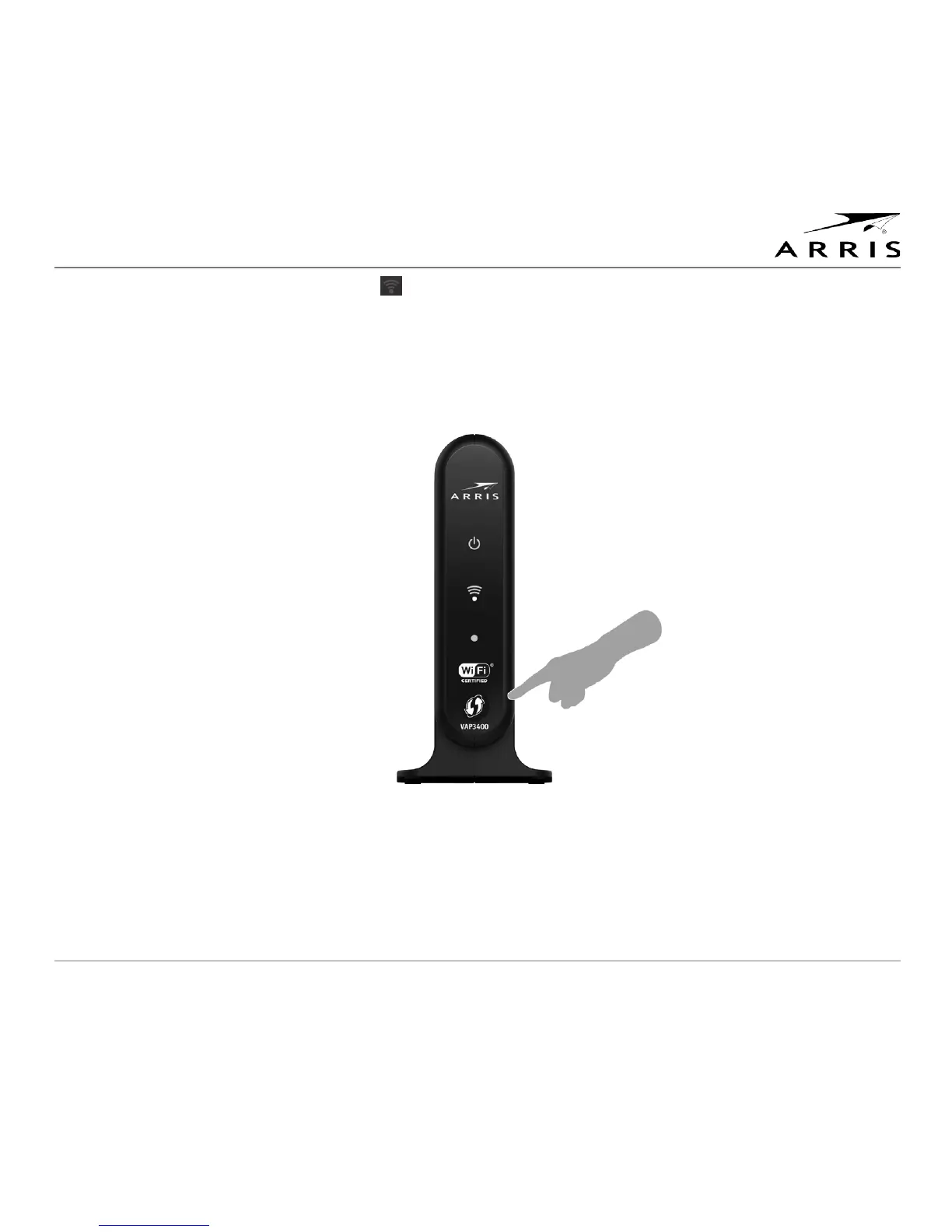
Press and hold the WPS button on the front of the Client for 2 seconds. After doing so, you will have 2 minutes
to return to the Access Point and press and hold its WPS button. Pressing the buttons on both units enables
them to establish a wireless connection.
Note: After you press the WPS button, the WPS Status LED flashes green when functioning as an Access Point
or flashes blue when functioning as a Client. If your connection is successful, the LED will stop flashing, light
solid for approximately 30 seconds, and then return to either green (AP) or blue (Client). This is a normal part of
the process and does not mean you have lost your connection to the Access Point. If the LED continues flashing
or fast flashing blue/green, it indicates the unit has experienced an error; refer to the Troubleshooting section.



 To Next Page