Installation and Overview
VAP3400/3402 802.11ac Wireless Video Access Point • User Guide 3
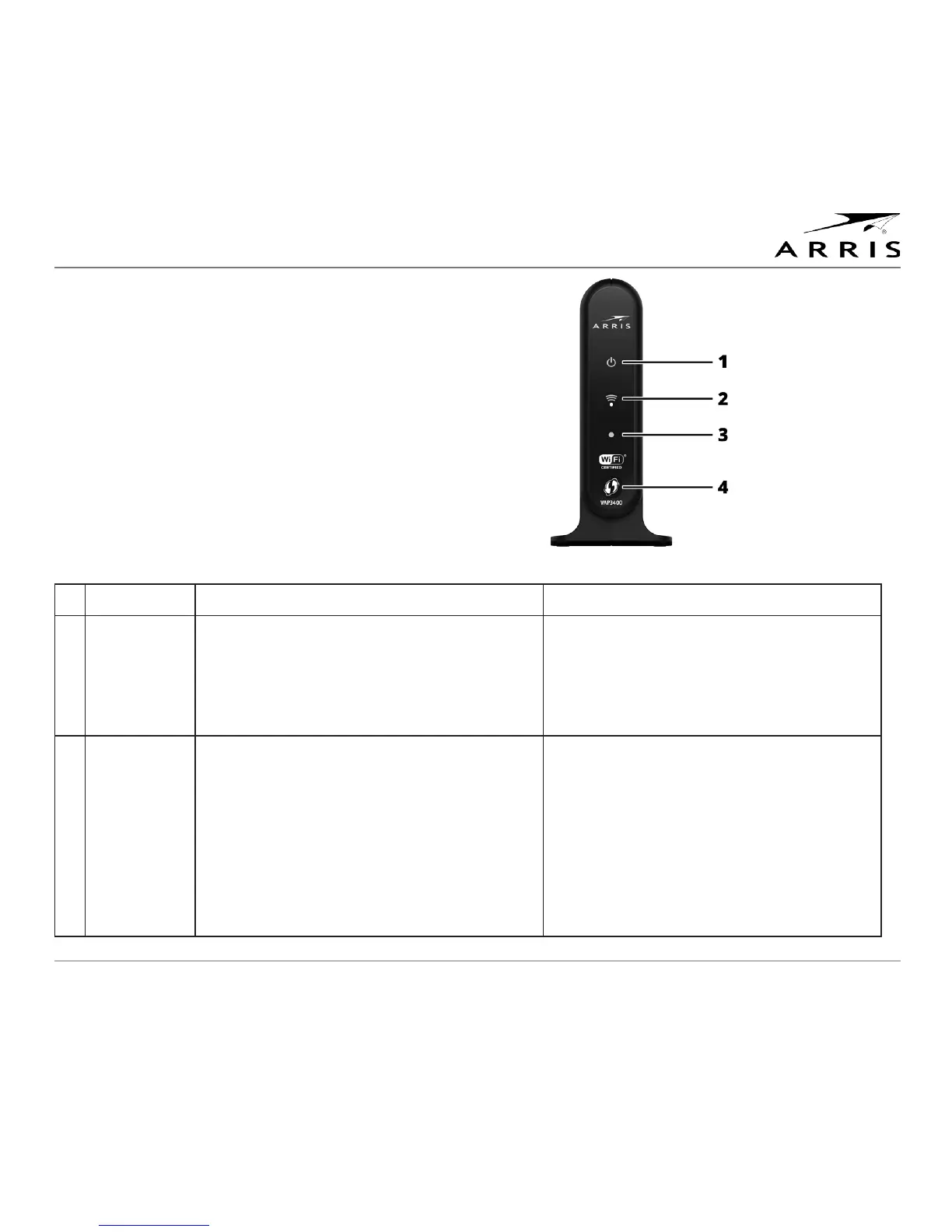
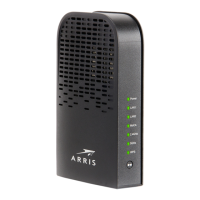
Front Panel
The LED behavior on the front panel of the VAP3400/3402 behaves
slightly differently when configured as an Access Point or as a
Client.
The following table explains the VAP status by the LED behavior.
Configured as an Access Point Configured as a Client
1 Power LED Green = The VAP is on.
Cyan = The VAP is on standby.
Off = The VAP is off or disconnected from its
power source.
Green = The VAP is on.
Cyan = The VAP is on standby.
Off = The VAP is off or disconnected from its
power source.
2 Wireless
Link Quality
LED
Off = No wireless connection in Client
mode or unit is off.
Solid Green = Wireless quality is good.
Fast Flashing Green = No Client associated
with Access Point.
Solid Blue or Cyan = Wireless quality is
poor.
Off = No wireless connection in Client
mode or unit is off.
Solid Green = Wireless quality is good.
Solid Blue or Cyan = Wireless quality is
poor.



 To Next Page