Installation and Overview
VAP3400/3402 802.11ac Wireless Video Access Point • User Guide 5
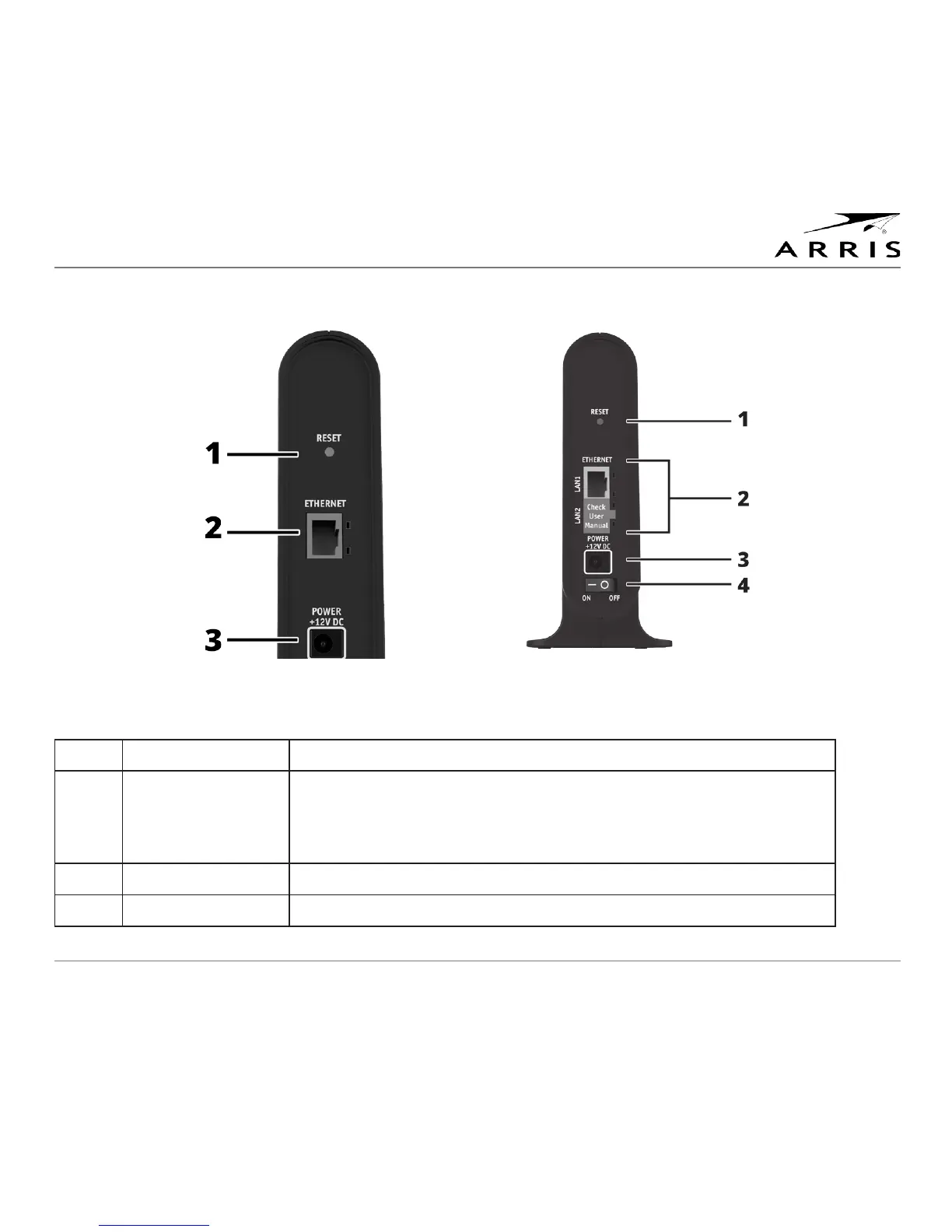
Two Ports
(VAP3402)
Single Port
(VAP3400)
1 Reset Button Resets the VAP to its default settings.
2 Ethernet Port Connects to an Ethernet-equipped Gateway, computer, hub, or switch
using an RJ-45 cable connection.
Note: When utilizing two ports (VAP3402 only), do not connect both
Ethernet ports to your gateway.
3 Power Jack Provides power to the VAP.
4 Power Switch Turns the VAP on or off.
Rear Panels



 To Next Page