Chapter 4: SURFboard Central mobile app features
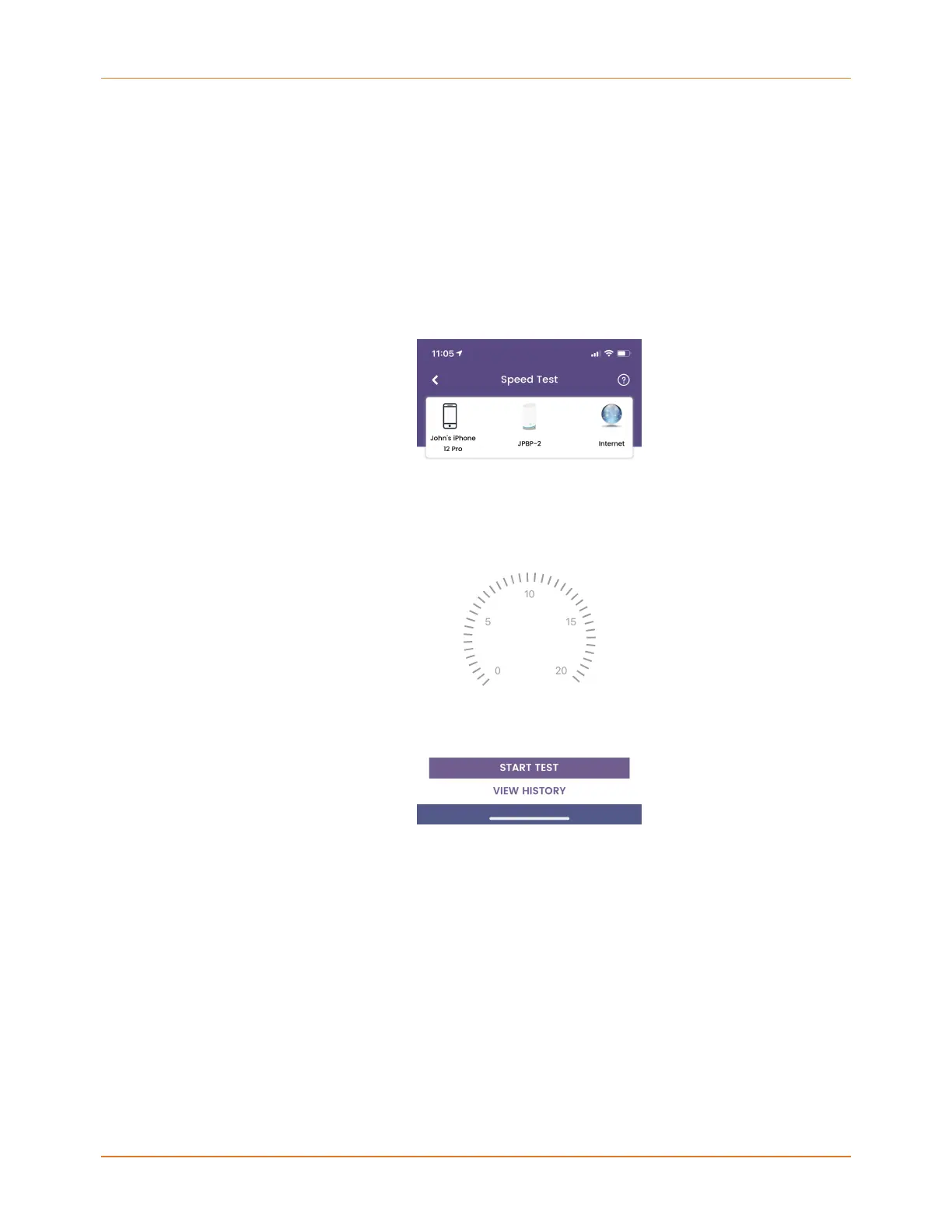
Speed Test
The Speed Test screen provides the ability to measure the speed between the device
running your SURFboard Central mobile app and the mAX router or satellite to which it
is connected, as well as the speed between your router and the Internet. A speed test
between the device running your SURFboard Central mobile app and the router cannot be
run remotely.
1. Tap Network at the bottom of the SURFboard Central mobile app and then TEST MY
CONNECTION SPEED or tap Speed Test on the Side menu.
2. To start a speed test, tap START TEST below the speed dial.
When you are home, the test will report download and upload speeds between your
device running the SURFboard Central mobile app and the router, and also for the router
and the Internet. When you are remote, you will get results between the router and
Internet only.
3. While the test is in progress, tap STOP TEST if you want to discontinue testing.
4. Tap VIEW HISTORY to review and compare previous speed tests. The last 20 speed tests
are retained in history.
Add another mAX
This feature cannot be accessed remotely.
Tap Add a New Satellite on the Side menu to add 1 or 2 mAX satellites to your home Wi-Fi
network. For more information, see Adding a SURFboard mAX satellite (page 22).
SURFboard mAX User Guide Standard Revision x.1 48



 To Next Page