Chapter 1: Get started
Hardware diagram
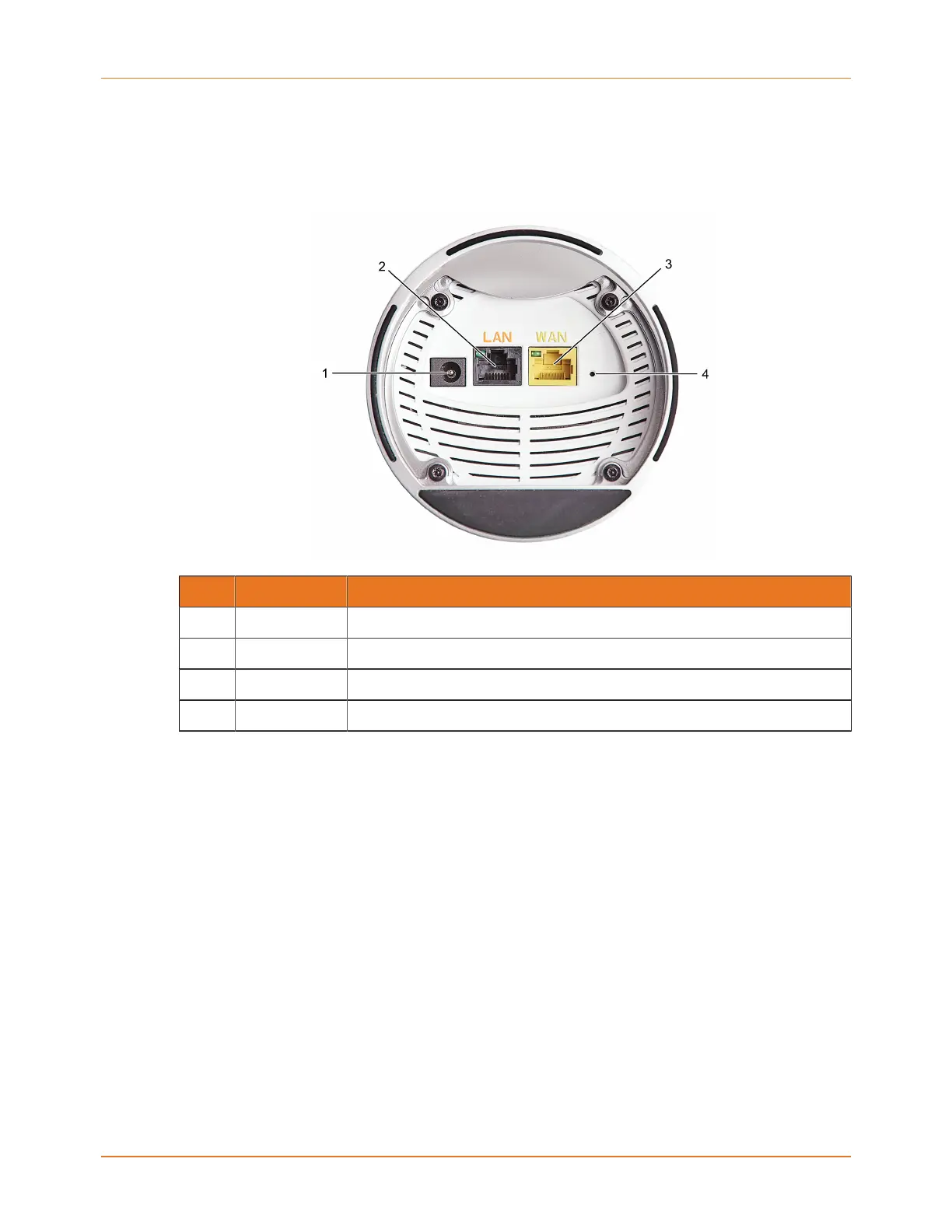
This diagram and table explain the ports on the underside of your mAX unit.
Callout Name Description
1 Power For connection to the power adaptor included in the box.
2 Ethernet port For Ethernet device connections (i.e., TV, game console, PC, etc).
3 WAN port For connection to your cable/DSL modem or fiber ONT device.
4 Reset button Resets the mAX to factory defaults.
SURFboard mAX User Guide Standard Revision x.1 7



 To Next Page