EasyManua.ls Logo

ARTEX 453-5001 - User Manual

ARTEX 453-5001
66 pages
Print Icon
To Next Page IconTo Next Page
Loading...
Page 1 of 66
MAY 28/2020
570-5000 Rev. U
Initial Issue JUN 30/1999
ARTEX PRODUCTS / ACR ELECTRONICS, INC.
5757 Ravenswood Rd, Ft. Lauderdale, FL 33312
Cage Code: 18560
25-62-11
C406-2 Series
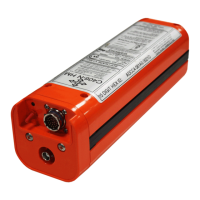
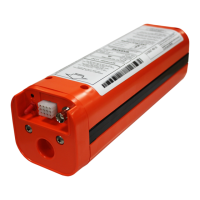
Emergency Locator Transmitter
Description, Operation, Installation and Maintenance Manual
This manual includes data for the equipment that follows:
Component Part No. Model No.
Emergency Locator Transmitter 453-5000 C406-2
Emergency Locator Transmitter 453-5001 C406-2HM

Table of Contents

Questions and Answers

  • R
    Ray FrancisAug 13, 2025
    Why is my ARTEX 453-5001 Transmitter showing a 1-Flash error?
    • K
      Kimberly HoffmanAug 13, 2025
      A 1-Flash error on your ARTEX Transmitter can be due to several reasons related to the G-switch loop or remote switch harness. Here's what you should check: * Check the remote switch harness connector at the ELT for looseness or disconnection and tighten if necessary. * Inspect the ELT connector pins for bending or breakage, and repair or replace as needed. * Look for an open jumper (internal to the remote switch harness connector at the ELT end) on connector pins 5 and 8, and repair the open jumper.
  • D
    Denise MorganAug 18, 2025
    What to do if my ARTEX Transmitter ELT will not turn off?
    • J
      Juan MillerAug 18, 2025
      If your ARTEX Transmitter ELT won't turn off, here are some possible causes and solutions: * The battery may be too low to support a 406 burst, causing the circuit to reset. Remove the battery pack to disable the ELT and then replace the battery pack. * Check the wiring continuity of the remote switch harness reset circuit and repair as necessary. * The remote switch might be defective, consider replacing it.
  • J
    Jamie OlsonAug 22, 2025
    What to do if my ARTEX Transmitter is showing a 5-Flash error?
    • C
      Christopher RobertsonAug 22, 2025
      A 5-Flash error on your ARTEX Transmitter indicates that no navigation position data is present. To resolve this: * Ensure the aircraft navigation system is turned on. * Check the system interface wiring and connections for continuity and security. * If a 453-6500 ELT/NAV Interface is required but not installed, install it. * Reprogram to short message.
  • T
    tara20Aug 28, 2025
    Why is my ARTEX Transmitter showing a 7-Flash error?
    • B
      billyramirezAug 28, 2025
      A 7-Flash error on your ARTEX Transmitter indicates a battery problem. If the operating time has exceeded 1 hour, replace the battery pack.
  • S
    Sherry SalazarSep 1, 2025
    How to fix ARTEX 453-5001 Transmitter remote switch LED always on?
    • S
      schmittkyleSep 1, 2025
      If the remote switch LED on your ARTEX Transmitter is always on (steady), it could be due to improper wiring or a short circuit. Verify the wiring, check for frayed insulation, and verify the integrity of all crimp and solder connections.
  • M
    Michael MartinNov 7, 2025
    What to do if my ARTEX Transmitter shows a 3-Flash error?
    • D
      davistabithaNov 7, 2025
      A 3-Flash error on your ARTEX Transmitter indicates a potential 406 MHz transmission problem. Here's what you can do: * Verify the coax cable/antenna is connected and in good condition. Perform a continuity check of the center conductor and shield, and check for a shorted cable. * Check for intermittent connections in the coax cable. * Use a VSWR meter to check the antenna. Look for opens, shorts, or a resistive ground plane connection. * Adjust the antenna coax cable length by 4 to 6 inches to address impedance issues. * Ensure a ground plane of at least 12 inches in diameter is present. * Keep the antenna at least 10-12 inches away from upright metal structures to prevent re-radiation. * Check if the battery is low. * Verify the 406 MHz programming. If these steps don't...

Summary

DESCRIPTION AND OPERATION

Description

Details the physical and functional characteristics of the ELT.

Operation

Explains the ELT's activation, states, and operational procedures.

TEST AND FAULT ISOLATION

Inspection and Test Regulatory Requirements

Outlines regulatory requirements for ELT inspection and testing.

Inspection and Test Procedures

Details the procedures for ELT inspection, testing, and troubleshooting.

FAULT ISOLATION

Self-Test Error Troubleshooting Guidelines

Describes ELT self-test LED error codes, probable causes, and possible solutions for troubleshooting.

ELT Troubleshooting Guidelines

Provides guidelines for troubleshooting common ELT installation and operational issues based on symptoms.

REMOVAL

ELT Removal

Details the step-by-step procedure for safely removing the ELT unit from its mounting.

Battery Pack Removal

Describes the process for removing the battery pack from the ELT unit, emphasizing ESD precautions.

INSTALLATION

Regulatory Requirements

Covers mandatory registration, TSO C126, FAA, Canadian, and international regulations for ELT installation.

ELT Installation and Testing

Describes final ELT installation steps, harness sealing, and required post-installation tests.

ARTEX 453-5001 Specifications

General IconGeneral
BrandARTEX
Model453-5001
CategoryTransmitter
LanguageEnglish

Related product manuals